
SOLVED: Spear Phishing Attacks on Windows 10/11 Systems
Spear phishing uses personalized emails to trick recipients into revealing sensitive data or granting system access. Or worse, granting unauthorized access to their systems. Unlike traditional phishing, it targets individuals, making detection harder.
What is Spear Phishing, and How Does it Work?
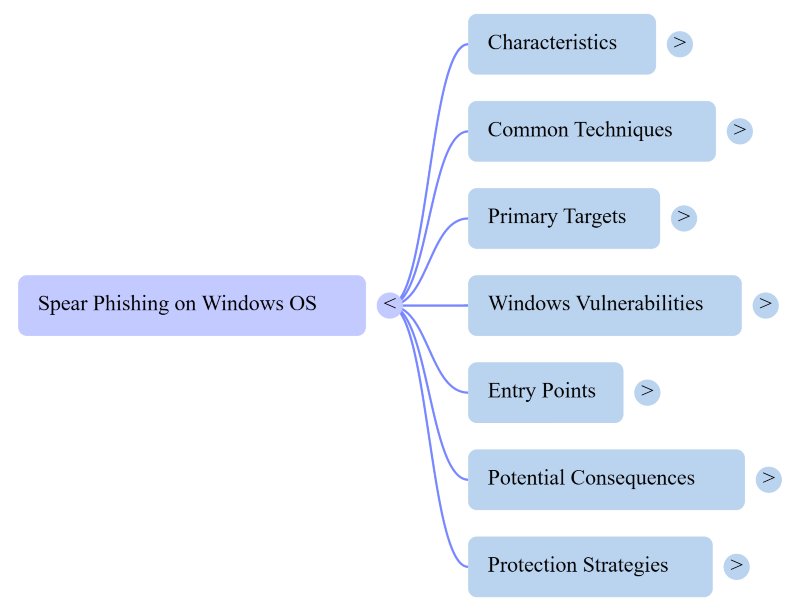
Spear phishing attacks on Windows OS users are a malignant threat that users usually don’t notice. It looks subtle and friendly, and users mistakenly think it’s just an ordinary reading day in their inbox. This highly targeted phishing attack poses risks to individuals and organizations, particularly those using the Windows operating system.
With millions of users worldwide, Windows PCs are a tempting target for cybercriminals seeking unauthorized access to sensitive information.
Cybercriminals research their intended victims, gathering information from various sources, such as social media profiles, company websites, and public records. Then, using this information, they create convincing emails or websites that appear legitimate, often impersonating trusted entities or individuals.
Common Spear Phishing Techniques
Spear phishing attacks can take various forms, but some of the most common techniques include:
- Email spoofing: Fake emails that appear to be from legitimate sources, such as colleagues, business partners, or service providers.
- Website spoofing: Attackers create fake websites that mimic legitimate ones, tricking users into entering sensitive information or downloading malware.
- Malicious attachments and links: emails often contain malicious attachments or links that, when opened or clicked, can infect the victim’s system with malware or redirect them to a malicious website.
Targets of Spear Phishing Attacks
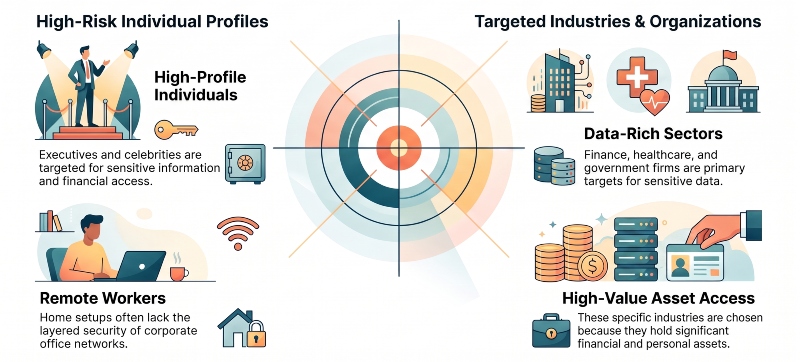
Spear phishing targets those with valuable data or system access. Some common targets include:
- High-profile individuals (executives, celebrities) targeted for sensitive info/financial access.
- Finance, healthcare, and government firms are targeted for sensitive data and assets.
- Remote workers with more people working from home, employees using personal networks and devices, have become prime targets, since home setups often lack the layered security of a corporate office.
- Everyday Windows users make online transactions and payments. Cybercriminals don’t discriminate by status or income; anyone actively banking, shopping, or transferring money online is a viable target if they can gain access.
Spear Phishing Attacks on Windows OS
Due to its widespread use and potential vulnerabilities, Windows remains a prevalent target for spear phishing attacks. Cybercriminals exploit various weaknesses in the Windows OS to gain a foothold and carry out their malicious activities.
Software vulnerabilities: Unpatched or outdated software, including the Windows operating system itself, third-party applications, and browser plugins, can provide entry points for attackers.
Social engineering tactics: Attackers exploit human vulnerabilities, such as curiosity, fear, or a desire to help, to trick users into revealing sensitive information or granting access to their systems.
User negligence: Careless behavior, such as failing to update software, clicking on suspicious links or attachments, or using weak passwords, can leave Windows PCs vulnerable to spear phishing attacks.
The Difference Between Phishing and Spear Phishing
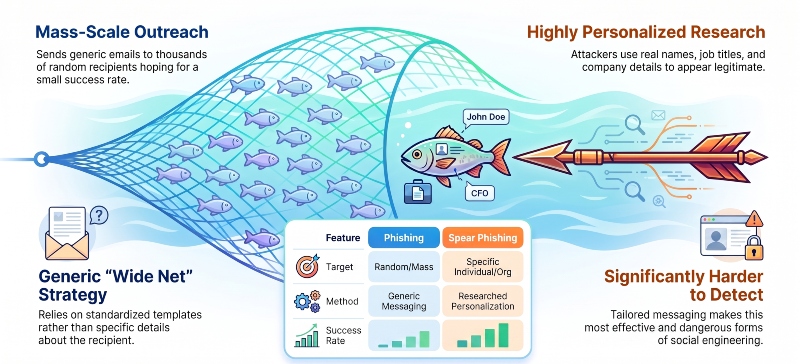
Phishing casts a wide net, sending generic, mass emails to thousands of random recipients, hoping a small percentage will click a malicious link or share sensitive information. Spear phishing, by contrast, is highly targeted. Attackers research a specific individual or organization, then create a personalized message using real names, job titles, or company details to appear legitimate and trustworthy.
Because spear phishing is tailored and researched, it’s significantly harder to detect and far more effective than generic phishing attempts, making it one of the most dangerous forms of social engineering today.
Common Entry Points of Spear Phishing Attacks on Windows OS
Spear phishing attacks on Windows PCs can leverage various entry points, including:
- Email clients: Popular email clients like Microsoft Outlook are common targets, as they are widely used and can serve as gateways for malicious attachments or links.
- Web browsers: Attackers may use spoofed websites or malicious advertisements to trick users into revealing sensitive information or downloading malware.
- Removable media: When accessed or executed, infected USB drives or other removable media can introduce malware to a Windows PC.
Potential Consequences
Successful spear phishing attacks on Windows PCs can have devastating consequences, including:
- Data breaches: Attackers may gain access to sensitive information, such as financial records, intellectual property, or personal data, which can lead to identity theft, economic loss, or reputational damage.
- Financial losses: Cybercriminals may use compromised systems for fraudulent activities, such as unauthorized financial transactions or ransomware attacks, resulting in significant economic losses.
- Reputational damage: Data breaches and security incidents can severely damage an organization’s reputation, eroding customer trust and potentially leading to legal liabilities.
How to Protect Your Windows PC from Spear Phishing Attacks
While spear phishing attacks can be challenging to detect and prevent, you can take several measures to enhance the security of your Windows PC and mitigate the risks associated with these threats.
Email Security Practices
- Verifying sender identity: Always verify the sender’s authenticity before opening emails or clicking on links, especially when the message is from a trusted source.
- Scrutinizing email content and attachments: Be cautious of emails with suspicious content, attachments, or links, and avoid opening or clicking on them unless you are sure they are legitimate.
- Enabling email filtering: Implement filtering solutions that detect and block phishing attempts, malware, and other potential threats.
Keeping Software Updated
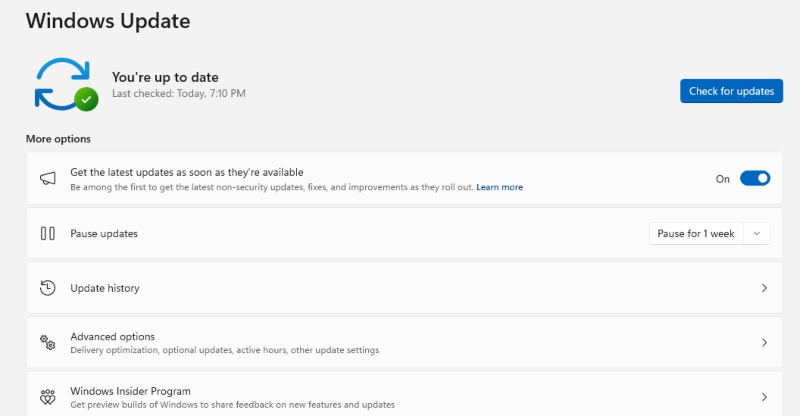
- Importance of regular software updates: Ensure that your Windows operating system, web browsers, and other software applications are up-to-date with the latest security patches and updates.
- Automatic updates for Windows and third-party applications: Enable automatic updates for Windows and trusted third-party applications to ensure timely vulnerability patching.
User Awareness and Training
- Educating users on spear phishing tactics: Provide regular training and awareness programs to help users recognize and respond to spear phishing attempts.
- Recognizing suspicious emails and websites: Train users to identify suspicious emails, websites, and other indicators of potential spear phishing attacks.
- Reporting incidents promptly: Encourage users to report suspicious activities or potential security incidents to the appropriate personnel or authorities.
Advanced Protection Measures
Following these tips can reduce the chances of falling victim to spear phishing. Adding extra security measures can make your Windows PC even safer.
Antivirus and Anti-Malware Solutions
- Importance of reputable security software: Invest in reputable antivirus and anti-malware solutions that detect and prevent malware infections and other threats.
- Real-time protection and regular scans: Enable real-time protection and schedule regular system scans to detect and remove potential threats.
If you’re looking for a reliable security solution, consider downloading Fortect’s antivirus and anti-malware solution specifically for the Windows OS. Their real-time malware protection feature can help safeguard your system from spear phishing attacks and other forms of cyber threats.
Fortect repairs damaged files, recognizes malware attacks, and resolves hardware/software issues.
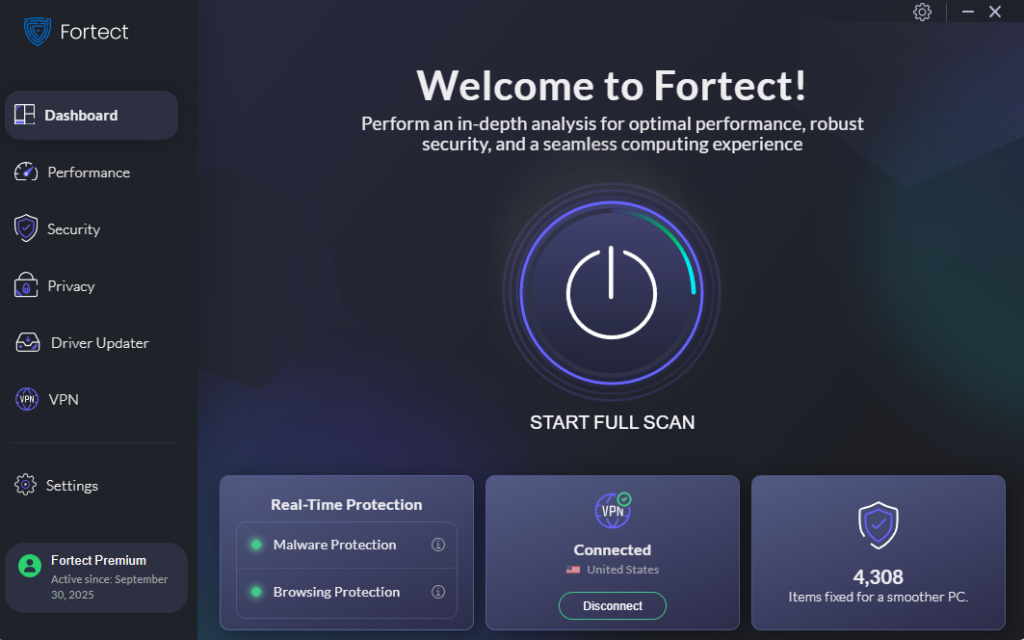
Fortect Premium now includes a built-in VPN with Auto-Protect on public Wi-Fi, keeping your connection secure even on open networks. It encrypts your internet traffic to protect your data and shield you from hackers who exploit unsecured connections, a common entry point attackers use to intercept credentials or deploy malware from spear phishing links.
While a VPN doesn’t stop a spear phishing email from arriving, it closes off one of the ways attackers escalate a successful phish into a full compromise.
If a Windows user clicks a malicious link on public Wi-Fi, an unencrypted connection can expose login sessions or system data to anyone monitoring that network. Fortect’s Auto-Protect VPN encrypts that traffic automatically, so even a moment of compromised judgment doesn’t hand attackers a clear path into your device.
Download and install Fortect on your computer now to be seriously protected.
Email Encryption and Authentication
- Implementing email encryption: Encrypt sensitive emails and attachments to prevent unauthorized access and ensure the confidentiality of your communications.
- Email authentication protocols: Implement email authentication protocols like Sender Policy Framework (SPF), DomainKeys Identified Mail (DKIM), and Domain-based Message Authentication, Reporting, and Conformance (DMARC) to prevent email spoofing and phishing attempts.
Network Security Measures
- Firewalls and intrusion detection systems: Deploy firewalls and intrusion detection systems to monitor and control incoming and outgoing network traffic and block potential threats.
- Virtual Private Networks (VPNs): Use a reputable VPN service when accessing sensitive information or systems over public networks to encrypt your internet traffic and protect against eavesdropping or man-in-the-middle attacks.
All Things Considered
Spear phishing attacks pose a significant threat, putting sensitive information, financial assets, and systems at risk.
Protect your Windows PC by verifying emails, scrutinizing content, updating software, and training users. Implement security measures like antivirus software, email encryption, firewalls, and VPNs. Stay vigilant against spear phishing.
Related Phishing Reads:
HTTPS Phishing
Angler Phishing Scams
Whale Phishing Attacks
SMS Phishing on Android & iPhone
Evil Twin Phishing
Clone Phishing on Windows
Updated August 2026, originally published May 2024




