Malware-as-a-Service (MaaS): A Growing Cyber Threat
Cybercriminals no longer need coding skills to attack your PC. With Malware-as-a-Service, anyone can rent a ready-made attack toolkit online for as little as $100 a month, no technical experience required. This has made cyberattacks faster, cheaper, and far more common. Understanding how MaaS works is the first step toward protecting yourself.
What Is Malware-as-a-Service?
Think of it like Netflix, but for cybercrime. Skilled developers build powerful malware and rent it out to anyone willing to pay, complete with dashboards, customer support, and regular updates. The buyers, called affiliates, don’t write a single line of code. They simply configure the tool and launch attacks.
This model has exploded in recent years. In the second half of 2024, MaaS was responsible for 57% of all detected cyber threats, a 17% jump from just six months earlier. The underground marketplace now lists hundreds of unique malware tools, from password stealers to ransomware kits, all available on dark web forums for a monthly fee.
- 57% of cyber threats in late 2024 came from MaaS
- 384 unique malware variants sold on top forums in 2024
- $100+per month to rent a basic attack toolkit
How Malware-as-a-Service Threatens Home Users
MaaS isn’t just a problem for companies. Home users are frequently targeted because personal devices tend to have weaker security and store valuable data, saved passwords, banking credentials, payment card details, and email logins.
Here are the most common types of MaaS threats your PC might face:
Info Stealers: Silently harvest passwords, credit card numbers, and browser cookies. Often installed without any obvious symptoms.
Ransomware: Encrypts your files and demands payment to restore them. Ransomware grew by 37% in confirmed breaches in 2024.
Remote Access Trojans: Give attackers full control of your machine, often used to spy, steal files, or install further malware.
Loaders: Act as a delivery vehicle, quietly installing other malicious programs onto your PC after an initial infection.
What makes MaaS especially dangerous is how quietly these tools operate. An info stealer, for instance, can drain your saved passwords and be gone before any alert fires.
How MaaS Malware Gets onto Your Computer
The most common entry points
MaaS operators package their tools with delivery systems, phishing emails, fake software downloads, malicious ads, and spoofed login pages. An email that looks like a shipping notification, a “free” software download from an unofficial site, or a pop-up urging you to update your browser can all be delivery vehicles.
Once you interact with one of these lures, the malware installs silently in the background. You may notice nothing at all while your credentials are being harvested and sent to a remote server.
How to Check Your PC for Malware — and Remove It
If something feels off, your PC is slower than usual, browser settings have changed, or you’re seeing unexpected pop-ups, follow these steps to scan for and remove threats.
Windows 10
- Open Windows Security
- Click the Start menu, type Windows Security, and open the app.
- Run a full virus scan
- Select Virus & threat protection → Scan options → choose Full scan → click Scan now.
- Review and remove threats
- When the scan finishes, follow the prompts to quarantine or remove anything flagged.
- Check startup programs
- Press Ctrl + Shift + Esc to open Task Manager, click the Startup tab, and disable anything unfamiliar.
- Update Windows
- Go to Settings → Update & Security → Windows Update and install any pending updates. Malware often exploits unpatched vulnerabilities.
Windows 11
- Open Windows Security
- Click the Start button, type Windows Security, and open the app. Alternatively, find it in Settings → Privacy & security.
- Run a full scan
- Go to Virus & threat protection → Scan options → select Full scan → click Scan now.
- Remove detected threats
- Review the results and choose Remove or Quarantine for anything flagged.
- Manage startup apps
- Go to Settings → Apps → Startup. Turn off any apps you don’t recognize or didn’t install.
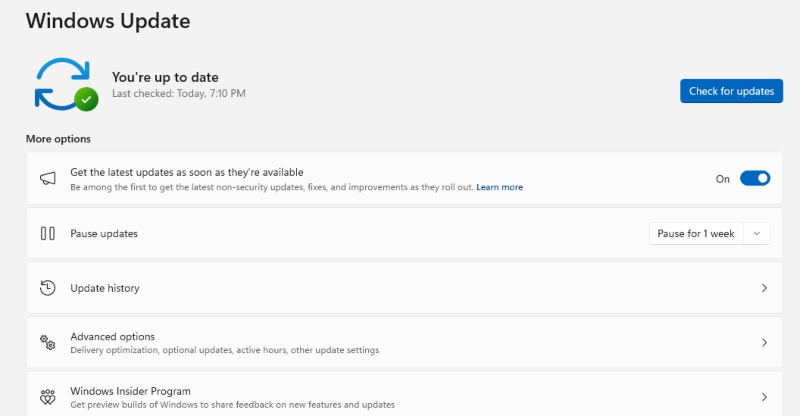
- Install Windows updates
- Head to Settings → Windows Update and click Check for updates to make sure your system has the latest security patches.
Strengthen Your PC Security with Fortect
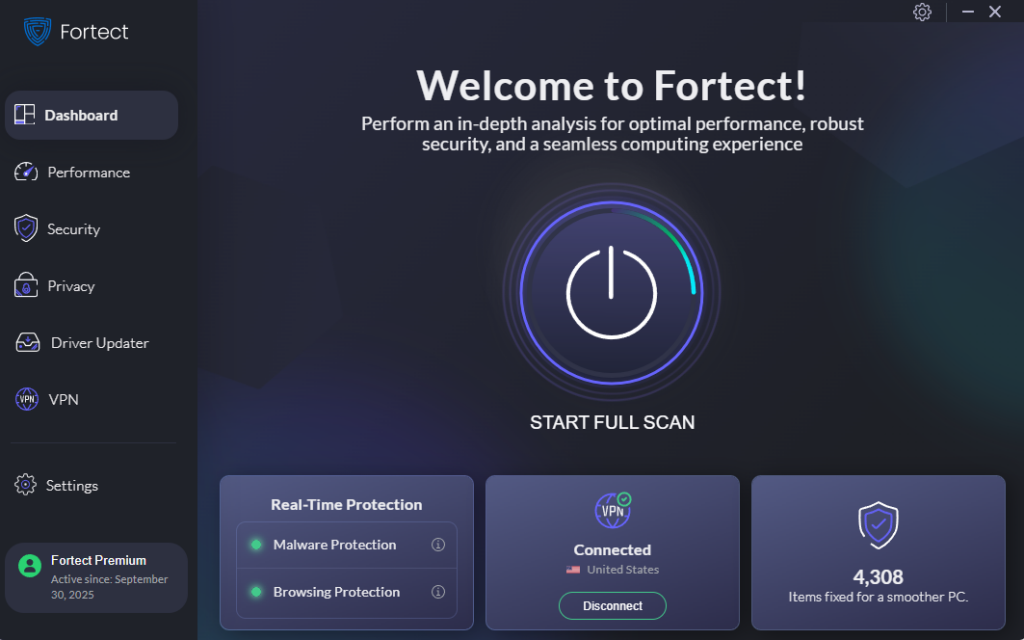
A one-time manual scan helps, but Malware-as-a-Service threats are designed to move fast and stay hidden. Fortect runs in real time, catching threats the moment they appear, not after damage is already done. It detects and removes malware automatically, then goes a step further by repairing any system files the infection damaged, restoring your PC to a clean, stable state.
Beyond protection, Fortect also keeps your PC running the way it should. It clears out junk files that slow things down and resolves crashed or misbehaving programs, the kind of clutter that builds up quietly and chips away at performance over time.
Simple Habits That Reduce Your Risk
Good security software is your most important layer of defense, but a few everyday habits make a real difference. Be cautious with email attachments and links, even from senders you recognize, since compromised accounts are a common MaaS delivery method.
Only download software from official websites or app stores. Keep your browser, operating system, and any installed programs updated. And use unique passwords for each account, use multi-factor authentication in loggin into your systems or any apps – a password manager makes this easy and removes the temptation to reuse the same one everywhere.
Malware-as-a-Service has made cybercrime genuinely accessible to almost anyone, which means your PC is a viable target whether you’re a business owner or just someone browsing at home. Understanding the threat is half the battle. Pair that awareness with real-time protection, and you’re in a much stronger position than most.