How to Stop Zero-Click Exploits Using Browser Isolation Techniques?
Zero-click exploits can be stopped by using browser isolation techniques that separate web activity from your main system, preventing hidden malicious code from ever reaching your device.
These attacks are especially dangerous because they don’t require any clicks or downloads; simply visiting a compromised page or loading a malicious ad can trigger them. Modern threats often exploit browser vulnerabilities, making everyday browsing a key entry point for attackers.
What Are Zero-Click Exploits and Why Are They Dangerous
Zero-click exploits are attacks that run automatically without user interaction. They often target browser flaws, media rendering engines, or background scripts.
These threats are hard to detect because there is no obvious trigger like a download or a clicked link.
How attackers use them
- Hidden malicious scripts embedded in ads or websites
- Exploiting outdated browser components
- Leveraging drive-by downloads without consent
Because the zero-click exploits attack surface is so broad, even cautious users can be affected if their browser is not properly isolated.
How Browser Isolation Stops Zero-Click Exploits
Browser isolation works by separating your browsing session from your actual device. Instead of letting web content run directly on your computer, it runs in a controlled environment.
This is one of the most effective ways to reduce zero-click exploits, especially for everyday users who browse frequently.
1. Use Remote Browser Isolation (RBI)
Remote browser isolation loads web pages on a remote server instead of your PC. Only a safe visual stream reaches your screen.
- Malicious code never touches your device
- Websites run in a disposable environment
- Threats are automatically destroyed after the session ends
This approach dramatically reduces exposure to hidden browser-based attacks.
2. Enable Browser Sandbox Mode
Modern browsers already include sandboxing, but it must be fully enabled and updated.
- Chrome and Edge isolate tabs in separate processes
- Limits malware spread between tabs
- Blocks unauthorized system access
Sandboxing is a core defense layer against zero-click exploits delivered through compromised web pages.
3. Use Virtual Browsing Environments
Virtual browsers run inside a lightweight container or virtual machine.
- Keeps browsing activity separate from Windows system files
- Prevents persistent infections
- Ideal for opening unknown or risky links
This method adds a strong containment layer against exploit-based attacks.
4. Keep Browser and Extensions Updated
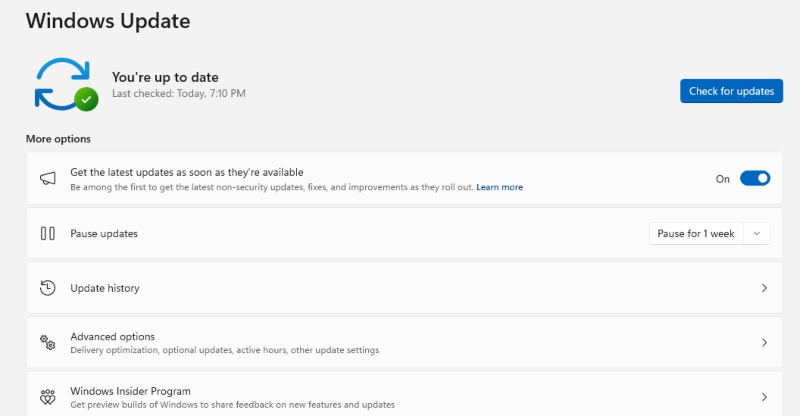
Outdated browsers are the easiest target for attackers.
- Updates patch security holes used in zero-click attacks
- Removes vulnerable scripts and APIs
- Reduces risk from malicious extensions
Attackers often rely on unpatched systems to trigger zero-click exploits silently.
5. Combine with Zero Trust Browsing Practices
Zero-trust browsing assumes every site could be harmful until verified.
- Avoid unnecessary third-party scripts
- Limit browser extensions
- Use strict privacy and tracking protection settings
This reduces the overall attack surface significantly.
Step-by-Step: How to Apply Browser Isolation on Windows
Step 1: Switch to a modern, secure browser
Use browsers like Microsoft Edge or Google Chrome with built-in sandboxing enabled.
Step 2: Turn on enhanced security settings
- Enable “Strict” tracking prevention
- Activate site isolation features
- Block pop-ups and unsafe redirects
Step 3: Use isolated browsing tools
Install trusted remote browsing or container-based tools that separate web sessions from your system.
Step 4: Keep Windows security active
- Enable Microsoft Defender real-time protection
- Turn on SmartScreen filtering
- Regularly scan for threats
Step 5: Avoid risky browsing behavior
- Don’t open unknown links from emails or messages
- Avoid unofficial streaming or download sites
- Stick to HTTPS-secured websites
These steps significantly reduce exposure to zero-click exploits by limiting how web content interacts with your system.
Strengthen Your PC Security with Fortect
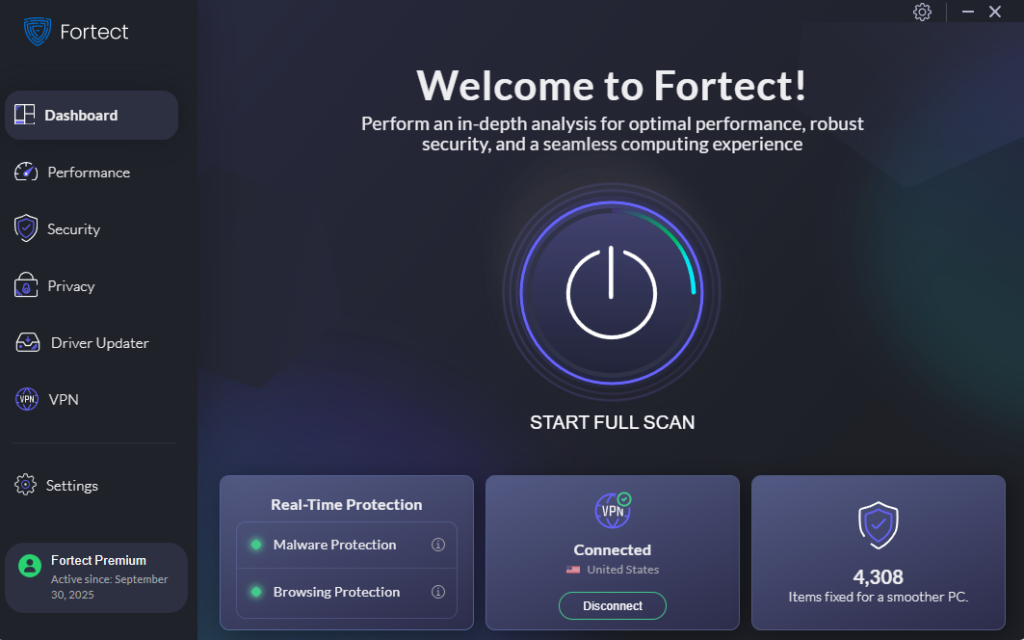
Browser isolation reduces exposure, but it doesn’t remove existing system damage or hidden threats that may already be present. When dealing with zero-click exploits, layered protection becomes essential.
Fortect supports real-time protection by detecting and removing malware that may have slipped through browser defenses, helping restore damaged or altered system files caused by malicious activity. It also improves system performance by cleaning junk files, broken registry entries, and crashed program remnants that can slow down security responses. In addition, its Driver Updater replaces outdated or corrupted drivers with verified versions, closing security gaps that attackers often exploit.
Using a tool like Fortect adds a practical recovery and maintenance layer, making it easier to keep a Windows system stable and better protected. For users exposed to frequent browsing risks, this creates a stronger safety net and helps maintain long-term system health.
Download and install Fortect today.
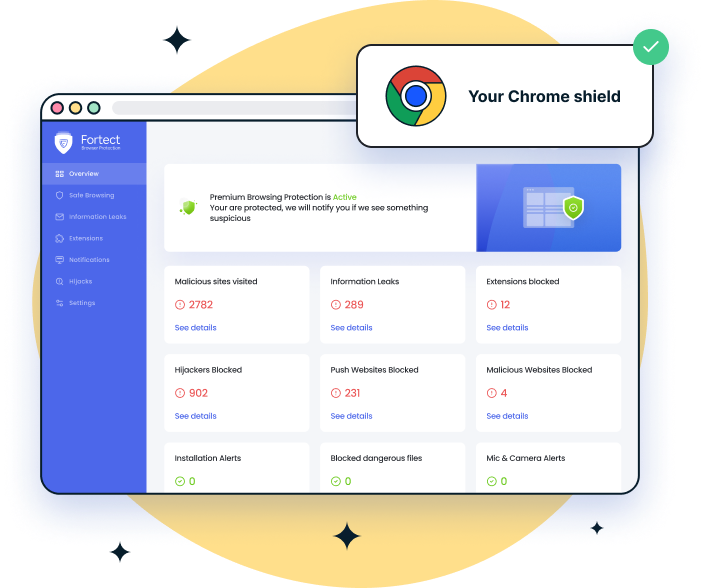
For Chrome users, an added layer of protection can further reduce exposure to zero-click exploits before any content loads. Fortect Browsing Protection helps block dangerous websites early, alerts users to suspicious or scam-related pages, and removes harmful extensions that may compromise data. Filtering threats at the browser level, it limits the chance of exploit delivery through hidden scripts or compromised sites, strengthening overall browser isolation security.
Why Browser Isolation Is a Strong Defense Layer
Browser isolation techniques work because they remove direct interaction between web content and your operating system. Even if a malicious script runs, it stays trapped inside a controlled environment.
This reduces the risk of silent attacks like zero-click exploits, which are designed to bypass traditional security awareness.
Conclusion
Zero-click exploits can be effectively reduced by isolating browser activity from your main system using sandboxing, remote browser isolation, and virtual environments. When combined with strong update habits and security tools, these techniques significantly lower exposure to hidden web-based threats.
In practice, preventing zero-click exploits is less about reacting to attacks and more about stopping them before they reach the device at all.