How to Secure Windows Systems from OT Ransomware?
You secure Windows systems from OT Ransomware by strengthening endpoint protection, limiting remote access, and keeping all Windows devices up to date and monitored for malicious activity.
OT Ransomware (Operational Technology ransomware) is a growing threat that can spread from industrial environments into everyday Windows systems connected to networks. Even home users can be exposed if their PC connects to shared drives, remote tools, or compromised devices.
What is OT Ransomware on Windows Systems?
OT Ransomware is a type of malicious software that originally targets industrial systems like manufacturing controls and infrastructure networks. However, Windows devices often become the entry point or bridge for attacks.
Once inside a Windows system, it can:
- Encrypt files and demand payment
- Spread across connected devices
- Exploit weak remote connections
- Disrupt system performance and access
Common related threats include ransomware attacks, phishing emails, and malware delivered through outdated software or unsafe downloads.
How OT Ransomware Affects Windows Devices
Windows systems are often targeted because they are widely used and frequently connected to external networks.
Entry points include:
- Unsafe email attachments and phishing links
- Unsecured remote desktop connections
- Outdated Windows security patches
- Weak passwords or reused credentials
- Infected USB drives or external storage
Once inside, OT ransomware can move laterally across connected systems, especially if devices share the same network.
How to Secure Windows Systems from OT Ransomware
Protecting Windows systems from OT Ransomware requires a combination of prevention, system hygiene, and security settings.
1. Keep Windows and security updates enabled
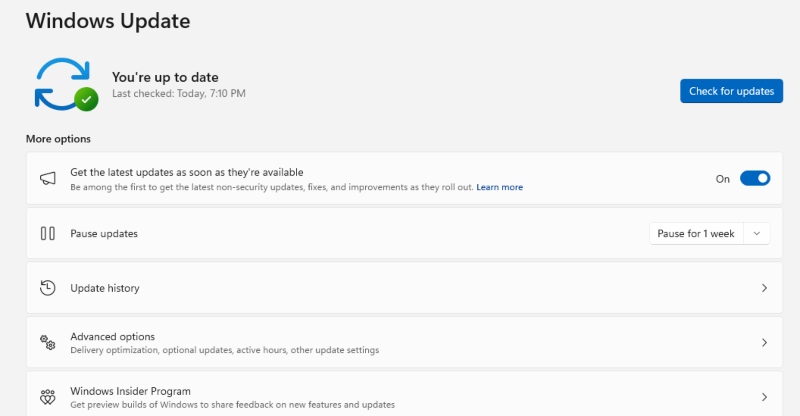
Regular updates patch vulnerabilities that ransomware often exploits.
Turn on automatic updates in Windows Settings to ensure protection stays current.
2. Secure remote access tools
Remote Desktop Protocol (RDP) is commonly exploited.
- Disable RDP if not needed
- Use VPN for remote connections
- Restrict access to trusted devices only
3. Install trusted endpoint protection
A strong security tool helps block ransomware before it spreads. Real-time scanning is essential for detecting suspicious activity early.
4. Be cautious with emails and downloads
Phishing remains one of the most common attack methods.
- Avoid unknown attachments
- Do not click suspicious links
- Download software only from official websites
5. Segment and secure connected devices
Even home networks can carry risk if multiple devices are connected.
- Separate work and personal devices
- Use guest networks for unknown devices
- Disable unnecessary file sharing
6. Strengthen login security
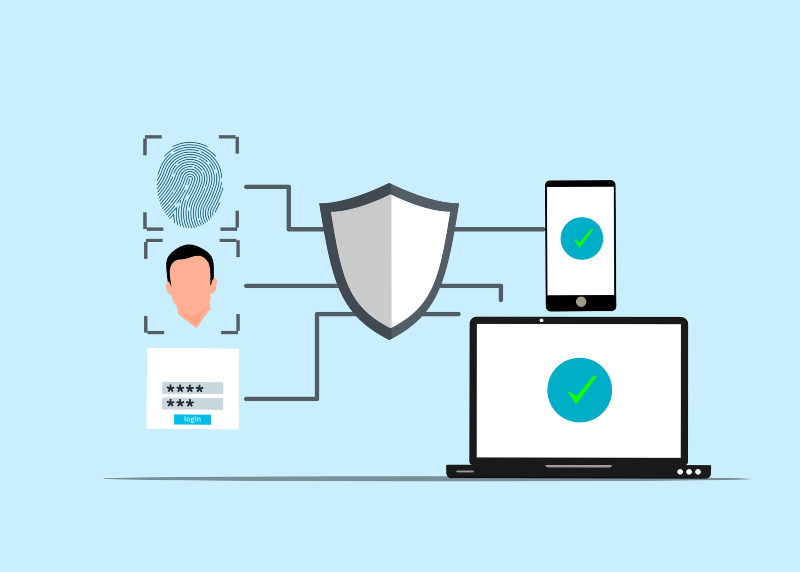
Weak credentials are a major entry point.
- Use strong, unique passwords
- Enable two-factor authentication where possible
- Avoid using administrator accounts for daily use
7. Backup important files regularly
Backups reduce damage from encryption attacks.
- Use external drives or cloud storage
- Keep backups disconnected when not in use
- Test recovery files occasionally
Strengthen Your PC Security with Fortect
OT Ransomware can damage Windows systems by hiding inside corrupted files, slowing performance, and exploiting outdated drivers or system vulnerabilities. Strengthening protection requires more than just antivirus software; it requires continuous system maintenance.
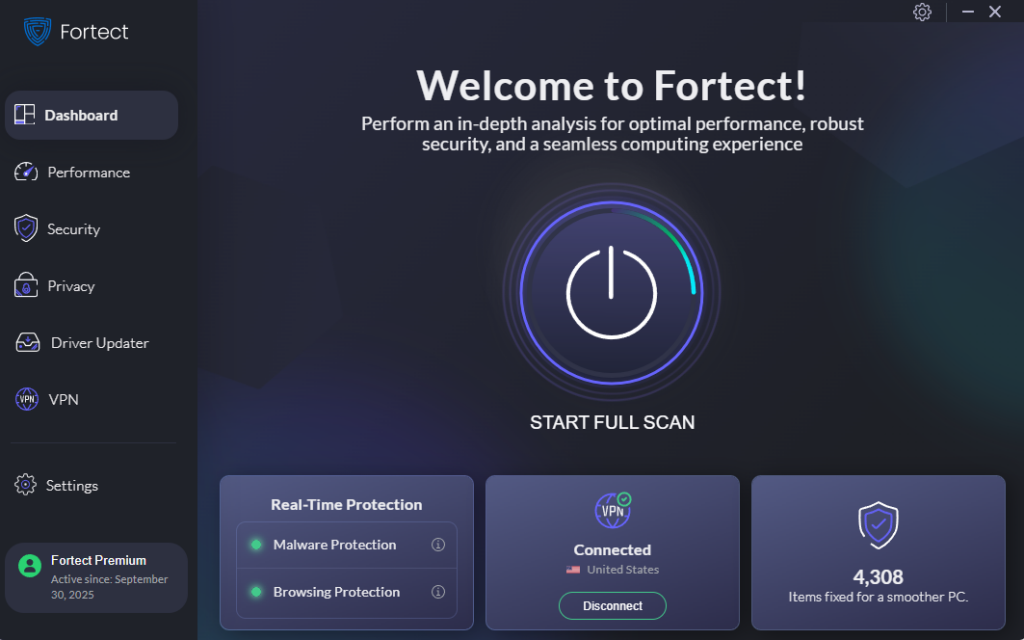
A solution like Fortect, malware protection, helps support Windows security by offering real-time protection that detects and removes threats before they spread. It also restores damaged or missing system files, which is critical when ransomware attempts to break system stability.
Beyond threat detection, performance optimization plays a key role in system safety. Junk files and crashed programs can slow down Windows and create weak points that malware can exploit. Cleaning these issues helps keep the system stable and responsive.
Driver health is another important factor. Outdated or corrupted drivers can open security gaps without warning. Fortect’s Driver Updater helps replace them with verified versions, reducing the risk of exploitation and improving overall system reliability.
This kind of layered protection makes it easier to maintain a secure Windows environment and reduces exposure to threats like OT Ransomware. Taking action early helps prevent system damage and keeps personal data safer.
Download and install Fortect today to keep your system protected and running smoothly.
Conclusion: Securing Windows Systems from OT Ransomware
Securing Windows systems from OT Ransomware depends on maintaining consistent updates, practicing safe browsing habits, implementing strong access controls, and utilizing reliable system protection. Since this type of ransomware often spreads through weak points in connected environments, prevention is far more effective than recovery.
By applying these steps, Windows users can significantly reduce exposure to OT Ransomware and maintain better control over their system security.