How to Protect Windows TPMs from Secure Enclave Exploits?
Protecting your Windows TPM from secure enclave exploits means adding layers between attackers and the chip that holds your encryption keys. The TPM powers BitLocker, verifies boot integrity, and stores login credentials, and once it’s compromised, so is everything it protects.
These attacks happen below the OS, before antivirus software loads. A few deliberate settings changes close most of the doors that attackers rely on. Unlike typical malware, these attacks happen below the OS layer, which means standard antivirus software alone won’t stop them. The good news: a few deliberate settings changes close most of the doors attackers rely on.
What are Secure Enclave Exploits?
A secure enclave is a protected hardware zone meant to handle sensitive operations in isolation. On Windows, the TPM chip plays this role. Researchers have shown that physical access or firmware vulnerabilities can expose TPM data through side-channel attacks, voltage manipulation, or eavesdropping on the communication bus between the TPM and CPU.
Laptop users, remote workers, and anyone using BitLocker without a PIN are most at risk; a thief with brief physical access can silently extract decryption keys.
How to Protect Your Windows TPM from Secure Enclave Exploits?
Add a BitLocker PIN
By default, BitLocker unlocks automatically using the TPM alone, which lets an attacker passively sniff the key during boot. Go to Control Panel → BitLocker → Change how the drive is unlocked at startup and set a strong PIN. This forces human input before any key is released.
Enable Secure Boot and TPM 2.0 in BIOS
Restart and enter the BIOS (usually by pressing F2, Del, or F10 at startup). Confirm Secure Boot is on and TPM is version 2.0. TPM 2.0 utilizes stronger cryptography and is significantly more resistant to exploitation than TPM 1.2.
Install Firmware and TPM Driver Updates
Open Windows Update → Advanced Options → Optional Updates and install any firmware or driver updates listed. Manufacturers patch known TPM vulnerabilities through these updates; skipping them leaves known doors open.
Turn on Memory Integrity (Credential Guard)
Go to Windows Security → Device Security → Core Isolation Details and enable Memory Integrity. This activates virtualization-based security that isolates credential storage, limiting what an exploit can reach even if the TPM is partially compromised.
Disable Unused TPM Interfaces in BIOS
In BIOS, disable legacy interfaces you don’t use, such as LPC TPM mode if your board supports SPI or PTT. Fewer exposed pathways means a smaller attack surface for secure enclave exploits.
Set a Strong BIOS password
This blocks anyone from booting into BIOS and quietly disabling your security settings. Use a unique password stored in a password manager, not one you reuse elsewhere.
Habits that Reduce Your Risk
Never leave your device unattended: TPM bus attacks require brief physical access, sometimes under a minute. A locked screen is not enough protection in public.
Verify firmware update sources: Only install firmware from Windows Update or your manufacturer’s official site. Fake prompts can push code that weakens TPM protections.
Keep Windows fully updated: Many exploit chains use OS vulnerabilities as a second stage. Current Windows updates close those gaps before they can combine with a hardware attack.
Recommended Tool
Strengthen your PC Security with Fortect
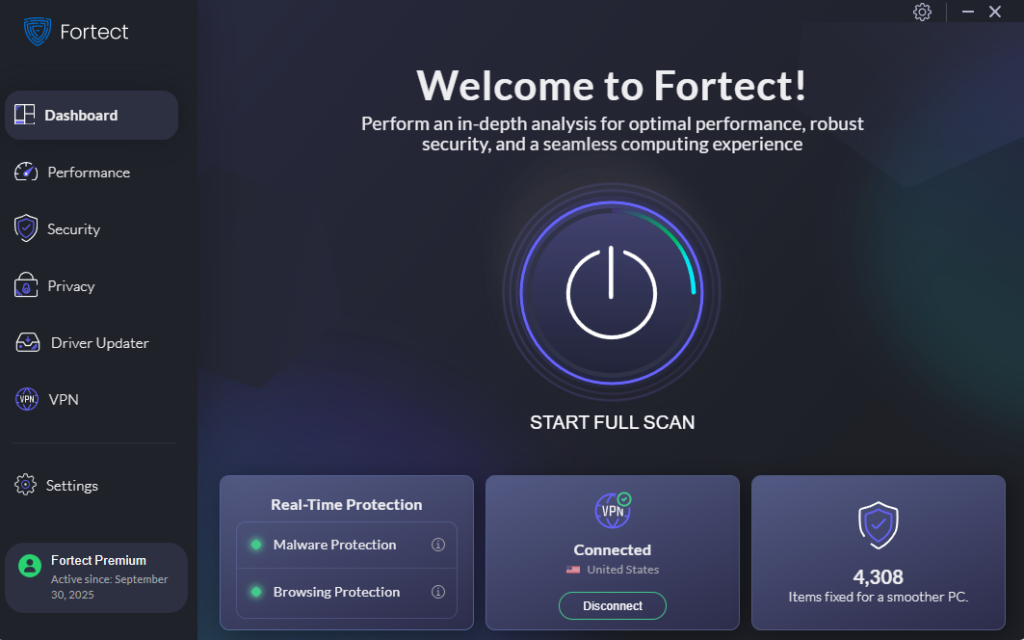
After locking down your TPM settings, the next layer is keeping the system itself clean. Fortect provides real-time protection that detects and removes active threats while restoring damaged system files, the kind of collateral damage secure enclave exploits often leave behind.
It also cleans junk files and removes crashed program remnants that slow your machine and can mask deeper problems. The built-in Driver Updater replaces outdated or corrupted drivers with verified versions, closing software-level gaps that attackers use alongside hardware vulnerabilities.
If you want one tool that covers protection, performance, and driver health, Fortect is worth a look.
Conclusion
Secure enclave exploits are a serious but manageable threat. Most home users are never targeted, but those who are often have no idea these vulnerabilities exist. A BitLocker PIN, current firmware, and Windows security features like Memory Integrity dramatically narrow the window attackers have to work with.
Stay consistent with these steps, and your TPM will remain the trustworthy foundation it was designed to be.
Protect your PC today
Secure your system, improve performance, and remove hidden threats with Fortect’s powerful protection tools.
Download Fortect Now