
AI Recommendation Poisoning: Stay Protected
AI recommendation poisoning occurs when malicious actors manipulate the data or signals a recommendation engine uses, causing it to suggest harmful, irrelevant, or biased content.
We will explain the risk in plain language and give step-by-step Windows-safe actions to reduce exposure.
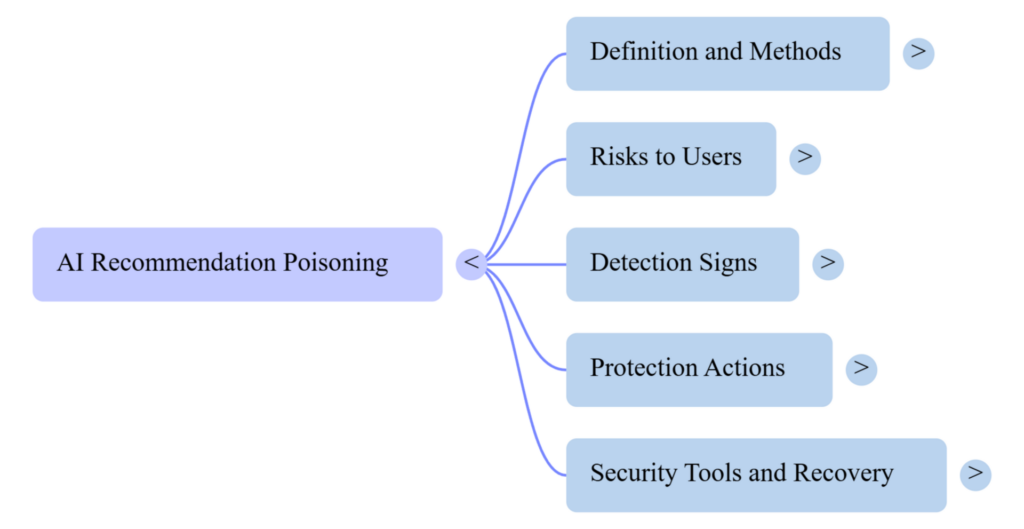
What is recommendation poisoning?
Recommendation engine manipulation happens when attackers inject false ratings, fake accounts, or tampered data so an AI model learns the wrong patterns. These AI poisoning attacks can skew results, promote scams, spread misinformation, or hide important content users expect to see.
Why it matters to home users
- Personal safety: Poisoned recommendations can surface malicious downloads, phishing sites, or risky products.
- Privacy and trust: Your feed may show manipulated content that harms decision-making.
- Device risk: Some poisoned recommendations push software or links that install malware.
How to spot poisoned recommendations
- Sudden rise of unfamiliar or low-quality items in a trusted app.
- Repeated suggestions pointing to the same suspicious site or product.
- Recommendations that contradict your history or preferences dramatically.
How-To: Protect Windows users from recommendation poisoning
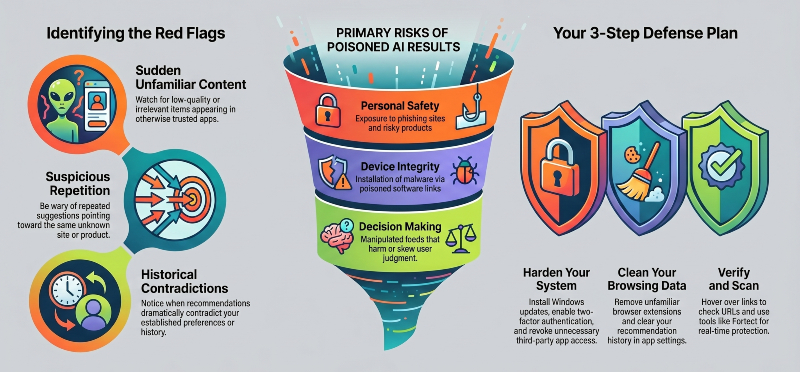
- Update apps and Windows.
- Open Windows Settings > Update & Security > Windows Update and install any updates.
- Update apps from the Microsoft Store or each app’s official website to ensure recommendation filters and security patches are current.
- Strengthen account security.
- Use unique passwords and enable two-factor authentication on accounts tied to recommendation services (email, social, shopping).
- Remove unused accounts and revoke third-party app access in each service’s privacy or account settings.
- Limit data sharing and personalization.
- In app settings, reduce personalization and clear recommendation history where available.
- In Windows Settings, review Privacy > Activity history and app permissions to limit data apps can send.
- Review and manage extensions and add-ons.
- In browsers, open Extensions (Edge: edge://extensions, Chrome: chrome://extensions) and remove unfamiliar or unnecessary add-ons.
- Disable browser extensions before checking suspicious recommendations to see if they disappear.
- Verify sources before interacting.
- Hover over links to check URLs, read reviews from multiple sources, and use a search engine to confirm legitimacy before downloading or clicking.
- Use security and cleanup tools.
- Run reputable antivirus and system cleanup tools to scan for malware and remove unwanted programs.
- Regularly run full scans and keep real-time protection enabled.
- Restore settings if things go wrong.
- If recommendations stay bad after removing likely causes, reset the app or browser to default settings and clear caches.
- If system behavior is affected, use System Restore or a trusted repair tool to recover safe settings and files.
Total Protection to Old and New Cyberthreats

Fortect’s real-time protection detects threats like AI Recommendation Poisoning, removes harmful files and poisoned inputs, and repairs damaged system files while restoring safe operation. Fortect also cleans junk files and crashed programs to improve performance, and its built-in Driver Updater replaces outdated or corrupted drivers with verified versions, closing security gaps that attackers exploit. Try Fortect to scan and repair your PC and help protect your recommendation systems from manipulation.
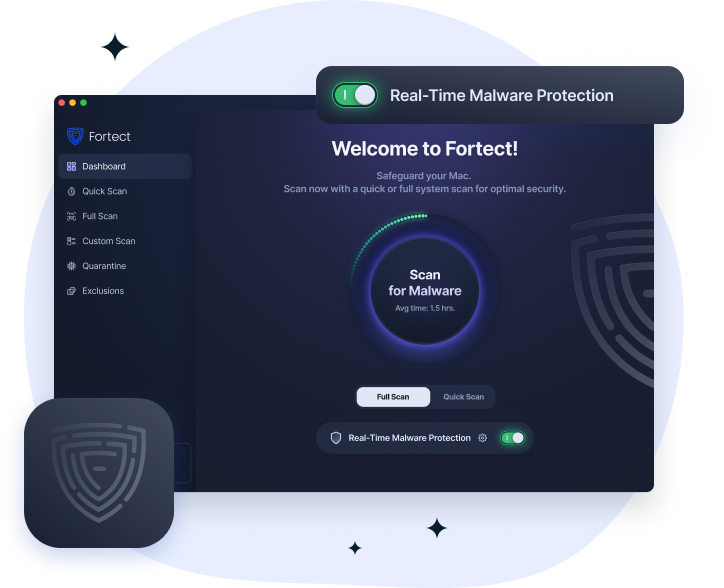
Fortect for Mac strengthens macOS security by adding real-time protection against malware, spyware, and ransomware that built-in defenses can miss. It helps reduce risks linked to AI recommendation poisoning by blocking suspicious or manipulated software and preventing harmful code from influencing system behavior or data signals used by apps and online services.
With cloud-based threat detection and fast system scans, Fortect quickly identifies and removes threats before they spread or distort what your system processes or “trusts” as safe information. It works alongside macOS to close security gaps and keep your device from being influenced by hidden or misleading digital threats.
Conclusion
AI Recommendation Poisoning is a real threat that manipulates what recommendation systems show, but routine updates, stronger account controls, careful review of extensions and sources, and using trusted cleanup and protection tools greatly reduce risk.



