Code-Signing Bypass: Secure Intel Macs (CVE-2026-20699)
A newly disclosed vulnerability, CVE-2026-20699, has put Intel-based Mac users on high alert. Classified as a code-signing bypass, this flaw allows malicious software to execute on macOS systems without passing Apple’s built-in signature verification checks. Understanding what this means, how it works, and what steps to take is critical for anyone still running an Intel Mac.
What Is a Code-Signing Bypass?

Code signing is a security mechanism used by Apple to verify the authenticity and integrity of software. When a developer distributes an application, Apple cryptographically signs it, essentially stamping it with a digital certificate that confirms the software has not been tampered with and originates from a trusted source.
macOS uses this signature to:
- Confirm the app comes from an identified developer
- Detect whether the software has been altered after signing
- Enforce Gatekeeper, Apple’s security layer that blocks unauthorized applications
What Happens When Code Signing Is Bypassed?
A code-signing bypass vulnerability is a flaw that allows unsigned or maliciously altered code to run on a system as if it were legitimate and verified.
In the context of CVE-2026-20699, the bypass specifically targets Intel Mac hardware and exploits a gap in how macOS validates executable signatures under certain conditions. This means malware authors could potentially distribute software that runs silently, without triggering Gatekeeper alerts or security warnings, leaving users exposed without any visible indication of a threat.
CVE-2026-20699 Explained
Vulnerability Overview
CVE-2026-20699 is a code-signing bypass flaw affecting macOS systems running on Intel processors. Mac’s system vulnerability resides in the operating system’s verification pipeline, specifically in how certain binary formats or loading conditions are handled during execution. Under exploitable conditions, an attacker can craft or manipulate code in a way that causes macOS to skip or incorrectly complete its signature validation routine.
Why Intel Macs Are Specifically Affected?
Apple Silicon (M-series) Macs use a different memory architecture and boot security model compared to Intel-based Macs. CVE-2026-20699 exploits behavior that is specific to the x86-64 instruction handling and binary loading on Intel processors. Apple Silicon machines are not affected by this particular vulnerability due to architectural differences in how code is validated at runtime.
If the Mac in use is a model from before late 2020, or any Intel Mac that has not yet been replaced, this vulnerability is directly relevant.
Severity and Risk Level
This vulnerability carries a high severity rating. The primary risk scenarios include:
- Malware installation without user prompts, an attacker could deliver a malicious payload that bypasses Gatekeeper entirely
- Privilege escalation chains, once the unsigned code runs freely, it can be used as a stepping stone to gain administrator or root access
- Persistence mechanisms, malicious code that bypasses code signing, can install itself more deeply into the system, making removal more difficult
How to Protect an Intel Mac from CVE-2026-20699
Apply the Latest macOS Security Update
Apple has released a patch addressing CVE-2026-20699. Installing the latest macOS update is the single most important step any Intel Mac user can take.
Steps to update macOS:
- Click the Apple menu () in the top-left corner of the screen
- Select System Settings (or System Preferences on older macOS versions)
- Click General, then select Software Update
- If an update is available, click Update Now or Upgrade Now
- Enter the administrator password if prompted
- Allow the system to restart and complete the update process
Keeping macOS up to date ensures that the patched version of the vulnerable component replaces the flawed one.
Fortect for Mac: Strengthen Your Defense Beyond macOS
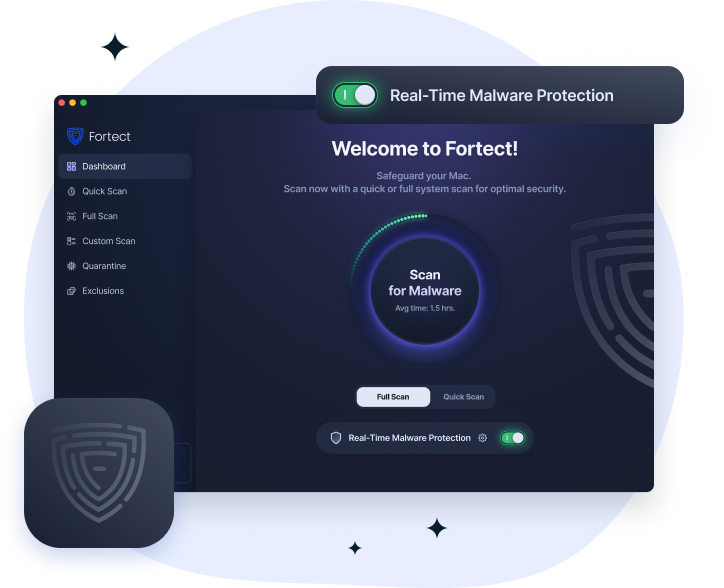
Code-signing bypass threats like CVE-2026-20699 prove that Mac users are no longer safe by default. Fortect for Mac closes the security gaps that attackers exploit through code-signing bypass techniques, delivering real-time malware defense and cloud-based threat intelligence that works in tandem with Apple’s native security, not against it. Whether you run a quick smart scan or a full system scan, Fortect ensures your Mac stays protected against the code-signing bypass vulnerabilities modern cybercriminals increasingly rely on.
Fortect for Mac full installation guide here.
Enable Gatekeeper and Keep It Active
Even with the patch applied, it is good practice to confirm that Gatekeeper is active and enforcing its strictest settings.
Steps to verify Gatekeeper settings:
- Open System Settings (or System Preferences)
- Navigate to Privacy & Security
- Scroll to the Security section
- Under “Allow applications downloaded from,” select App Store and identified developers — never select “Anywhere” unless necessary and only temporarily
Enable System Integrity Protection (SIP)
System Integrity Protection is a macOS security feature that prevents potentially malicious software from modifying protected files and folders. SIP works alongside code signing to create an additional barrier against exploitation.
Verify SIP is enabled:
- Open Terminal (found in Applications > Utilities)
Type the following command and press Return:
csrutil status
- The output should read: System Integrity Protection status: enabled
If SIP is disabled, re-enabling it requires booting into macOS Recovery Mode and running csrutil enable from the Terminal within Recovery.
Be Cautious About Third-Party App Sources
Since CVE-2026-20699 enables unsigned code to run, one of the most effective behavioral defenses is avoiding software from untrusted or unknown sources. Stick to:
- The Mac App Store for consumer applications
- Official developer websites with verified HTTPS connections
- Software that displays an Apple notarization confirmation
Avoid downloading .dmg or .pkg files from forums, torrent sites, or unsolicited email attachments.
Use a Reputable Security Tool
A quality third-party macOS security tool can add an extra layer of monitoring that catches suspicious behavior even when signature validation fails. Look for tools that offer:
- Real-time file monitoring
- Behavioral detection (not just signature-based scanning)
- Network traffic analysis to catch unauthorized outbound connections
Understanding the Broader Threat: Code-Signing Bypass Attacks in the Wild
Common Attack Vectors That Exploit Code-Signing Flaws
- Trojanized software bundles — legitimate-looking apps bundled with malicious payloads
- Drive-by downloads — malicious files served through compromised or deceptive websites
- Phishing campaigns — emails that direct users to download and open a malicious installer
How Attackers Chain Code-Signing Bypasses with Other Exploits
Rarely does a code-signing bypass serve as the final attack payload on its own. It is typically the first link in an attack chain. After bypassing signature validation, attackers may:
- Drop a remote access trojan (RAT) to gain persistent control
- Deploy keyloggers to harvest credentials
- Install adware or browser hijackers that monetize access quietly
- Use the foothold to pivot to other devices on the same network
Final Thoughts
CVE-2026-20699 is a serious code-signing bypass vulnerability that directly affects users of Intel-based Macs. Circumventing one of macOS’s most foundational security mechanisms, it creates a pathway for malware to execute without raising standard system alarms.
The good news is that protection is accessible. Applying Apple’s security patch, keeping Gatekeeper active, verifying System Integrity Protection, and practicing cautious downloading habits are all steps that significantly reduce the risk. For anyone on an Intel Mac, now is the time to open Software Update and ensure the system is fully current.
Frequently Asked Questions About CVE-2026-20699
Does This Vulnerability Affect macOS Sequoia?
The specific impact depends on the macOS version and whether a patch has been applied. Apple has issued updates addressing this flaw. Any Intel Mac running an unpatched version of macOS is at risk, regardless of the major macOS version.
Can Antivirus Software Alone Protect Against This Flaw?
Antivirus software provides meaningful protection, particularly if it uses behavioral detection rather than relying only on known malware signatures. However, no security tool is a complete substitute for applying the official patch from Apple.