
How to Detect and Fix the “Use After Free” (UAF) Bug on Windows
A Use After Free (UAF) bug occurs when a program uses memory after it has been released. Developers can detect UAF bugs with debugging and memory-analysis tools. They can also review the code and test the conditions that trigger the bug. Windows users should keep Windows and their apps updated.
They should also use trusted security software. A permanent fix usually requires the software developer to correct the faulty code. The developer must then release an updated version of the software.
What is Use After Free?

Use After Free (UAF) refers to a class of bugs where a program continues to access memory after it has been freed. This happens when an application does not properly manage its memory, leading to scenarios where pointers reference memory that is no longer allocated. UAF bugs can be challenging to detect and fix because they often occur under specific and uncommon circumstances.
How Does Use After Free Vulnerability Work?
When a program frees a block of memory but continues to use a pointer to that memory, it can lead to various issues. If the memory has been reallocated to another part of the program, using the dangling pointer can corrupt data or execute unintended actions. Attackers can exploit this by manipulating memory allocation patterns to achieve arbitrary code execution or other malicious outcomes.
Examples of Use After Free Vulnerability
- Web Browsers: Many UAF vulnerabilities have been discovered in web browsers like Chrome and Firefox, where complex memory management and frequent allocations increase the risk.
- Operating Systems: Kernel-level UAF vulnerabilities can compromise the entire operating system, as seen in some Windows and Linux kernel exploits.
- Application Software: Programs that heavily use dynamic memory, such as graphic design software and games, are prone to these bugs.
Impacts of Use After Free

The consequences of UAF vulnerabilities are severe:
- Security Risks: Attackers can exploit UAF bugs to execute arbitrary code, leading to total system compromises.
- System Crashes: Accessing freed memory can cause applications to crash, resulting in data loss and reduced productivity.
- Data Corruption: Improper memory usage can lead to corrupted data files, impacting the reliability of applications.
Exploiting UAFs
Exploiting UAF vulnerabilities typically involves manipulating the memory allocation patterns of a program. Attackers can use various techniques to control the contents of the freed memory block. Allowing them to execute arbitrary code or gain higher privileges on the system.
This process often requires in-depth knowledge of the target application’s memory management.
How to Mitigate Use After Free Vulnerabilities

Mitigating UAF vulnerabilities involves several strategies:
- Code Audits: Regularly review and audit code to identify potential UAF bugs.
- Memory Management Tools: Use tools and libraries to safely manage memory and detect UAF conditions.
- Static and Dynamic Analysis: Implement static code and dynamic runtime analysis to catch UAF vulnerabilities during development and testing.
- Security Software: Utilize comprehensive security solutions like Fortect to detect and repair potential UAF vulnerabilities. Fortect Premium account offers robust protection by identifying damage and system changes. Likely caused by bugs that may be susceptible to malware attacks, ensuring your system remains stable and secure.
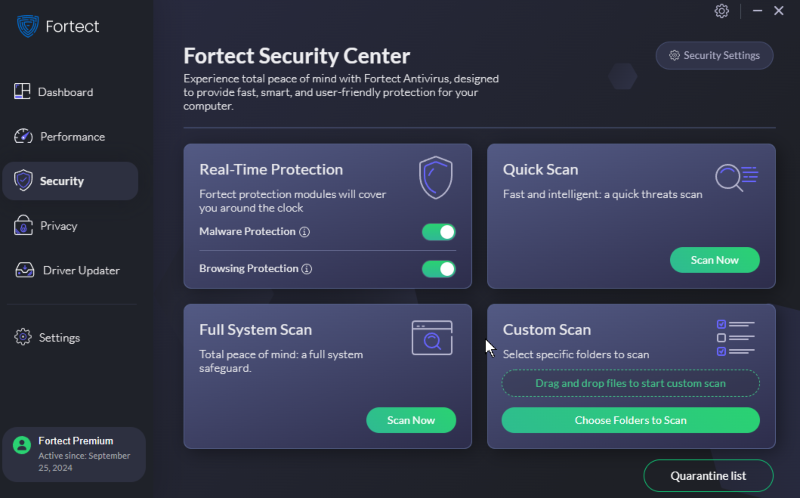
Protect your system from Use After Free vulnerabilities with Fortect.
Download and install Fortect for repair and protection today.
If you’re having trouble scanning any OS or memory with Fortect. We’ve got a complete scanning and repair troubleshooting guide to help you.
_________________________________________________________________________________________________________
Windows 10 and 11 Updated September 2026. Originally published May 2024





