
Secure Windows PCs from Rogue Remote Support Tools
Secure Windows PCs from rogue remote support tools by blocking unauthorized remote access software. Remove suspicious programs quickly. Keep Windows updated. Use real-time security protection to stop attackers before they gain control.
Remote support software helps IT teams solve problems without physical access. Cybercriminals also abuse these applications to steal files. Cyber scammers install malware. They control systems remotely. They bypass security controls through trusted software.
Attackers often disguise malicious tools as legitimate support applications. Users install them after fake technical support calls. Others arrive through phishing emails. Some hide inside bundled software downloads.
Key Takeaways
- Block unauthorized remote access software before attackers gain control.
- Keep Windows and drivers updated to close common security gaps.
- Install software only from trusted sources and monitor installed applications regularly.
- Use real-time protection and perform routine security audits for better defense.
- Stay protected against rogue remote support tools through layered security and proactive monitoring.
What Are Rogue Remote Support Tools?
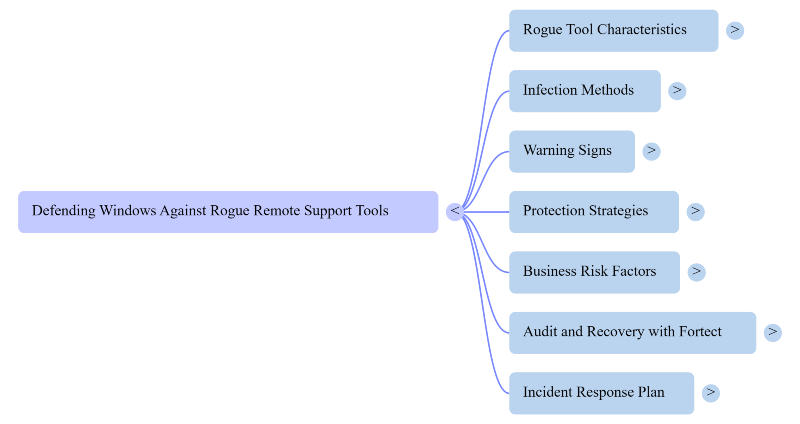
Rogue remote support tools are unauthorized remote access programs that attackers use to control a Windows PC.
Many resemble trusted applications. They may use stolen certificates. Some mimic popular remote desktop software. Others modify legitimate tools for malicious purposes.
Once installed, they allow attackers to monitor activity. Rogue remote support tools capture passwords. It installs ransomware. They disable security software. They move across networks without raising suspicion.
How Do Rogue Remote Support Tools Infect Windows PCs?
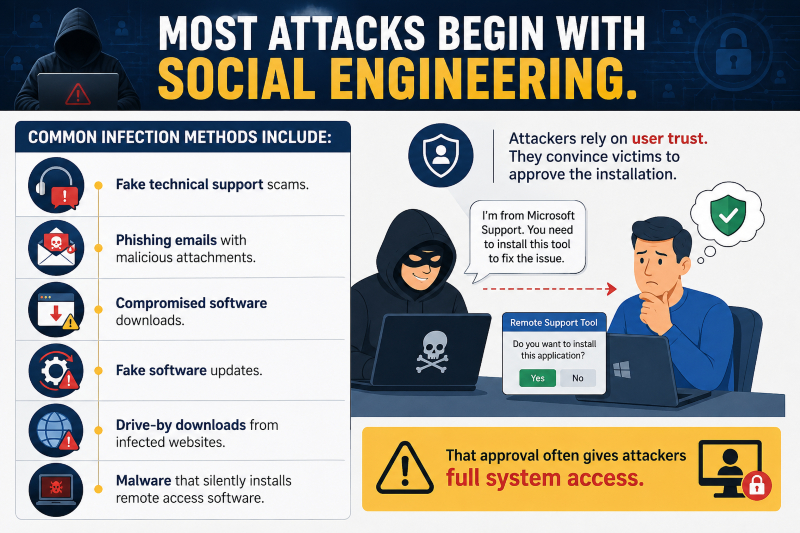
Most attacks begin with social engineering.
Common infection methods include:
- Fake technical support scams.
- Phishing emails with malicious attachments.
- Compromised software downloads.
- Fake software updates.
- Drive-by downloads from infected websites.
- Malware that silently installs remote access software.
Attackers rely on user trust. They convince victims to approve the installation. That approval often gives attackers full system access.
Warning Signs Your PC Has Been Compromised
A compromised system usually shows unusual behavior.
Watch for these warning signs:
- Unknown remote access software appears.
- The mouse moves without input.
- Security software becomes disabled.
- New administrator accounts appear.
- Files disappear unexpectedly.
- Network activity increases without explanation.
- Windows settings change automatically.
- Performance drops suddenly.
These symptoms deserve immediate investigation.
How to Protect Windows PCs
Strong security practices reduce your exposure.
Limit Administrative Privileges
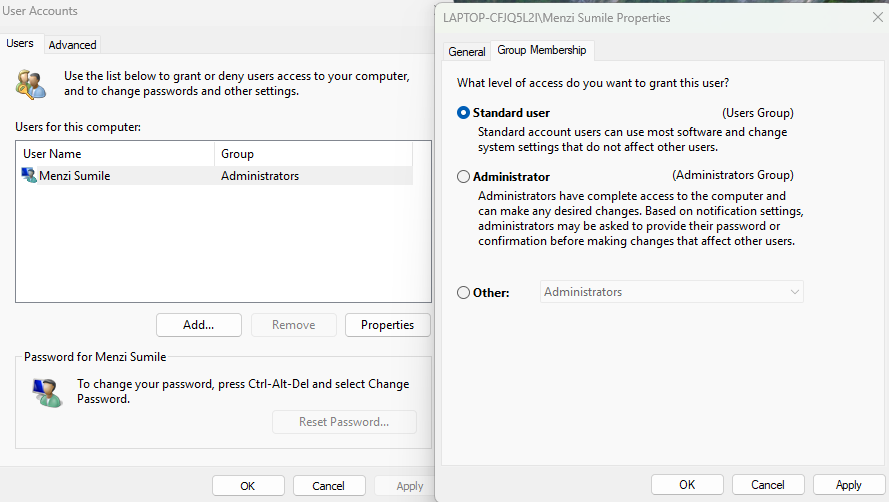
- Avoid using administrator accounts for daily work.
- Standard user accounts reduce attacker privileges after compromise.
Install Software Only From Trusted Sources
- Download applications only from official vendors.
- Avoid cracked software. Avoid unknown download sites.
Keep Windows Updated
- Install Windows security updates promptly.
- Updates close vulnerabilities that attackers frequently exploit.
Enable Multi-Factor Authentication
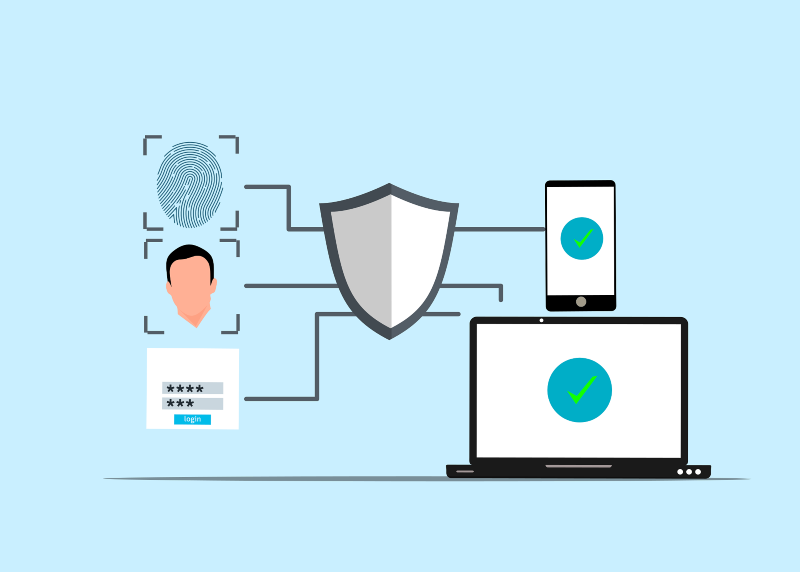
- MFA protects important accounts even if passwords become compromised.
- Enable it wherever possible.
Monitor Installed Applications
- Review installed software regularly.
- Remove unfamiliar remote access programs immediately.
Use Reliable Endpoint Protection
- Real-time security software detects suspicious behavior before attackers establish persistence.
- Behavior-based detection provides additional protection against evolving threats.
Why Businesses Face Higher Risk
- Businesses commonly use legitimate remote management software. Attackers exploit that trust.
- Compromised endpoints can provide access to servers. Customer records. Financial systems. Internal communications.
- A single infected device can become an entry point for an entire organization.
- Security awareness training reduces these risks.
- Regular software audits also help identify unauthorized remote access tools.
Audit Your Computer With Fortect
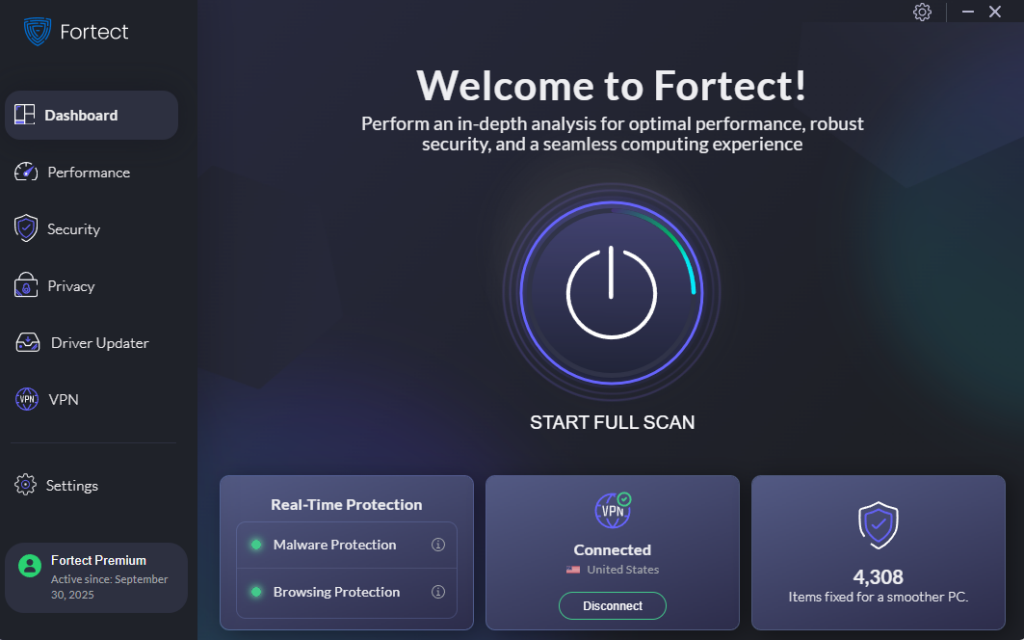
If you want another layer of protection, Fortect is a practical option to consider. Launch Fortect and click Scan to audit your computer. It checks installed software and drivers for security issues. It also identifies suspicious programs linked to rogue remote support tools. Its real-time malware protection detects active threats. It removes malicious files. It restores damaged Windows system files after cleanup. Fortect also clears junk files and removes remnants from crashed programs.
These improvements help your PC run faster and more reliably. It’s built-in Driver Updater replaces outdated or corrupted drivers with verified versions. That reduces security gaps that attackers often exploit. Fortect Premium also includes a built-in VPN with Auto-Protect for public Wi-Fi. It encrypts internet traffic and helps protect sensitive data from network-based attacks.
If you want an easier way to audit and secure your Windows PC, Fortect is worth trying.
What To Do If You Suspect an Attack
- Disconnect the computer from the internet immediately.
- Run a full malware scan.
- Remove unauthorized remote access software.
- Change passwords from a clean device.
- Review administrator accounts.
- Restore affected files from clean backups if necessary.
- Monitor accounts for suspicious activity after recovery.
- Quick action limits damage and prevents further compromise.
Conclusion
- Remote support software remains valuable for legitimate administration.
- Unauthorized versions create serious security risks.
- Strong security habits greatly reduce your chances of compromise.
- Regular audits and real-time protection help keep attackers out before damage occurs.




