Steps to Protect Personal Data From Hackers in 2026
Protecting personal data from hackers in 2026 requires securing devices, strengthening passwords, enabling multi-factor authentication, and keeping Windows systems up to date.
Cybercriminals continue to evolve their methods, targeting everyday users through phishing, malware, and unsecured networks. Protecting personal data from hackers is a critical part of daily digital safety for Windows home users.
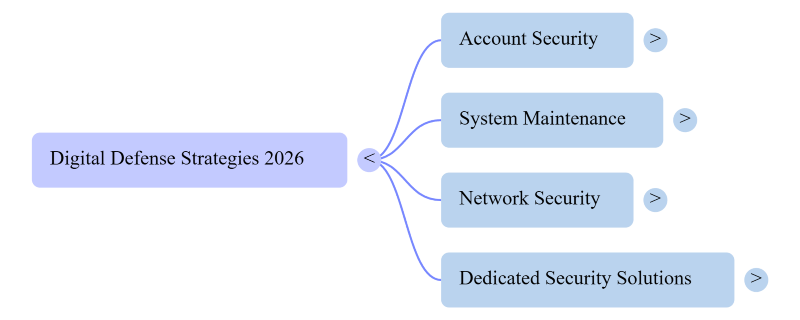
How to Protect Personal Data From Hackers in 2026 (Windows Steps)
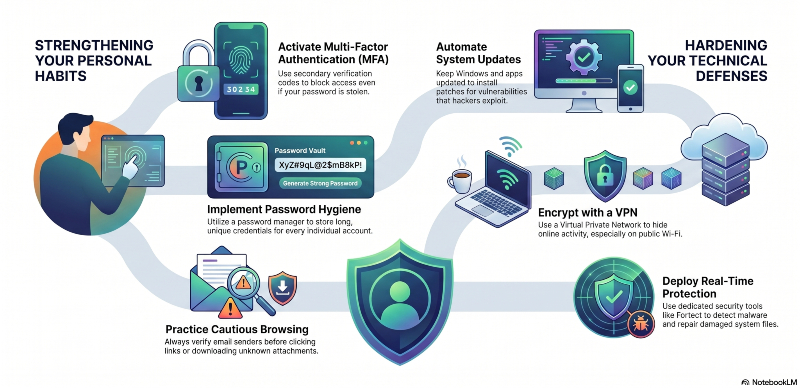
1. Strengthen Password Security
Weak passwords remain one of the easiest entry points for attackers.
Use long passwords with a mix of letters, numbers, and symbols. Avoid using birthdays, names, or repeated patterns. A password manager can help store unique credentials for every account, reducing the risk of reused passwords being exploited.
2. Enable Multi-Factor Authentication (MFA)
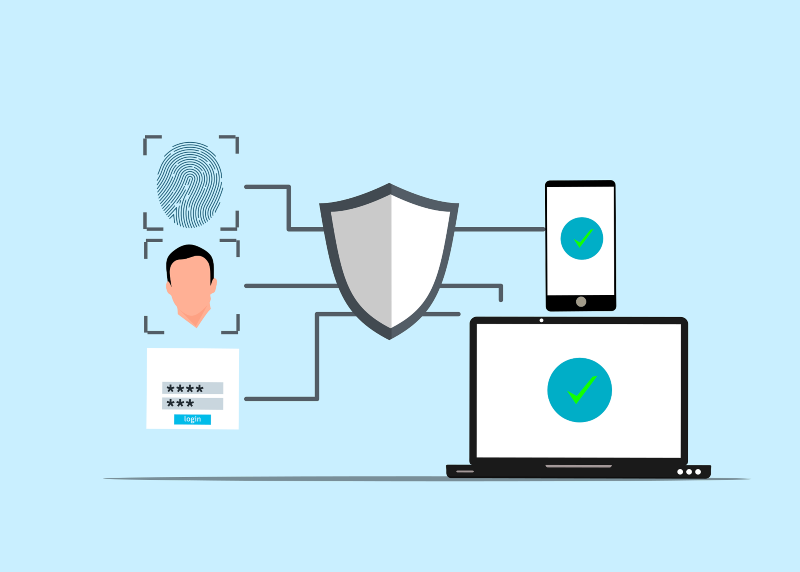
Multi-factor authentication adds an extra layer of protection beyond passwords.
Even if login details are stolen, MFA blocks unauthorized access by requiring a second verification step, such as a code sent to a phone or authentication app. This significantly reduces the risk of stolen personal data from hackers.
3. Keep Windows and Software Updated
Outdated systems are a common target for attackers.
Windows updates often include security patches that fix vulnerabilities hackers actively exploit. Keeping the operating system, browsers, and apps updated closes these gaps and strengthens protection against malware and ransomware attacks.
4. Be Careful With Emails and Downloads
Phishing remains one of the most effective hacking methods.
Avoid clicking unknown links or downloading attachments from suspicious emails. Always verify the sender before interacting. Many attacks designed to steal personal data start with fake messages that appear legitimate.
5. Secure Home Wi-Fi Networks
An unsecured Wi-Fi network can expose sensitive data.
Use strong encryption (WPA3 if available) and a strong router password. Avoid using the default login credentials provided by your internet provider. Regularly updating router firmware also helps block known vulnerabilities.
6. Install Reliable Security Protection
Basic antivirus tools are no longer enough against modern threats.
A dedicated security solution helps detect malware, block phishing attempts, and monitor suspicious activity in real time. This adds an essential layer of defense for protecting personal data from hackers across everyday browsing and downloads.
7. Use a VPN for Safer Internet Access
A Virtual Private Network (VPN) encrypts internet traffic, making it harder for hackers to intercept sensitive data.
This is especially important when using public Wi-Fi in cafés, airports, or hotels. A VPN hides online activity and helps protect personal information like logins, browsing behavior, and payment details from being exposed over unsecured networks.
Protect Personal Data With Fortect
Fortect for Windows
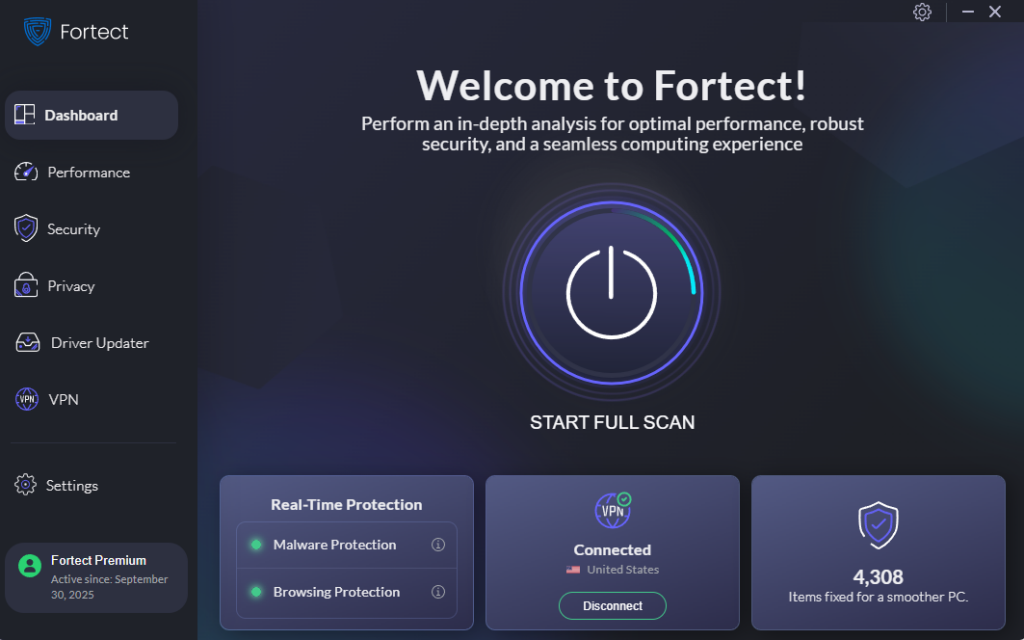
Modern threats require more than manual caution alone, especially when it comes to protecting personal data from hackers. Fortect provides real-time protection that actively detects and removes malware, spyware, and other threats before they can compromise sensitive information. It also repairs damaged system files caused by infections, helping restore system stability after an attack.
Beyond security, Fortect comes with a built-in VPN with automatic protection from public Wi-Fi for an added layer of protection. Fortect improves overall PC performance by cleaning junk files and removing crashed or unused programs that slow down Windows systems. It also includes a built-in Driver Updater that replaces outdated or corrupted drivers with verified versions, reducing security gaps that attackers often exploit through system weaknesses.
For users looking to strengthen digital safety while keeping their PC running smoothly, Fortect offers a practical, all-in-one solution that supports long-term protection and performance.
Install Fortect now for your Windows computers.
Fortect for Mac
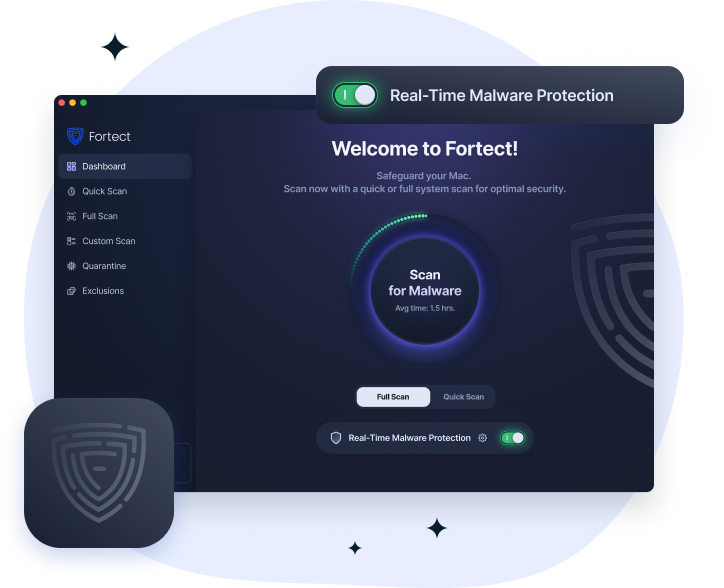
Fortect for Mac strengthens protection beyond macOS by helping defend against modern cyber threats designed to bypass built-in Apple security. Cybercriminals are no longer focused only on Windows systems, and Mac users are increasingly targeted by ransomware, spyware, and stealth attacks that aim to steal or compromise personal data. Fortect adds an extra layer of defense to help protect data from hackers by working alongside macOS security rather than replacing it, closing gaps that attackers often exploit.
It delivers real-time malware protection that continuously monitors for suspicious activity and blocks threats instantly, helping prevent unauthorized access to sensitive files. Cloud-based threat intelligence improves detection of new and emerging attack patterns, while quick, smart scans identify risks efficiently without slowing down the system. A full system scan provides deeper analysis to uncover hidden issues and strengthen overall device security, giving Mac users more confidence that their system and personal data are better protected from hackers.
Conclusion
Protecting personal data in 2026 requires consistent habits like strong passwords, updated systems, cautious browsing, using a trusted VPN, and reliable security tools. As cyber threats become more advanced, safeguarding personal data from hackers depends on combining smart user behavior with strong system protection to reduce risk and maintain digital safety.