
Windows SmartScreen Bypass: CVE-2026-21510 Risk
Windows SmartScreen is one of the most important security layers protecting everyday users from malicious files and websites. But a newly identified vulnerability, CVE-2026-21510, puts that protection at risk. We will break down what the Windows SmartScreen bypass means for you, how serious the threat is, and what steps to take right now to stay protected.
What Is Windows SmartScreen?
Windows SmartScreen is a built-in security feature in Windows 10 and Windows 11 that warns users before running unrecognized or potentially dangerous files and websites. It works by checking downloaded files and URLs against Microsoft’s threat intelligence database.
When a file is flagged, SmartScreen displays a warning screen that prevents the file from running automatically. This “Mark of the Web” (MotW) system tags files downloaded from the internet, and SmartScreen uses that tag to trigger its protection.
Why SmartScreen Matters for Everyday Users
For regular Windows users, not IT professionals, SmartScreen serves as a critical last line of defense. It stops:
- Malware disguised as legitimate software
- Phishing sites are trying to steal login credentials
- Trojan files bundled with free downloads
- Ransomware delivered via email attachments
When this protection is bypassed, users are exposed to threats without any visual warning.
What Is CVE-2026-21510?
CVE-2026-21510 is a Windows SmartScreen bypass vulnerability that allows attackers to craft malicious files that evade SmartScreen warnings entirely. When a user downloads and opens such a file, the expected security prompt never appears, leaving the user unaware that anything dangerous is happening.
How the SmartScreen Bypass Works
Vulnerability exploits a flaw in how Windows processes certain file types or metadata, causing the Mark of the Web tag to be stripped or ignored. Without the MotW tag being recognized, SmartScreen does not trigger its warning, and the malicious payload executes silently.
Attack chain typically looks like this:
- Malicious file (such as an executable, script, or archive).
- File is delivered via phishing emails, fake download sites, or malicious ads.
- The user downloads and opens the file, SmartScreen does not prompt a warning.
- Malware installs silently in the background.
Severity and Risk Level
CVE-2026-21510 is classified as an Important-severity vulnerability by Microsoft, with a notable impact on security feature bypass. Because it neutralizes a default Windows protection, the risk to average users is especially high, particularly those who rely on SmartScreen as their primary warning system rather than using additional antivirus software.
Are You at Risk?
Affected Windows Versions
This vulnerability affects users running:
- Windows 10 (multiple versions)
- Windows 11 (multiple versions)
Any user on an unpatched version of these operating systems is potentially vulnerable when opening files downloaded from the internet.
Common Attack Vectors to Watch For
Users are most at risk when they:
- Download software from unofficial or third-party websites
- Open email attachments from unknown senders
- Click on links in unsolicited messages or social media posts
- Download files shared via messaging apps or file-sharing platforms
How to Protect Yourself: Step-by-Step Guide
Strengthen Your PC Security with Fortect
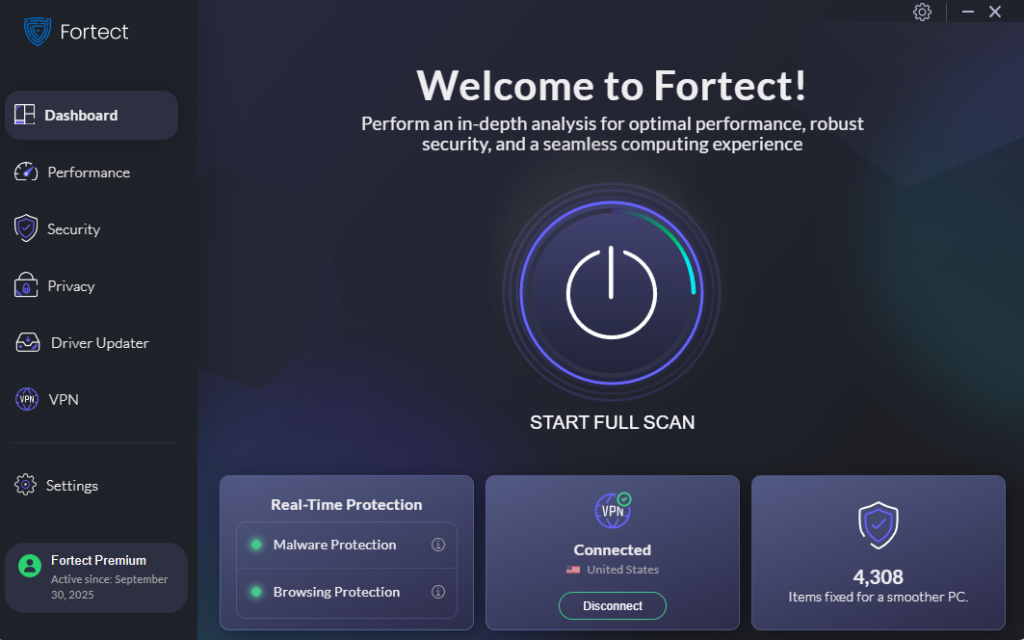
Before diving into manual steps, it’s worth knowing that a dedicated security tool can close the gaps that built-in features sometimes leave open. Fortect delivers advanced real-time malware protection for Windows users. It automatically scans your PC for traditional and emerging threats, including Windows SmartScreen bypass exploits like CVE-2026-21510, eliminates them safely, and restores damaged system files for improved performance. Its smart threat-detection engine monitors suspicious activity and alerts you before harmful actions can take place, helping keep your device secure and running efficiently.
Download and install Fortect today.
Install the Latest Windows Security Update
Microsoft has released a patch addressing CVE-2026-21510. Installing it is the most critical action to take.
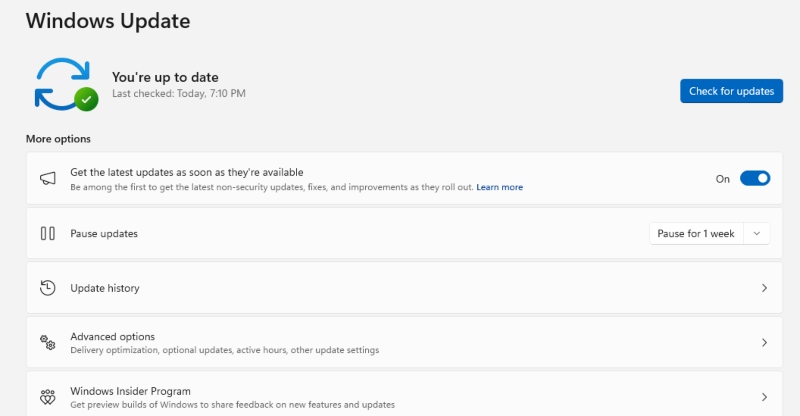
On Windows 10 and Windows 11:
- Click the Start menu and open Settings (gear icon).
- Go to Update & Security (Windows 10) or Windows Update (Windows 11).
- Click Check for updates.
- If updates are available, click Download and install.
- Restart your computer when prompted to complete the installation.
- After restarting, repeat the process and confirm no critical updates remain.
Keeping Windows Update set to Automatic ensures future patches install without manual intervention.
Verify SmartScreen Is Enabled
After updating, confirm SmartScreen is still active on your system.
On Windows 10:
- Open Settings → Update & Security → Windows Security.
- Click App & browser control.
- Under Reputation-based protection, click Reputation-based protection settings.
- Check apps and files is set to Warn or Block.
- Also, enable SmartScreen for Microsoft Edge and Potentially unwanted app blocking.
On Windows 11:
- Open Settings → Privacy & security → Windows Security.
- Click Open Windows Security.
- Select App & browser control.
- Click Reputation-based protection settings.
- Toggle on all SmartScreen-related options.
Step 3: Enable Automatic Updates to Prevent Future Gaps
- Open Settings → Windows Update.
- Click Advanced options.
- Turn on Receive updates for other Microsoft products.
- Automatic (recommended) is selected under update timing.
Step 4: Use Microsoft Defender Alongside SmartScreen
Microsoft Defender Antivirus provides a complementary layer of real-time protection.
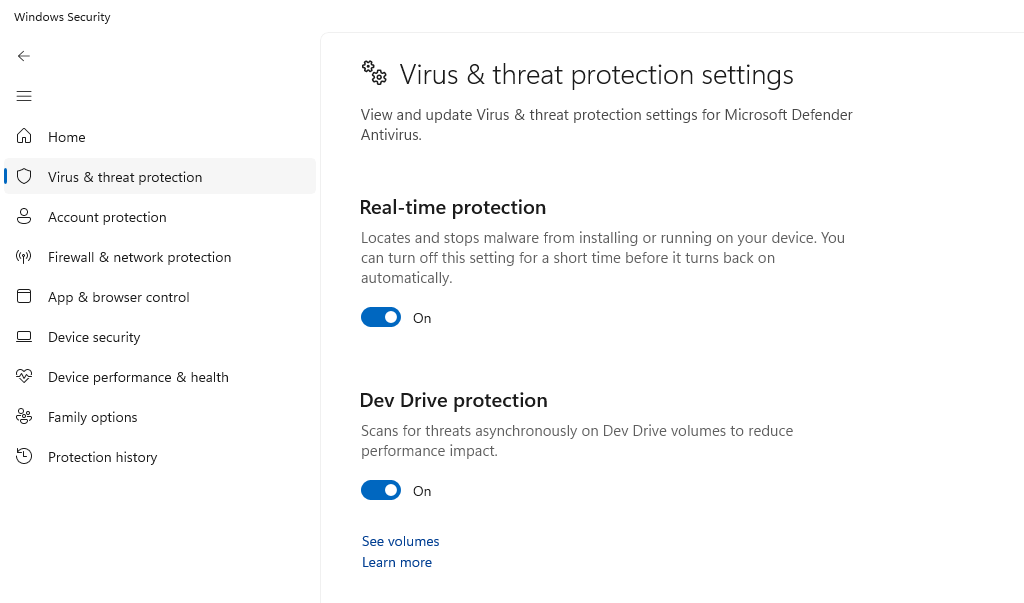
- Open Windows Security from the Start menu.
- Go to Virus & threat protection.
- Click Manage settings under Virus & threat protection settings.
- Turn Real-time protection On.
- Run a Quick scan immediately to check for any existing threats.
Step 5: Be Cautious With Downloaded Files
While the patch resolves the vulnerability, practicing safe download habits adds an important extra layer of protection:
- Only download software from official developer websites or the Microsoft Store.
- Avoid clicking links in unsolicited emails, even if the sender appears familiar.
- Before opening any downloaded file, right-click it, select Properties, and check the Security section at the bottom. If a file is blocked, do not uncheck the “Unblock” option unless the source is fully trusted.
What Microsoft Is Doing About CVE-2026-21510
Microsoft acknowledged CVE-2026-21510 through its Patch Tuesday update cycle and released a security update to address the bypass. Microsoft regularly publishes security advisories through the Microsoft Security Response Center (MSRC), where users can track the patch status and read official guidance.
Conclusion
CVE-2026-21510 is a serious reminder that even built-in security tools like Windows SmartScreen can have exploitable weaknesses. For everyday Windows users, the good news is the fix is straightforward: install the latest Windows update immediately, verify SmartScreen settings, and stay alert about where files are downloaded from.
Security features only work when they are kept up to date. Make Windows Update a regular habit; it is one of the simplest and most effective ways to stay protected against Windows SmartScreen bypass attacks and other emerging threats.
Frequently Asked Questions
Does vulnerability mean SmartScreen is broken forever?
No. Bypass is closed once the security patch is installed. SmartScreen continues to function as intended on patched systems.
Can antivirus software alone protect against this bypass?
A third-party antivirus may catch some malware exploiting this vulnerability, but it is not a guaranteed substitute for applying the official patch. The patch is the most reliable fix.
How to know if users been affected?
Run a full system scan using Microsoft Defender or a trusted antivirus program. When malware is found that was installed recently without user awareness, this vulnerability may have been exploited.



