
Distributed Ledger Attacks: Risks and Prevention Tips
Distributed ledger technology (DLT), including blockchain systems, is designed to be decentralized, transparent, and tamper-resistant. However, it is not immune to cyber threats. Distributed ledger attacks refer to malicious activities that target blockchain networks, crypto wallets, smart contracts, and decentralized applications (dApps) to manipulate transactions, steal assets, or disrupt consensus mechanisms.
From a Windows 10/11 user perspective, these attacks often don’t target the blockchain itself directly; they target your device, browser, or wallet credentials, which act as the gateway to your digital assets.
Common Types of Distributed Ledger Attacks
51% Attack (Network Control Exploit)
A 51% attack occurs when a malicious actor gains control of more than half of a blockchain network’s computing power. This allows them to reverse transactions or double-spend coins.
While rare in major blockchains like Bitcoin, smaller networks are more vulnerable.
Sybil Attack (Fake Identity Nodes)
In a Sybil attack, an attacker creates multiple fake identities or nodes to gain disproportionate influence over a decentralized network. This can disrupt consensus and distort network behavior.
Smart Contract Vulnerabilities
Smart contracts are self-executing code on blockchain networks. If poorly written, they can be exploited through:
- Reentrancy attacks
- Logic flaws
- Overflow/underflow bugs
These vulnerabilities often lead to stolen funds or manipulated transactions.
Phishing and Wallet Attacks
One of the most common threats for Windows users is phishing attacks targeting crypto wallets. Attackers trick users into revealing:
- Private keys
- Seed phrases
- Login credentials
This is usually done through fake websites, malicious browser extensions, or email scams.
Risks for Windows 10/11 Users
Even though distributed ledger systems are decentralized, your Windows PC is still a central attack point. Here’s what you are exposed to:
Credential Theft and Browser Exploits
Many crypto wallets run as browser extensions (Chrome, Edge, Firefox). Attackers use:
- Keyloggers
- Fake extensions
- Browser injection malware
to steal wallet access.
Malware and Infostealers
Infostealer malware is a major threat in the crypto space. These programs silently extract:
- Saved passwords
- Crypto wallet files
- Clipboard data (wallet addresses)
Once installed on Windows, they can exfiltrate data without obvious signs.
Clipboard Hijacking
A lesser-known but dangerous attack modifies copied wallet addresses. For example, when you copy a crypto address, malware replaces it with the attacker’s address.
Prevention Tips for Distributed Ledger Security
Protecting yourself requires a mix of cyber hygiene, Windows hardening, and safe crypto practices.
Windows 10/11 Security Steps You Should Follow
1. Keep Windows Updated
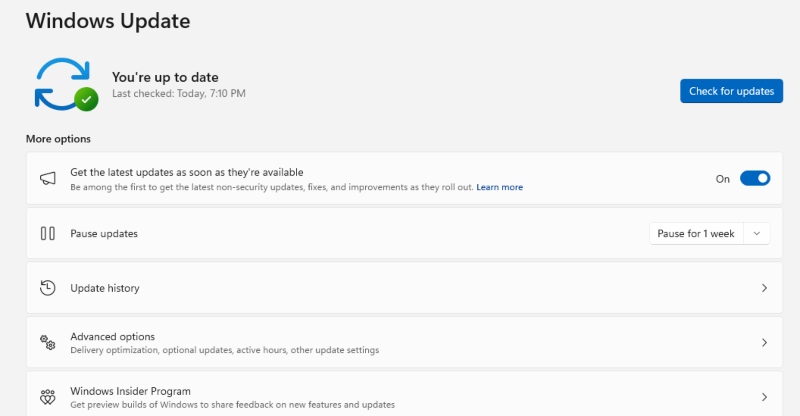
Updates patch security vulnerabilities that attackers exploit.
Steps:
- Click Start
- Go to Settings
- Select Update & Security (Windows 10) or Windows Update (Windows 11)
- Click Check for updates
- Install all available updates and restart your PC
2. Enable Microsoft Defender Firewall
Firewall blocks unauthorized network access.
Steps:
- Open Control Panel
- Go to System and Security
- Click Windows Defender Firewall
- Select Turn Windows Defender Firewall on or off
- Enable it for both private and public networks
3. Use Standard User Accounts (Limit Admin Access)
Most malware requires admin privileges to fully operate.
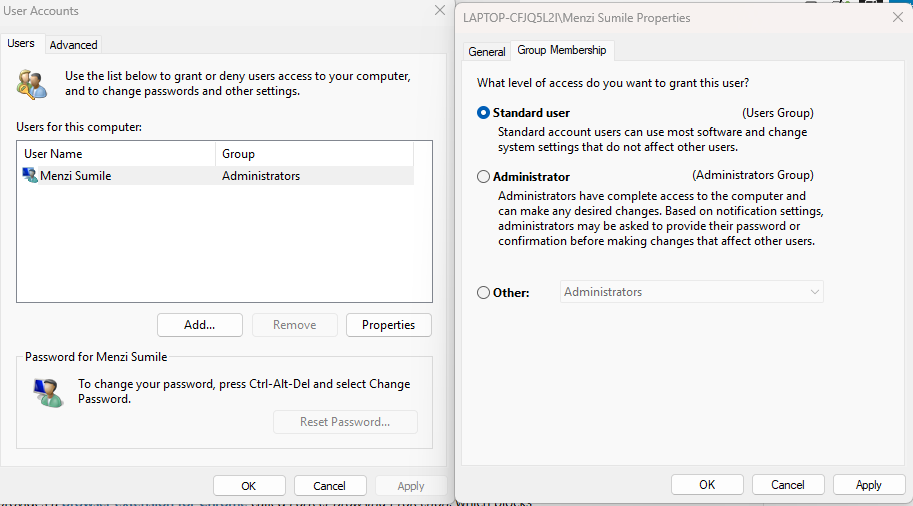
Steps:
- Open Settings
- Go to Accounts
- Select Family & other users
- Click Add account
- Create a Standard User account
- Use admin accounts only when necessary
4. Enable Windows Security (Real-Time Protection)
- Open Windows Security
- Go to Virus & threat protection
- Select Manage settings
- Turn ON real-time protection, cloud-delivered protection, and tamper protection
5. Strengthen Your PC Security with Fortect
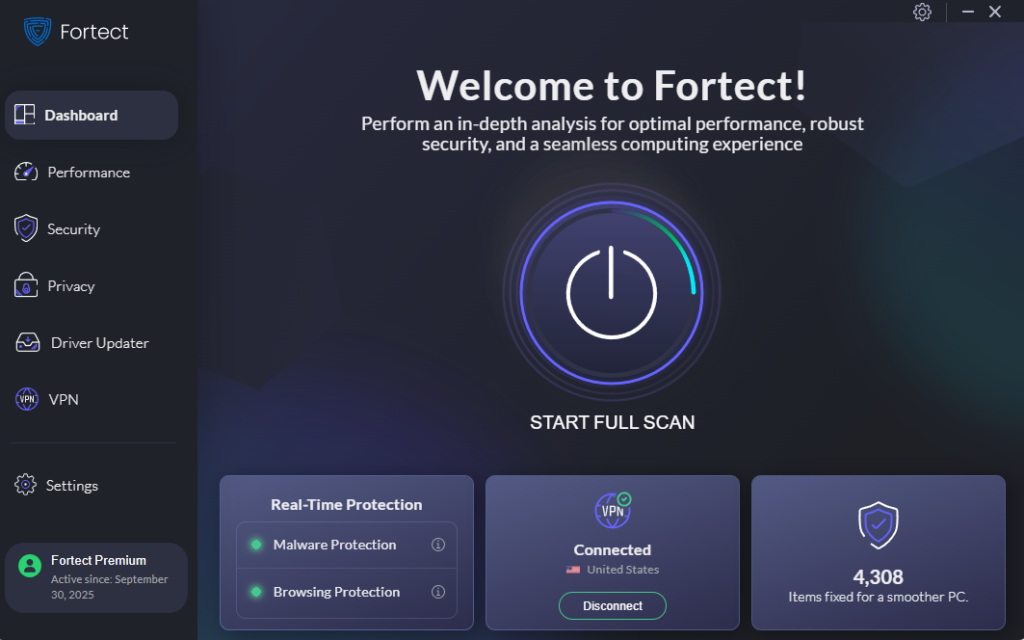
Fortect provides real-time malware protection for Windows, detecting and removing both common threats and distributed ledger attacks. It monitors suspicious activity targeting blockchain networks, crypto wallets, smart contracts, and dApps, blocks harmful actions, and repairs damaged system files to keep your PC secure and running smoothly.
Download and install Fortect now.
6. Secure Your Browser (Critical for Wallet Users)
- Remove unused extensions
- Install only from official stores
- Enable enhanced protection mode
- Avoid saving crypto passwords in browsers
Safe Crypto and Distributed Ledger Practices
- Use Hardware Wallets: Hardware wallets store private keys offline, reducing exposure to online attacks.
- Avoid Unknown Links and Airdrops: Many attacks start with phishing emails or fake token offers.
- Double-Check Wallet Addresses: Always verify the first and last characters before sending crypto.
- Use Multi-Factor Authentication (MFA): Enable MFA on all supported platforms.
Advanced Protection Strategies
- Backup Your Recovery Phrase Securely: Write it on paper. Store it offline. Never save it in cloud storage
- Monitor System Activity: Use Task Manager and Resource Monitor to detect unusual behavior.
- Keep Antivirus Active: Use Windows Defender or trusted security software to detect malware and infostealers.
- Restrict Network Permissions: Avoid public Wi-Fi when handling crypto transactions and disable unnecessary sharing features.
Conclusion
Distributed ledger attacks continue to evolve, but most real-world risks for Windows 10/11 users come from compromised devices rather than the blockchain itself. By strengthening system security, limiting user privileges, and practicing safe crypto behavior, you significantly reduce your exposure to threats like phishing, smart contract exploits, and malware-based theft.
A secure Windows setup combined with disciplined digital habits remains the strongest defense against modern distributed ledger attacks.




![What Causes Windows Update Failure [How To Prevent It]](https://wp-cdn.fortect.com/uploads/2023/04/12103355/windows-update-failed-2-425x300.jpg)