
AsyncRAT & Formbook: Why These Infostealers are Dominating in 2026
If your Windows PC has been feeling sluggish, your passwords have stopped working, or your bank account has shown unfamiliar activity, there’s a chance something malicious is running silently in the background. In 2026, two malware threats, AsyncRAT and Formbook, are leading the charge in data theft targeting everyday Windows users. Understanding what these threats are, how they sneak onto devices, and how to protect against them could be the difference between staying safe and becoming a victim.
What Are AsyncRAT and Formbook?
AsyncRAT: The Silent Remote Hijacker
AsyncRAT (short for Asynchronous Remote Access Trojan) is a type of malware that grants cybercriminals full remote control over an infected Windows machine, all without the victim’s knowledge. Originally released as an open-source tool on GitHub in 2019, it was quickly weaponized by hackers worldwide.
In 2026, AsyncRAT has evolved into one of the most sophisticated threats on the internet. According to threat researchers, it currently ranks as the second most active malware family globally, trailing only CobaltStrike. Here’s what it can do once it infects a device:
- Steal passwords and login credentials from browsers
- Record keystrokes (keylogging)
- Capture screenshots and screen recordings
- Download and install additional malware
- Execute commands remotely on the victim’s system
- Access files and exfiltrate sensitive data
What makes AsyncRAT particularly dangerous is its asynchronous communication design, which means its command-and-control (C2) traffic blends seamlessly into normal internet traffic, making it extremely hard to detect.
Formbook: The Credential Harvesting Machine
Formbook is an infostealer that has been around since 2016 but remains devastatingly effective today. It is sold on underground hacking forums as Malware-as-a-Service (MaaS), meaning almost anyone with criminal intent can purchase and deploy it, no advanced technical skills required.
Formbook is laser-focused on stealing personal data. Once it infects a Windows machine, it:
- Harvests login credentials from web browsers (Chrome, Firefox, Edge, and others)
- Logs every keystroke typed on the keyboard
- Takes screenshots at regular intervals
- Intercepts form submissions, capturing usernames and passwords the moment they are typed
- Downloads and executes additional malicious payloads
In mid-2025, Formbook was responsible for more than 15% of all detected malware infections in some countries, consistently ranking among the top three most prevalent malware families globally.
Why AsyncRAT and Formbook Are Surging in 2026
The Rise of Malware-as-a-Service (MaaS)
One of the biggest reasons these threats have exploded is the MaaS model. Cybercriminals no longer need to be expert programmers. Formbook, for example, can be rented or purchased on dark web forums for a relatively low price, complete with customer support and updates. This drastically lowers the barrier to entry for would-be attackers, flooding the internet with more campaigns than ever before.
AsyncRAT follows a similar pattern. Being open-source, it has spawned over 40 documented forks, each customized to bypass different antivirus tools. Some variants now use fileless execution, meaning the malware runs entirely in system memory and leaves no files on the hard drive for antivirus software to scan.
Phishing Emails Remain the #1 Delivery Method
Both AsyncRAT and Formbook are overwhelmingly delivered through phishing emails. These are fake emails disguised as legitimate communications, fake invoices, shipping notifications, payment receipts, or urgent legal notices. The emails contain malicious attachments or links that, when clicked or opened, trigger the infection.
Researchers from Unit 42 (Palo Alto Networks) have tracked campaigns using what is called the PhantomVAI Loader, a sophisticated delivery mechanism that uses steganography (hiding malicious code inside innocent-looking image files) to sneak both AsyncRAT and Formbook onto victim machines. The loader even checks if it is running inside a security sandbox and aborts if detected, making it extremely evasion-savvy.
Legitimate Platforms Being Hijacked for Delivery
In a particularly alarming trend, attackers in 2026 are abusing trusted platforms to deliver these threats. Campaigns have been observed using:
- Dropbox URLs in phishing emails leading to AsyncRAT payloads
- TryCloudflare tunnels to host malicious infrastructure
- Discord invite links to distribute AsyncRAT
- Fake software update pages (FakeUpdates/SocGholish) as dropper mechanisms
Because these platforms are trusted by both users and security tools, traditional defenses often fail to block them.
AI-Powered Evasion Tactics
AsyncRAT in 2026 now incorporates AI-assisted evasion techniques, including new forks that introduce Python shellcode for cross-platform attacks and dynamic code mutation to avoid static antivirus signatures. Standard antivirus software frequently misses these fileless AsyncRAT variants because they inject themselves into legitimate Windows processes like aspnet_compiler.exe or MSBuild.exe.
How These Threats Get Onto Your Windows PC
Understanding the infection chain helps in building defenses. Here is how a typical infection plays out for a Windows 10/11 user:
- A phishing email arrives in the inbox with a subject like “Urgent Invoice” or “Your Package Delivery”
- The user opens an attachment (a .zip, .wsf, .js, or .pdf file)
- A hidden script executes, often using PowerShell or Windows Script Host
- The script downloads additional components, sometimes disguised as image files (.jpg)
- The final payload (AsyncRAT or Formbook) is injected into a legitimate Windows process
- The malware establishes persistence via the Windows Registry or Scheduled Tasks
- Credential theft and surveillance begin silently in the background
How to Protect Your Windows 10/11 PC from AsyncRAT and Formbook
Strengthen Your PC Security with Fortect
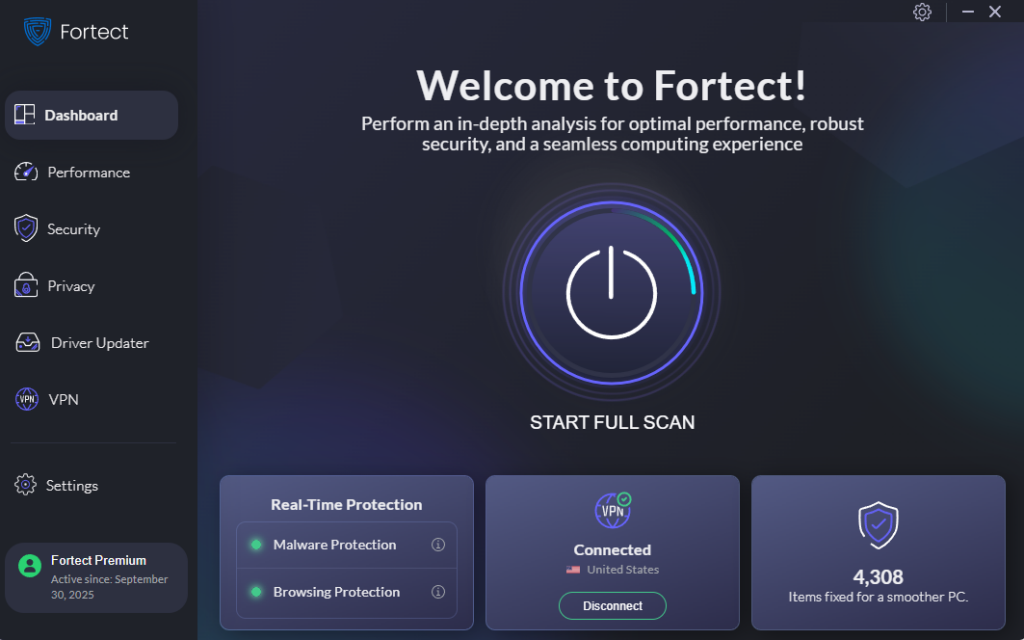
Fortect runs continuous, real-time scans that catch both well-known and newly emerging malware strains, including the kind of fileless, memory-injected threats that AsyncRAT and Formbook are notorious for deploying in 2026.
Beyond detection, Fortect removes identified threats safely without disrupting the operating system, and automatically repairs any Windows system files that malware may have corrupted, restoring normal PC performance in the process. Its intelligent threat-monitoring engine keeps a close watch on suspicious behavior patterns, flagging dangerous activity before it has a chance to escalate into full credential theft or remote takeover. For everyday Windows 10/11 users who want protection that works quietly in the background, Fortect adds a powerful layer of defense that complements the built-in tools below.
Download and install Fortect today.
Keep Windows Updated at All Times
Outdated Windows systems are a primary target. Patches close the security vulnerabilities that malware exploits.
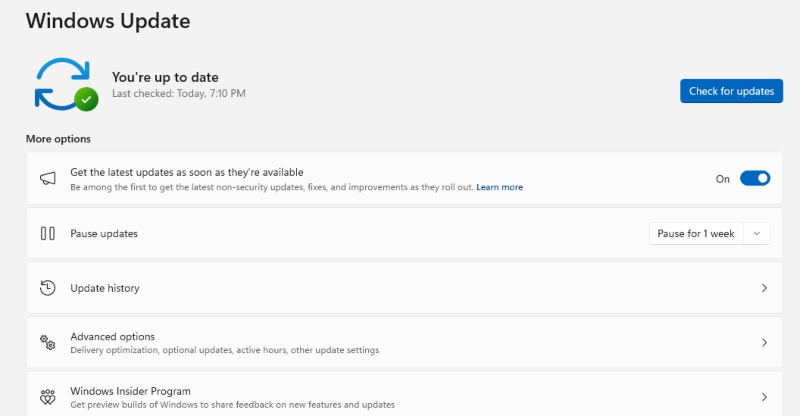
How to update Windows 10/11:
- Click the Start button and open Settings (the gear icon)
- Go to Windows Update (in Windows 11) or Update & Security → Windows Update (in Windows 10)
- Click Check for updates
- If updates are available, click Download & install
- Restart your PC when prompted to complete the installation
- To automate this, go to Advanced options and toggle Receive updates for other Microsoft products to ON
- Under Active hours, set the times when Windows should avoid restarting for updates
Make it a habit to check for updates at least once a week.
Enable and Configure Windows Defender (Microsoft Defender Antivirus)
Windows Defender is built into Windows 10/11 and is a solid first line of defense when properly configured.
How to enable real-time protection:
- Open Start → Settings → Privacy & Security → Windows Security
- Click Virus & threat protection
- Under Virus & threat protection settings, click Manage settings
- Ensure Real-time protection is toggled ON
- Also enable Cloud-delivered protection and Automatic sample submission for better detection of new threats
- Return to the main Windows Security screen and click Firewall & network protection, ensure the firewall is active on all three network types (Domain, Private, Public)
Disable Windows Script Host (WSH)
Many AsyncRAT infections begin with malicious .wsf, .vbs, or .js files executed by Windows Script Host. Disabling WSH prevents these from running.
How to disable Windows Script Host:
- Press Windows key + R, type regedit, and press Enter
- Navigate to: HKEY_LOCAL_MACHINE\Software\Microsoft\Windows Script Host\Settings
- If the Settings key does not exist, right-click Windows Script Host, select New → Key, and name it Settings
- Right-click the Settings key, select New → DWORD (32-bit) Value, and name it Enabled
- Double-click Enabled and set the value to 0 (zero)
- Click OK and close Registry Editor
- Restart the PC for the change to take effect
Note: This may affect legitimate software that uses script files. If an application stops working, re-enable WSH by setting the value back to 1.
Use a Standard (Non-Administrator) User Account for Daily Use
Running as an administrator means malware can make system-wide changes the moment it executes. Using a standard account limits the damage.
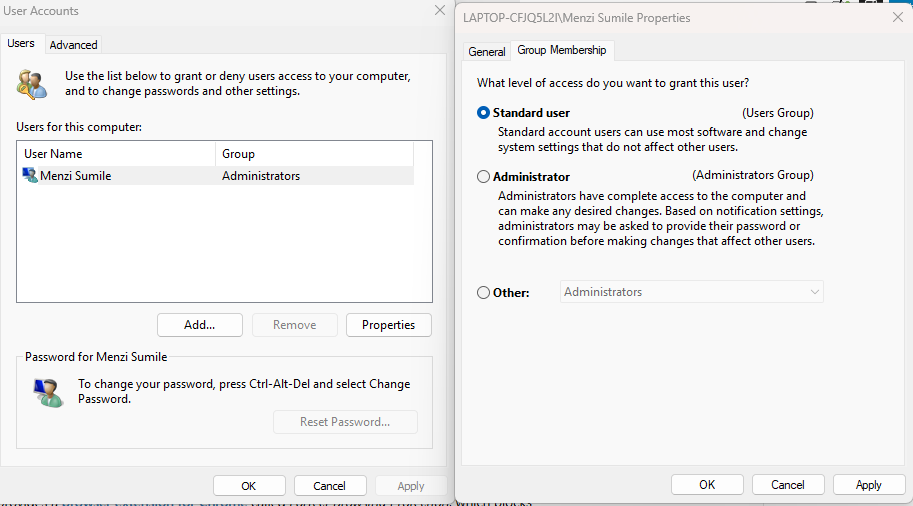
How to create and switch to a standard user account on Windows 10/11:
- Open Settings → Accounts → Family & other users
- Under Other users, click Add account
- Click I don’t have this person’s sign-in information → Add a user without a Microsoft account
- Enter a username and password, then click Next
- The account is created as a Standard User by default
- Log out of the administrator account and log into the new standard account for daily use
- Keep the administrator account for software installations and system changes only
Be Skeptical of Every Email Attachment and Link
Since phishing emails are the primary delivery method for both AsyncRAT and Formbook, healthy skepticism is one of the most powerful defenses available.
- Never open email attachments from unknown senders
- Be suspicious of urgent requests involving invoices, payments, or legal notices
- Hover over links before clicking to preview the actual destination URL
- When in doubt, contact the sender directly through a known phone number, not by replying to the email
- Use a separate email address for online shopping and subscriptions to reduce exposure
Enable Multi-Factor Authentication (MFA) on All Accounts
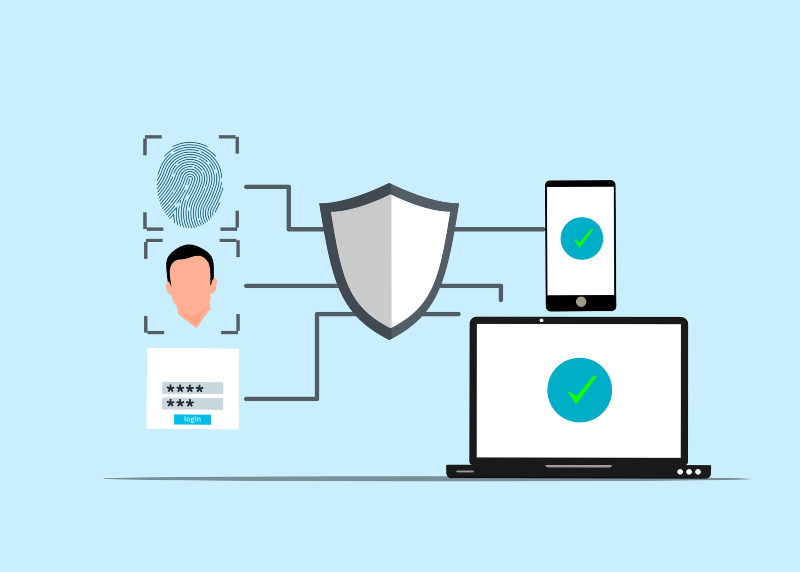
Even if Formbook or AsyncRAT successfully steals a password, MFA adds a second layer that prevents the stolen credentials from being used. Enable MFA on email accounts, social media, banking, and any other important service. Most platforms support authenticator apps (like Microsoft Authenticator or Google Authenticator), which are more secure than SMS-based MFA.
Signs Your PC May Be Infected
Watch out for these warning signs that could indicate an AsyncRAT or Formbook infection:
- Unexplained slowness — the PC is sluggish even when running few programs
- High CPU or network usage — visible in Task Manager (Ctrl + Shift + Esc) with no clear cause
- Unfamiliar processes running — especially anything injecting into MSBuild.exe or aspnet_compiler.exe
- Passwords stop working — credentials have been harvested and changed by attackers
- Unfamiliar account activity — unknown logins or purchases on linked accounts
- Antivirus disabled without action — some malware disables security tools on infection
If any of these signs appear, disconnect the PC from the internet immediately and run a full offline antivirus scan using Windows Defender Offline (available in Windows Security → Virus & threat protection → Scan options).
Final Thoughts
AsyncRAT and Formbook are not abstract threats that only affect large corporations. They target everyday Windows users through the most mundane-seeming emails and websites. In 2026, their reach has expanded because they are cheap to deploy, hard to detect, and devastatingly effective at stealing the credentials, passwords, and personal data that form the backbone of everyday digital life.
The most effective protection is a combination of updated software, careful email habits, limited system permissions, and layered security features built right into Windows 10 and 11. Taking these steps today could prevent a very costly and stressful incident tomorrow.


