AI Threat Examples and Risks Every Windows User Should Know
AI threat examples and risks every Windows user should know include deepfake phishing scams, AI-powered malware that rewrites itself to dodge antivirus detection, voice-cloning fraud, AI-generated phishing emails that mimic real contacts, and automated password-cracking tools.
Investing in an all-in-one tool like Fortect can help keep your PC protected against these evolving threats.
These risks aren’t science fiction anymore. Cybercriminals are actively using artificial intelligence to make attacks faster, more convincing, and harder to detect than traditional threats.
For everyday Windows users, this means the old rules of “look out for bad grammar in scam emails” or “only worry about suspicious links” no longer apply. AI has changed the game, and understanding how is the first step to staying safe.
Key Takeaways
- AI threat examples and risks include deepfake voice cloning, AI-generated phishing emails, polymorphic malware, automated password attacks, and AI-driven social engineering scams
- Traditional warning signs like poor grammar or generic phishing templates are no longer reliable, since AI can produce flawless, personalized content
- Verifying unexpected requests through a separate communication channel can prevent many voice-cloning and impersonation scams
- Strong, unique passwords combined with two-factor authentication significantly reduce the risk of automated credential attacks
- Keeping software, drivers, and security tools updated closes vulnerabilities that AI-powered attacks are specifically designed to find and exploit
Why AI-Powered Threats Are Different
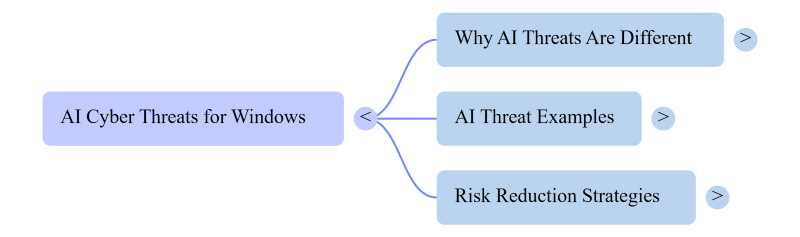
Traditional cyberattacks relied on volume and obvious red flags. AI-driven attacks rely on precision and believability instead. Machine learning models analyze a target’s writing style, social media activity, and voice patterns. These models then craft attacks that feel personal and legitimate.
This shift means Windows users must recognize new categories of risk that barely existed a few years ago.
AI Threat Examples and Risks
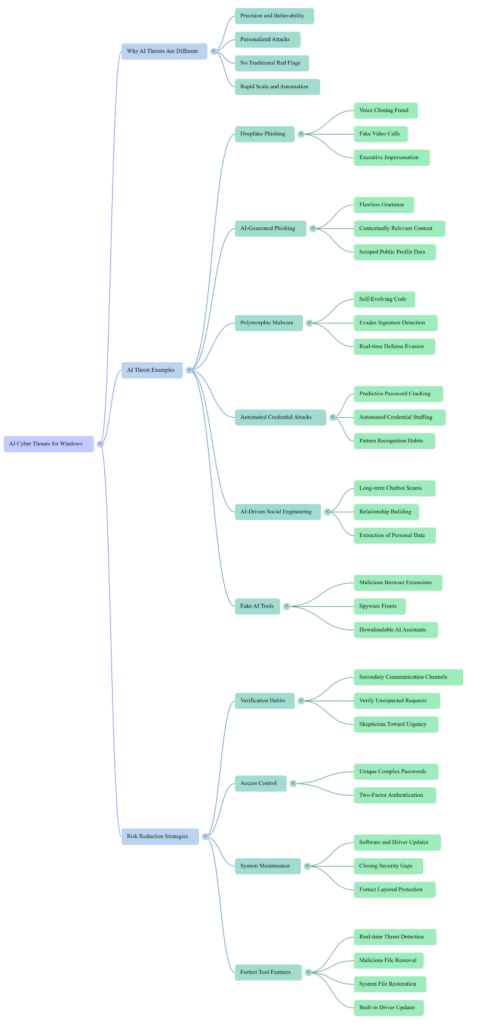
Deepfake Phishing and Voice Cloning Scams
AI-generated audio and video represent one of the fastest-growing threats today. Scammers clone a person’s voice using just a few seconds of recorded speech. They pull this audio from social media clips or voicemail greetings. Fraudsters use this technology to impersonate company executives, family members, and bank representatives.
Victims often transfer money or share sensitive information over the phone as a result. Video deepfakes follow the same trajectory, with fraudsters creating fake video calls. These calls appear to show trusted contacts asking for help.
AI-Generated Phishing Emails
Phishing used to be easy to spot because of awkward phrasing. AI language models have erased that weakness. Attackers now generate flawless emails that reference real projects, coworkers, or recent purchases. They scrape this information from data breaches or public profiles. These emails arrive with no typos and proper formatting. The tone matches legitimate business communication, making fraud harder to flag.
Polymorphic and Self-Evolving Malware
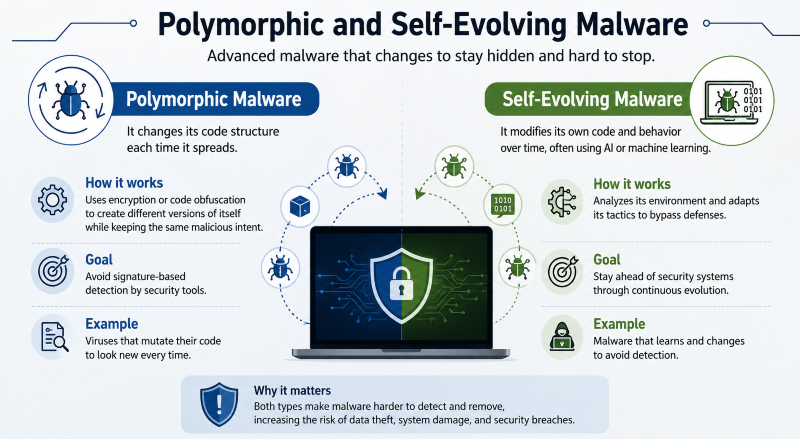
Traditional antivirus software relies on signature-based detection to catch threats. This method recognizes malware by matching it against a database of known threats. AI-powered malware breaks this model by rewriting its own code constantly. Each new variant slips past static defenses undetected. This type of malware also studies a system’s defenses in real time. It then adjusts its behavior to avoid triggering security alerts.
Automated Credential Stuffing and Password Attacks
AI has dramatically sped up brute-force password attacks. Machine learning models predict likely password variations based on leaked data patterns. They also draw on common habits and personal details pulled from social media. Automated bots then test thousands of login combinations across multiple sites within minutes. This puts reused or weak passwords at serious risk.
AI-Driven Social Engineering
AI chatbots increasingly run long-term social engineering campaigns beyond emails and calls. These bots carry on convincing conversations across messaging apps or dating platforms. They build trust with a victim over days or weeks before striking. Eventually, the bot introduces a fake investment opportunity or a request for money. Some bots simply attempt to extract personal data instead.
Fake AI Tools and Malicious Browser Extensions
Generative AI tools have exploded in popularity over the past few years. A wave of fake applications now pretends to offer similar functionality. Some malicious browser extensions and downloadable “AI assistants” hide spyware or ransomware. Attackers design these fronts to exploit the hype around legitimate AI products. Users searching for free versions of popular AI tools face a particular risk.
How Windows Users Can Reduce Their Risk
Staying ahead of AI-driven threats does not require becoming a cybersecurity expert. It does mean adjusting a few old habits, though. Verify unexpected requests through a second channel, such as a direct phone call. This simple step can stop voice-cloning scams before they succeed.
Use unique, complex passwords for every account you own. Pair these passwords with two-factor authentication to block automated credential attacks. Stay skeptical of urgency in emails or messages, even ones that look flawless. AI removed the obvious warning signs people used to rely on.
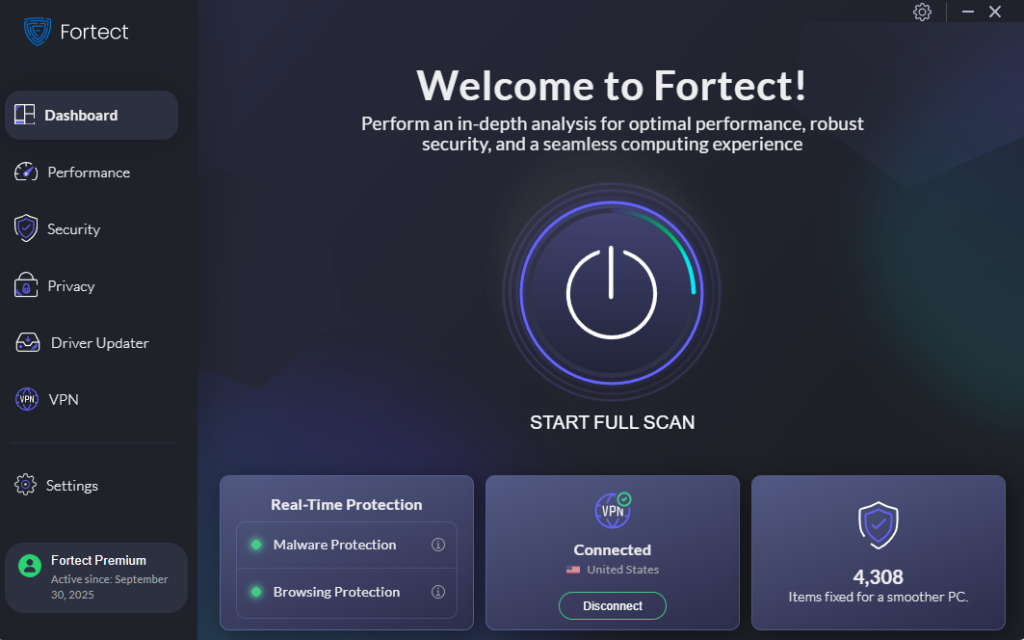
Keep software and drivers updated more consistently than most people realize. Outdated systems often contain known vulnerabilities that automated AI tools scan for. This is where a layered approach to PC maintenance becomes genuinely useful. Many users pair good personal habits with a dedicated tool for ongoing protection.
Fortect offers real-time malware protection that detects threats before they cause serious damage. It removes malicious files and restores system files that attacks may have compromised. Fortect also helps with everyday performance by clearing out junk files. It shuts down crashed or unresponsive programs so your system runs smoothly. For anyone wanting an extra layer of defense, giving Fortect a try is a reasonable next step.
Staying Informed Is the Best Defense
AI threats will keep evolving, and no single tool can guarantee complete protection. The most resilient approach combines awareness, skepticism, strong passwords, and reliable software maintenance. Windows users who stay informed about these attacks spot them faster. Staying ahead of the threat means far less damage when it strikes.