
2026 Windows vs Mac Malware: Myths vs Reality
For years, the debate over Windows vs Mac malware has fueled countless tech discussions. Mac users have long claimed immunity from viruses, while Windows users have accepted malware as an inevitable part of the computing experience. But in 2026, the reality is far more nuanced than these outdated stereotypes suggest.
The Truth About Mac Malware in 2026
Macs Are No Longer Immune

The myth that Macs don’t get viruses has been thoroughly debunked. Mac malware has surged dramatically, with security researchers documenting increased threats targeting macOS. Adware, spyware, ransomware, and Trojan horses now regularly affect Mac computers. The rise in Mac popularity has made them attractive targets for cybercriminals seeking financial gain.
Apple’s built-in security features like Gatekeeper and XProtect provide baseline protection, but they’re not foolproof. Mac users face threats from phishing attacks, malicious browser extensions, and compromised software downloads just like Windows users.
Common Mac Security Vulnerabilities
MacOS security threats include cryptominers that drain system resources, information stealers targeting passwords and financial data, and ransomware that encrypts personal files. The false sense of security many Mac users maintain makes them more susceptible to social engineering attacks and unsafe browsing habits.
Windows Malware: Is It Still a Major Concern?
The Windows Security Architecture
Windows remains the most targeted operating system due to its dominant market share. However, Microsoft has significantly strengthened Windows security over the past decade. Windows 10 and Windows 11 include robust built-in protections like Windows Defender (now Microsoft Defender), SmartScreen filtering, and automatic security updates.
The primary vulnerability isn’t Windows itself; it’s user behavior. Most Windows malware infections result from downloading suspicious files, clicking phishing links, or disabling security features. When properly configured and maintained, modern Windows systems are remarkably secure.
Types of Windows Malware Threats
Common Windows threats include ransomware that locks files for payment, trojans disguised as legitimate software, keyloggers that record typing activity, and browser hijackers that redirect searches. Windows users also face supply chain attacks through compromised software updates and zero-day exploits targeting unpatched vulnerabilities.
How to Protect Your Windows Computer
Strengthen Your PC Security with Fortect
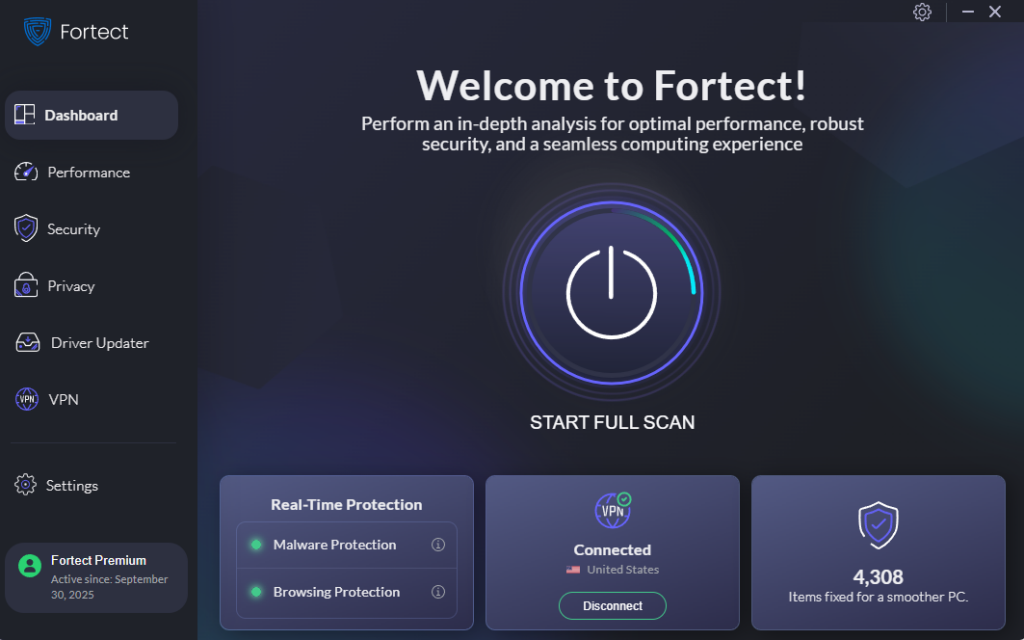
Fortect delivers advanced real-time malware protection specifically designed for Windows users. It automatically scans your system for both traditional threats and emerging Windows vs Mac malware variants, eliminating them safely while restoring damaged files for optimal performance. Its intelligent threat-detection engine monitors suspicious activity continuously, alerting you before harmful actions occur to keep your device secure and running smoothly.
Download and install Fortect today for your Windows system to guard against types of malware.
For Windows users browsing with Chrome, Fortect Browsing Protection adds an extra layer of defense against malware. This easy-to-use Chrome extension blocks dangerous websites before they load, warns you about suspicious pages that may lead to scams, and removes harmful extensions that could put your data at risk.
Enable and Configure Microsoft Defender
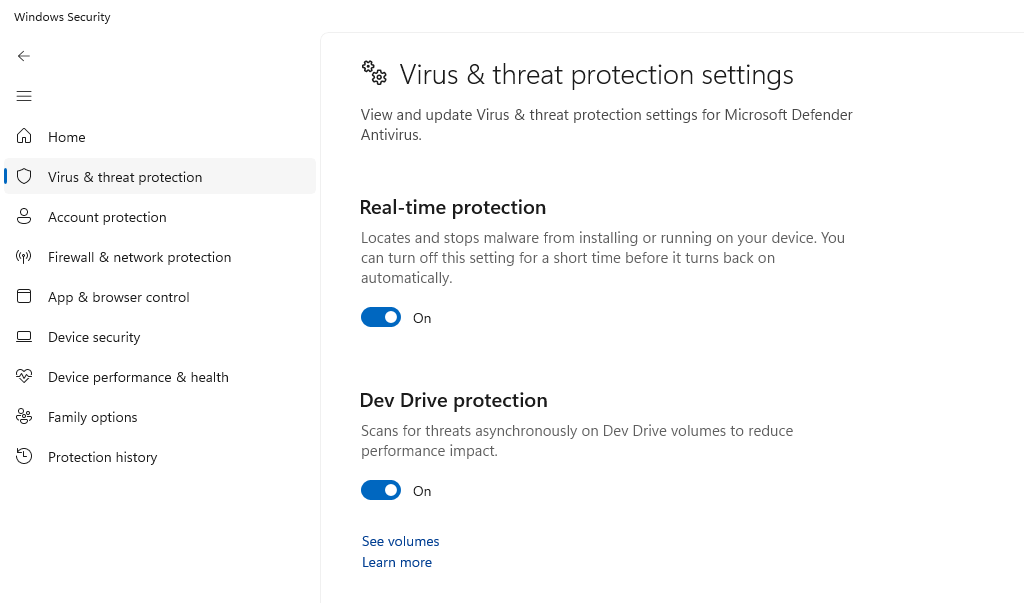
Windows 11 includes comprehensive malware protection by default. To verify it’s active:
- Click the Start button and select Settings
- Navigate to Privacy & Security
- Click Windows Security
- Select Virus & threat protection
- Ensure Real-time protection is turned On
- Click Scan options and run a Full scan monthly
Keep Windows Updated
Security patches are critical for malware prevention. To configure automatic updates:
- Open Settings from the Start menu
- Click Windows Update in the left sidebar
- Select Advanced options
- Enable Receive updates for other Microsoft products
- Turn on Download updates over metered connections if needed
- Click the back arrow and select Check for updates
Windows will now automatically download and install security patches, closing vulnerabilities before attackers exploit them.
Restrict User Account Permissions
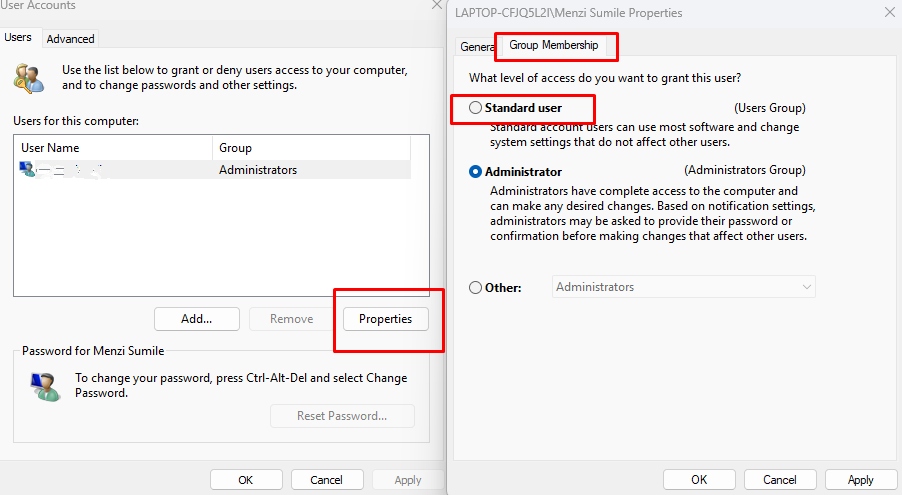
Standard user accounts prevent malware from making system-wide changes. To create a restricted account:
- Open Settings and select Accounts
- Click Family & other users
- Under Other users, click Add account
- Follow prompts to create a Microsoft account or local account
- After creation, click the new account name
- Select Change account type
- Choose Standard User from the dropdown
- Click OK to confirm
Use this restricted account for daily activities, reserving administrator access for software installation only.
Mac vs Windows: Which Is Actually Safer?
Fortect for Mac: Comprehensive Protection Beyond macOS
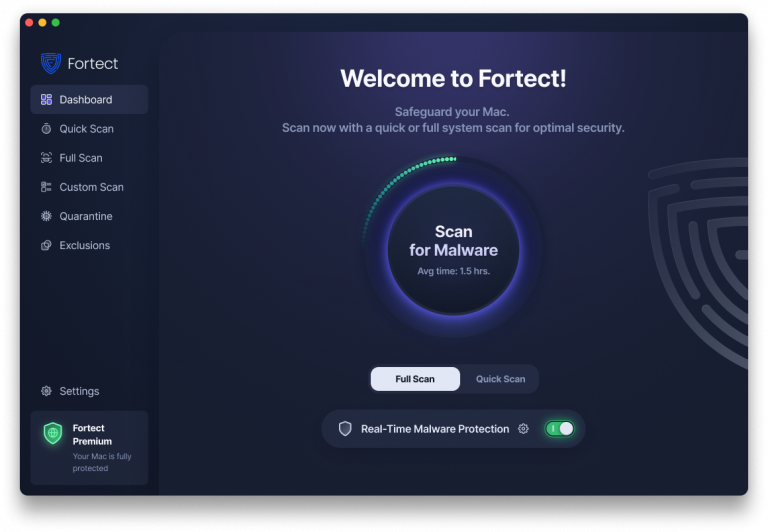
Modern cyber threats increasingly target Mac users as the macOS market share grows. Fortect for Mac provides intelligent, real-time protection that complements Apple’s native security by filling critical gaps that attackers exploit. With ransomware, spyware, and stealth attacks designed to bypass traditional macOS defenses, relying solely on built-in security is no longer sufficient.
Key Features:
- Real-Time Malware Defense: Always-on monitoring that detects and blocks malicious activity instantly
- Cloud-Based Threat Intelligence: Rapid detection of new and emerging attack patterns through cloud analysis
- Quick Smart Scan: Fast, efficient scanning to identify and resolve issues quickly
- Full System Scan: Deep scanning across your entire machine for comprehensive protection
Security Depends on User Behavior
The Windows vs Mac malware debate misses the fundamental point: no operating system is inherently invulnerable. Both platforms face legitimate security threats, and both offer strong built-in protections when properly utilized.
Mac users benefit from a more locked-down ecosystem and fewer targeted attacks, but this advantage shrinks as Mac market share grows. Windows users face more frequent threats but have access to mature security tools and extensive protection options.
The Real Security Advantage

Your computing habits matter more than your operating system choice. Practicing good digital hygiene, using strong, unique passwords, enabling two-factor authentication, avoiding suspicious downloads, and maintaining skepticism about unexpected emails- provides better protection than any operating system alone.
Both Windows and Mac users should install reputable antivirus software beyond built-in protections, regularly back up important data, and stay informed about emerging threats specific to their platform.
Conclusion
In 2026, the Windows vs Mac malware discussion has evolved beyond simple myths. Macs are no longer malware-free havens, and Windows is no longer inherently unsafe. Both platforms require vigilant security practices, regular updates, and informed users to remain protected. Choose your operating system based on your needs and preferences, not outdated security assumptions, and commit to maintaining proper security hygiene regardless of your choice.





