
AMD vs. Intel: Pick the Right Processor and Stop Overpaying
The AMD versus Intel debate has shaped the computing world for decades, and for anyone building or buying a Windows PC, understanding this rivalry is crucial to making an informed investment. Your processor choice becomes the heart of your system, dictating everything from gaming performance to multitasking speed and content creation efficiency.
Whether you’re a competitive gamer, content creator, professional user, or casual browser, knowing the key differences between AMD ( Advanced Micro Devices ) and Intel empowers you to choose confidently.
Let’s cut through the confusion and explore the essential factors that will guide you to the perfect processor for your Windows PC.
What is a Processor?

The CPU (Central Processing Unit) is the engine behind everything your computer does, executing instructions, managing tasks, and keeping everything running in real time. The more powerful it is, the heavier the workload it can handle, from basic browsing all the way to video editing and gaming. Without a capable one, even the best hardware around it means nothing.
AMD vs. Intel: The Key Players
The processor market is dominated by two giants: AMD and Intel.
- AMD is widely preferred for gaming and heavy graphics work, offering strong multi-core performance and great value for demanding workloads like editing and modern games. Some tech people I know also consistently choose AMD for gaming over Intel because of its performance and price balance.
- Intel, on the other hand, is often preferred for office work, presentations, and general productivity tasks, where efficiency, stability, and smooth everyday performance matter most. However, newer generations like Intel 13th, 14th, and Core Ultra (including the “Panther Lake”) are now becoming more competitive in heavy graphics and gaming performance as well.
From the Shadows to the Spotlight: AMD, Intel, and the Early PC Era
Before AMD became a familiar name to everyday users, it was mostly known within a specific crowd: IT professionals, software developers, and Linux users who appreciated what it offered. For the general public, though, Intel was the name. Intel was the processor.
That started to change in the late 1990s. The Athlon lineup put AMD on the map, and by 2003, the 64-bit Opteron and Athlon 64 made it impossible to ignore. For a stretch of time, AMD was actually the fastest chip on the market, a remarkable achievement for a company that had spent years playing second fiddle.
On the Intel side, the early 2000s were a period of steady progress. It started with the Celeron and Pentium 4, single-core processors that handled the essentials well enough: browsing the web, running Office, the day-to-day stuff. Then Intel introduced Hyper-Threading with the Pentium 4, giving users a taste of parallel processing before it became the standard. The Pentium D followed, and eventually dual-core chips arrived, marking a real shift in how people thought about PC performance.
Even in those pre-multi-core days, gamers were pushing Pentium D systems to their limits, which feels almost quaint compared to today’s 8-core setups, but was genuinely impressive at the time. And if you really wanted to make a statement, you got a Dell XPS. It was the machine serious enthusiasts pointed to, powerful, premium, and a little bit of a status symbol. In the early 2000s, having an XPS meant you weren’t messing around.
Factors to Consider When Choosing a Processor

Start by identifying how you’ll use your computer, whether for gaming, productivity, office work, or basic tasks like browsing and online transactions.
Clearly understanding your needs helps you choose the right processor that fits your workload and performance expectations. In short, know your use case, how frequently you’ll use it, and your budget to make a smarter choice.
Determine Your Usage Needs
Your intended use largely dictates which processor is right for you.
- Gaming: For gaming in 2026, AMD’s top picks are the Ryzen 7 9800X3D for high-end performance and the Ryzen 5 9600X for mid-range builds, both powered by 2nd Gen 3D V-Cache for faster gaming speeds. For maximum performance, pair the Ryzen 9 9950X3D or Ryzen 7 9800X3D with a Radeon RX 9000 Series GPU.
- Content Creation: If you’re into video editing, 3D modeling, or streaming, go for high-core-count processors like AMD Ryzen 9 or Intel Core i9.
- General Use: Entry-level processors like AMD Ryzen 3 or Intel Core i3 are sufficient for browsing, streaming, and office work.
Consider Core Count and Threads
Not all processors are created equal, and core count is often where the difference shows. More cores mean more tasks handled simultaneously, but the right number depends on how you actually use your machine. Knowing this before you buy can make or break your build.

Importance of Core Count and Threads
Cores: A core is essentially a processor within a processor. The number of cores determines how many tasks a CPU can handle simultaneously. For instance:
- Dual-Core: Suitable for basic tasks like web browsing, office applications, and video streaming.
- Quad-Core: Ideal for moderate multitasking and light gaming, offering better performance for standard workloads.
- Hexa-Core or Higher: Recommended for gamers, content creators, and professionals handling resource-intensive tasks like 3D rendering or video editing. CPUs like AMD Ryzen 5 or Intel Core i5 with six cores are popular for their balanced performance.
Threads: Threads represent the number of operations a core can handle simultaneously, allowing efficient task management. Many modern CPUs use Simultaneous Multithreading (SMT) or Intel’s Hyper-Threading to create multiple threads per core, doubling task handling capacity. For example:
- A 4-core, 8-thread processor (e.g., Intel Core i7) can simultaneously manage up to 8 tasks, making it great for gaming and light multitasking.
- A 16-core, 32-thread processor (e.g., AMD Ryzen 9) is designed for heavy multitasking, including rendering, video editing, and simulation software.
Choosing the Right Core and Thread Count:

- Casual users performing basic tasks can rely on dual- or quad-core CPUs with minimal threads.
- Gamers and streamers benefit from 6 to 12 cores with higher thread counts.
- Professional workloads like CAD, animation, and scientific computing demand CPUs with high core and thread counts, such as AMD Threadripper or Intel Xeon.
Understanding your workload ensures you select a processor with the proper core and thread balance for optimal performance.
Clock Speed and Performance
Clock Speed
Clock speed, measured in GHz (gigahertz), indicates how many cycles a processor completes per second. Simply put, it determines how quickly a CPU can process instructions. For example, a 3.5 GHz processor can complete 3.5 billion cycles per second.
Why Clock Speed Matters
A higher clock speed generally means faster performance, especially for tasks that rely on single-core processing. Applications like gaming, web browsing, and simple productivity tasks benefit significantly from higher clock speeds.
For instance:

- 3.0 GHz – 3.5 GHz: Ideal for everyday tasks such as web browsing, office applications, and streaming.
- 3.6 GHz – 4.5 GHz: Recommended for gaming and multitasking, as it ensures smoother performance.
- 4.6 GHz and Above: Suitable for professionals working on demanding applications like 3D rendering, video editing, and simulations.
Clock Speed Isn’t Everything
While clock speed is essential, it’s not the sole factor in performance. For example, a processor with multiple cores and threads may outperform a single-core processor with a higher clock speed in multithreaded applications. This means the processor architecture and efficiency per watt are equally crucial.
Performance per Watt
Efficiency per watt measures how effectively a CPU delivers performance relative to its power consumption. High clock speeds often consume more power and generate more heat. Processors with balanced clock speeds and advanced architectures like Intel’s Core i-series or AMD’s Ryzen series offer excellent performance without excessive power draw.
Tips for Choosing Based on Clock Speed
- If you’re a gamer, prioritize CPUs with higher clock speeds (e.g., Intel Core i5-13600KF or AMD Ryzen 5 7600X).
- For professionals, balance clock speed with core and thread count (e.g., Intel Core i9-13900K or AMD Ryzen 9 7950X).
- A processor with moderate clock speeds, such as AMD Ryzen 3 5300G or Intel Core i3-12100, is sufficient for general use.
Understanding clock speed and other factors ensures you pick a processor that efficiently meets your performance needs.
AMD vs. Intel: Which One Should You Choose?
When to Choose AMD

- Gaming performance matters most: AMD Ryzen chips (especially X3D models) are excellent for gaming, often delivering very high FPS and smooth performance.
- Content creation & heavy workloads: If you do video editing, 3D rendering, streaming, or design work, AMD’s higher core and thread counts handle multitasking very well.
- Better value for money: AMD often gives more cores and performance for the same price compared to competitors.
- You want efficiency and cooler operation: AMD processors are generally power-efficient, which means less heat and better long-term performance stability.
- You want future-ready performance: New Ryzen platforms support faster memory and strong upgrade paths.
When to Choose Intel

- Office work and productivity tasks: Intel performs very well in everyday workloads like documents, spreadsheets, presentations, and business apps.
- Smooth general performance: Great for fast system responsiveness, web browsing, and multitasking without complexity.
- Laptops and battery efficiency (modern Intel chips): Many Intel laptop CPUs are optimized for balanced performance and power efficiency, helping with longer battery life.
- Light content creation: Good for basic photo editing, video editing, and creative work without needing extreme power.
- Compatibility and stability: Intel systems are widely supported across business environments and software ecosystems.
Whether you choose an Intel or AMD processor for your Windows PC, both come with Microsoft Defender for basic virus and threat protection.
Traditional antivirus software provides basic protection, but today’s cyber threats are evolving rapidly. With AI-powered attacks and increasingly sophisticated malware targeting modern systems, you need a more comprehensive defense.
Fortect goes beyond standard antivirus software by offering real-time malware protection, automatic threat scanning, and system repair capabilities that not only eliminate threats but also restore damaged files and optimize your PC’s performance for smoother operation.
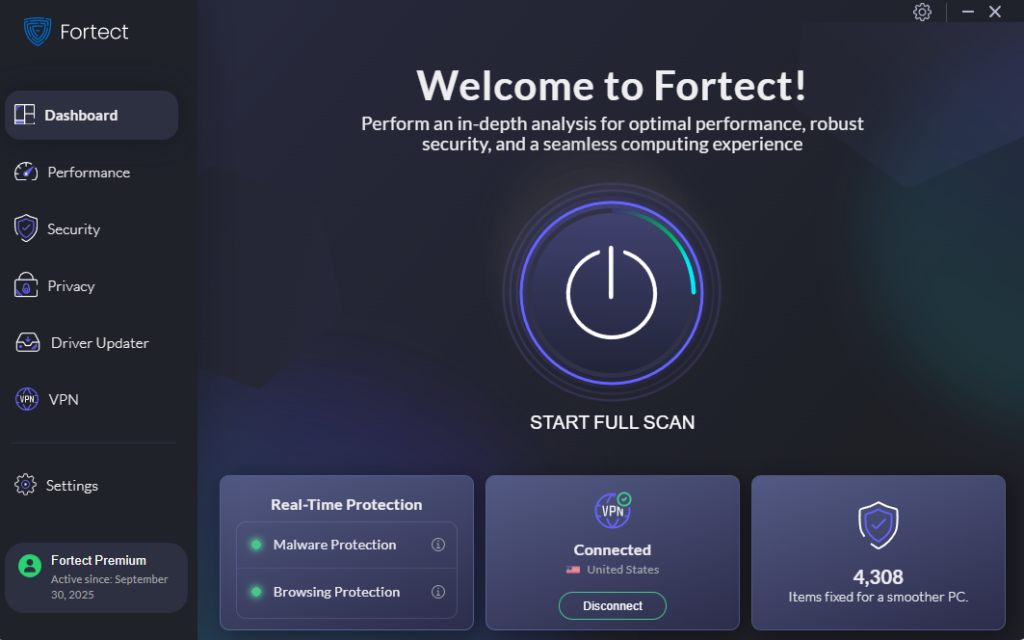
Don’t rely solely on default protection; secure your Windows computer with Fortect’s all-in-one PC solution for maximum safety and performance.
With the rise in malware and cyber threats, protecting your investment is essential, whether you’re running Intel or AMD. Fortect Premium goes beyond standard antivirus with a built-in VPN that features Auto-Protect for public Wi-Fi.
It automatically encrypts your internet traffic on open networks at coffee shops, airports, or hotels, shielding your data from hackers who exploit these unsecured connections, a common entry point for zero-day attacks and other threats.
Download and install Fortect now.
At the End of the Day
Choosing the right processor for your Windows PC comes down to one thing: knowing what you actually need. Performance, budget, and long-term value all play a role, and whether you lean toward AMD or Intel, there’s a CPU built for the way you work, create, or play.
Take the time to assess your workload, weigh your options, and build with purpose. A processor isn’t just a component; it’s the heartbeat of your entire system, and getting it right means a faster, smarter, and more capable Windows PC for years to come.
What do I run? I’m not a gamer, and certainly not a mainstream kinda gal, but I appreciate a quality, fast, and budget-friendly package, and AMD has been delivering exactly that since 2010. 😉 But someday? I’d love to own a Dell XPS with Intel inside. A girl can dream.


