Why Cracked Software Is Dangerous on Windows
Cracked software might seem like a free alternative to expensive programs, but downloading pirated applications puts your Windows PC at serious risk. From malware infections to legal consequences, the dangers of using illegal software far outweigh any perceived savings.
The Hidden Threats in Pirated Software
Malware and Virus Infections
Cracked software is one of the most common delivery methods for malware on Windows systems. When you download illegal programs from torrent sites or file-sharing platforms, you’re essentially trusting cybercriminals with access to your computer. These modified applications often contain trojans, keyloggers, ransomware, and spyware that can steal your personal information, banking credentials, and sensitive files.
Unlike legitimate software that undergoes security testing, pirated programs bypass all safety measures. The cracks and keygens used to bypass licensing often require disabling Windows Defender or other antivirus protection, leaving your system completely vulnerable.
System Instability and Performance Issues
Unauthorized software modifications frequently cause Windows to become unstable. Cracked programs may crash unexpectedly, corrupt your files, or conflict with other applications. Since these illegal versions don’t receive official updates or patches, bugs and compatibility issues persist indefinitely.
Your computer may experience slower performance, frequent freezing, or blue screen errors. Without vendor support, troubleshooting these problems becomes nearly impossible.
No Security Updates or Patches
Software developers regularly release updates to fix security vulnerabilities and bugs. When you use cracked software, you’re stuck with an outdated version that hackers can easily exploit. These unpatched security holes become entry points for cyberattacks, putting your entire Windows system at risk.
Critical vulnerabilities that legitimate users patch within hours can remain on your system indefinitely when using pirated applications.
Legal and Financial Consequences
Copyright Infringement Penalties
Using cracked software is illegal and constitutes copyright infringement. Software piracy violates intellectual property laws, and you could face significant legal action. Penalties include substantial fines ranging from hundreds to thousands of dollars per illegal installation.
In severe cases, copyright holders can pursue criminal charges, which may result in even harsher consequences. The money you thought you’d save by avoiding purchase costs pales in comparison to potential legal fees and fines.
Loss of Personal Data and Identity Theft
The malware hidden in pirated software often targets your personal information. Cybercriminals use keyloggers to capture your passwords, credit card numbers, and login credentials. Identity theft resulting from compromised data can cost you thousands in financial losses and years of credit repair efforts.
Ransomware attacks, commonly distributed through cracked programs, can encrypt all your files and demand payment for their release. You may lose irreplaceable photos, documents, and important data forever.
How to Protect Your Windows PC from Cracked Software Risks
Strengthen Your PC Security with Fortect
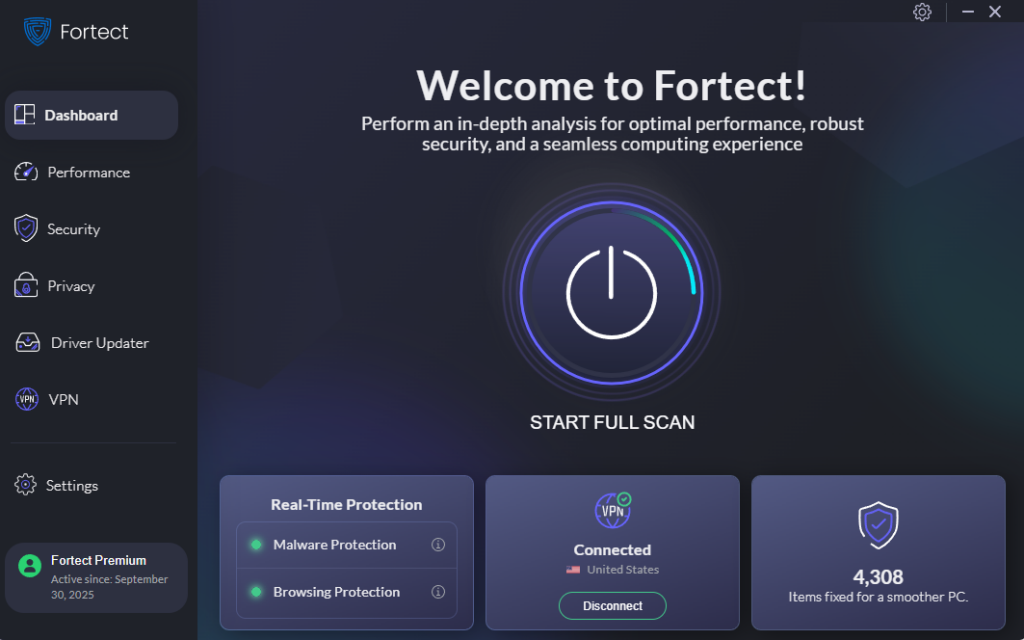
Fortect delivers advanced real-time malware protection specifically designed for Windows users. It automatically scans your PC for traditional and emerging threats, including malware hidden in cracked software, eliminates them safely, and restores damaged system files for improved performance. Its smart threat-detection engine monitors suspicious activity and alerts you before harmful actions can take place, helping keep your device secure and running efficiently.
By detecting the telltale signs of pirated software infections, such as corrupted registry entries, compromised system files, and unauthorized background processes, Fortect provides an essential layer of defense against the dangers of illegal programs.
Download and install Fortect now.
Steps to Keep Windows Updated (Windows 10/11)
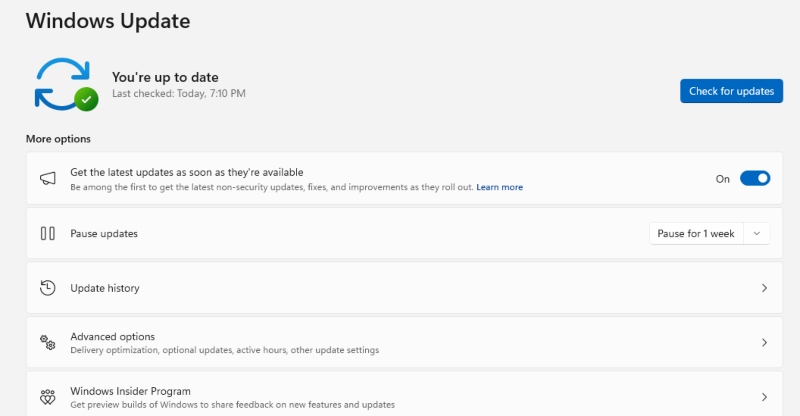
Maintaining updated Windows security features helps protect against threats:
For Windows 10:
- Click the Start button and select Settings (gear icon)
- Navigate to Update & Security
- Click Windows Update in the left panel
- Select Check for updates
- Install all available updates and restart if prompted
For Windows 11:
- Press Windows key + I to open Settings
- Click Windows Update in the left sidebar
- Select Check for updates
- Download and install all updates
- Restart your computer to complete the installation
Enable automatic updates to ensure your system stays protected without manual intervention.
Use Legitimate Software Alternatives
Instead of risking cracked software, explore legal alternatives. Many software companies offer free versions, student discounts, or subscription plans that fit various budgets. Open-source alternatives like LibreOffice, GIMP, and DaVinci Resolve provide powerful features at no cost.
Microsoft Store apps undergo security screening, making them safer choices for Windows users. Additionally, consider subscription services like Microsoft 365 or Adobe Creative Cloud, which provide affordable access to professional tools with guaranteed security and updates.
Enable Windows Security Features
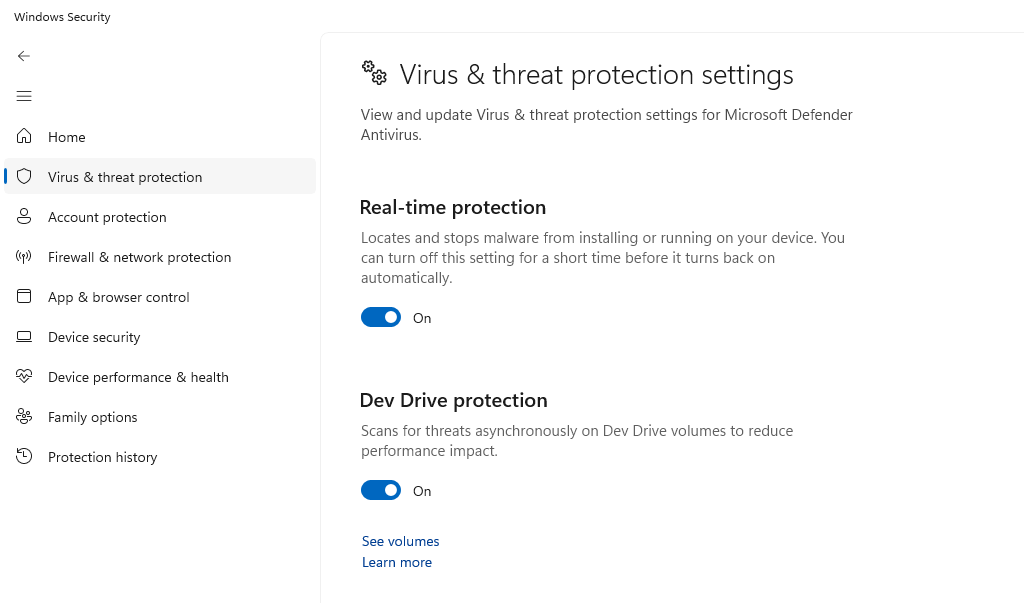
Steps to verify Windows Defender is active (Windows 10/11):
- Open Settings (Windows key + I)
- Click Privacy & Security (Windows 11) or Update & Security (Windows 10)
- Select Windows Security
- Click Virus & threat protection
- Ensure Real-time protection is turned On
- Run a Quick scan to check for threats
Keep these protections enabled at all times. Never disable antivirus software to install cracked programs.
The True Cost of Free Software
While cracked software appears free, the actual cost includes potential malware removal expenses, data recovery services, computer repairs, and possible legal fees. A single ransomware infection can cost more than years of legitimate software subscriptions.
Investing in genuine software ensures you receive customer support, regular updates, and legal protection. The peace of mind knowing your Windows system is secure and your data is protected is invaluable.
Protect your Windows PC by choosing legitimate software options. Your security, privacy, and legal standing depend on it.