Why AI-Created Malware Doesn’t Always Trigger Antivirus Alerts
AI-created malware is a new breed of cyber threat that uses artificial intelligence to evade traditional antivirus detection. Unlike regular malware, which follows predictable code patterns, AI-generated variants can rewrite themselves, change behaviors, and disguise their digital signatures in real-time. This adaptability makes them far more difficult for antivirus software to recognize, as they don’t leave behind typical traces or known malware fingerprints.
These types of malware use machine learning algorithms to study how antivirus programs work. Once they understand a detection method, they adjust accordingly, sometimes within seconds. This means that by the time your antivirus identifies a threat, the malware might have already evolved into a new, undetectable form.
Why Antivirus Tools Miss AI Malware

1. Polymorphic Behavior
AI malware can morph its code structure each time it runs or replicates. Traditional antivirus tools rely on signature-based detection, which means they look for known patterns or code sequences. When those signatures constantly change, the antivirus can’t keep up.
2. Use of Legitimate Processes
Some AI malware hides behind trusted Windows processes like svchost.exe or explorer.exe. This allows it to blend in with legitimate activities, making detection difficult without deeper behavioral analysis.
3. Adaptive Learning and Mimicry
AI-driven malware observes antivirus reactions and learns to mimic safe applications. Over time, it can trick your antivirus into thinking it’s harmless software, bypassing security filters entirely.
4. Zero-Day Exploits
Zero-day exploits are undiscovered software vulnerabilities that even vendors don’t know about. AI-driven malware can detect and exploit these flaws before patches are released, making them especially dangerous. Since no known signatures exist, even updated antivirus tools might fail to stop them. The best defense is layered protection, using behavior-based detection, limiting user privileges, and applying patches immediately once they’re available.
Signs Your PC Might Be Infected
Even if your antivirus shows everything is fine, your computer may still show subtle signs of infection: unexpected system slowdowns or crashes, programs running without your input, strange background processes, pop-ups appearing without browsers open, or unusually high CPU or disk usage. If you notice these symptoms, take action immediately before the malware evolves or spreads deeper into your system.
How to Strengthen Protection on Windows 10/11
You can’t rely solely on traditional antivirus software anymore. Here’s how you can enhance your protection against AI-created malware:
Step 1: Keep Windows Updated
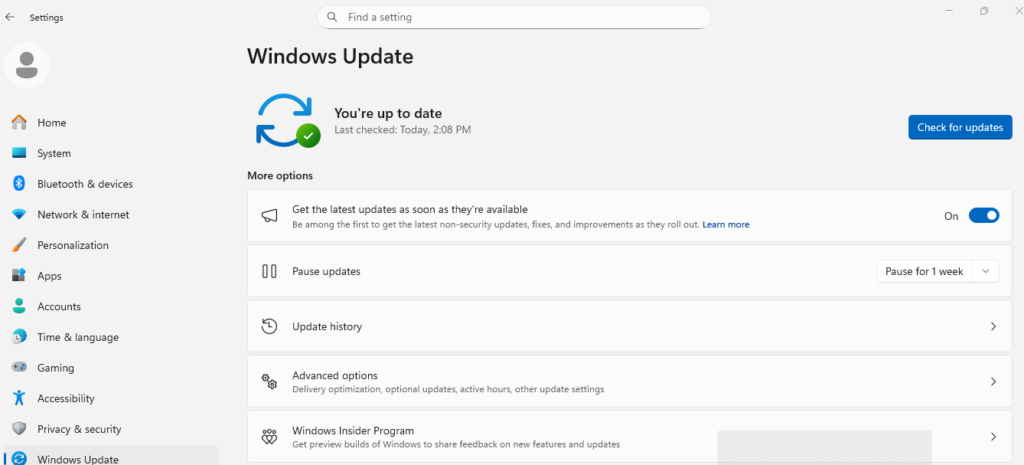
Security updates often patch vulnerabilities that malware exploits. Press Windows + I to open Settings, go to Update & Security > Windows Update, click Check for updates, and install all available ones.
Step 2: Restrict App Installation from Unknown Sources
Open Settings, go to Apps > Apps & features, and under Choose where to get apps, select Microsoft Store only (Recommended).
Step 3: Enable Controlled Folder Access
This feature helps protect files from unauthorized changes by ransomware or AI malware. Go to Settings > Update & Security > Windows Security, click Virus & threat protection, select Manage ransomware protection, and turn on Controlled folder access.
Step 4: Use Advanced Protection Tools
Consider installing a comprehensive repair and security tool that not only removes malware but also optimizes your entire Windows system.
Fortect: Advanced Protection Against AI-Created Malware
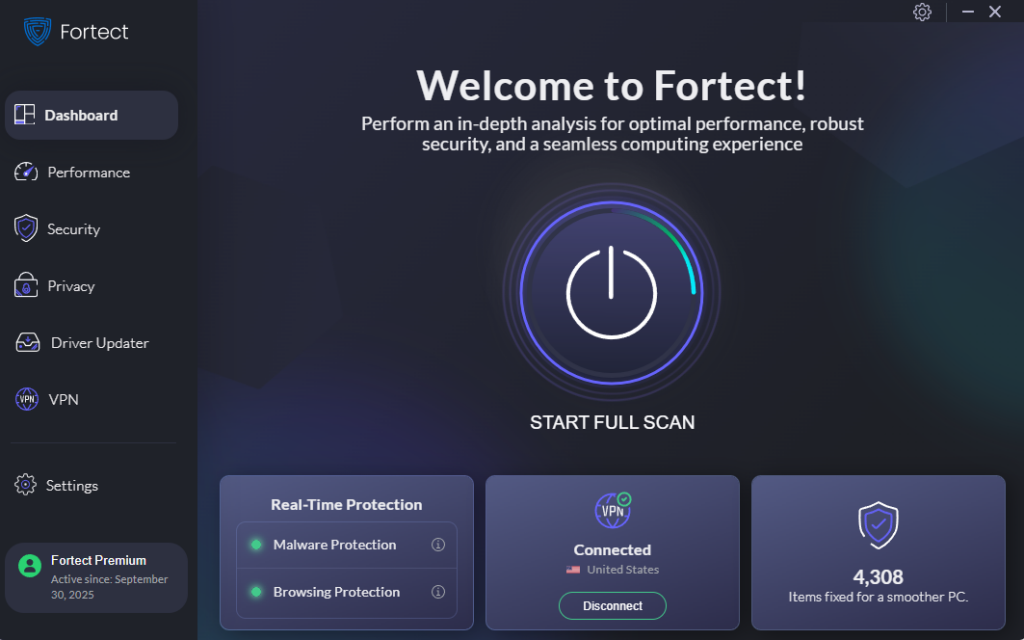
Fortect is a powerful and advanced antivirus and system repair tool built for modern threats, including AI-created malware. It automatically scans your Windows PC in real time for suspicious files, behaviors, or evolving threats that typical antivirus tools might overlook. Once detected, Fortect removes the malware, repairs damaged system files, and restores stability. What makes Fortect Premium stand out is its built-in Driver Updater.
It scans your Windows PC for outdated or corrupted drivers and updates them safely from verified sources. Corrupted drivers aren’t just performance issues; they’re prime targets for hackers to inject malware. Since drivers communicate directly with your system’s kernel, a single compromised driver can lead to serious instability or even full system takeover. By keeping your drivers updated and your system optimized, Fortect not only closes these critical security gaps but also ensures your PC runs faster, cleaner, and more reliably.
Download and install Fortect today.
Conclusion
AI-created malware is a rapidly growing cyber threat that learns, adapts, and hides better than traditional viruses. Standard antivirus tools, while still important, can’t always keep pace with their evolving nature. By combining smart Windows security settings with proactive protection tools like Fortect, you can stay ahead of these modern internet threats and safeguard your data, privacy, and device performance.



![Beware of these 8 PC Tune Up Tools [Malware Risk]](https://wp-cdn.fortect.com/uploads/2023/04/24173257/speeditup-425x300.jpg)