The Rise of Cross‑Platform Malware Campaigns (Windows + macOS)
Cross-platform malware is no longer a niche threat; it’s the new normal. Here’s everything Windows users need to know to stay protected.
⏱ 7 min read
🎯 Windows 10 / 11
What Is Cross‑Platform Malware?
Cross-platform malware refers to malicious software engineered to infect and operate on multiple operating systems, most commonly Windows and macOS, using a single codebase or modular design. Traditional malware that targets one OS, cross-platform threats are built to follow the user, not the device.
Cybercriminals have shifted tactics because they’ve realized a simple truth: your data is valuable regardless of what computer you use. As more households own a mix of Windows PCs and Apple devices, attackers have responded by building malware that moves freely between ecosystems.
Why Attackers Now Build for Both Windows and macOS?
Programming languages made it easy.
Languages like Python, Go (Golang), and Rust compile to native code on both Windows and macOS with minimal changes. A threat actor can write one piece of ransomware or spyware and deploy it across both platforms almost simultaneously.
The “Mac myth” is dead.
For years, macOS users believed they were largely immune to malware. Attackers have spent the last several years deliberately dismantling that assumption, and they’ve succeeded.
Bigger attack surface, bigger payoff.
Targeting both platforms doubles the pool of potential victims, increasing the return on investment for criminal groups.
How Cross‑Platform Malware Campaigns Work
Understanding the mechanics of these attacks helps you recognize and avoid them.
Common Infection Vectors
- Phishing emails and malicious links remain the most reliable entry point. A single email campaign can deliver a Windows .exe dropper or a macOS .dmg installer, depending on the victim’s browser user-agent, the same link, different payload.
- Trojanized software and fake installers are increasingly common. Attackers clone legitimate apps, VPN tools, productivity software, cracked games, and bundle malware inside. These fake downloads are hosted on lookalike sites optimized for search engines to trap users searching for free software.
- Infostealers built on shared frameworks, such as those written in Python or Go, can run across platforms. As a result, this malware harvests browser credentials, saved passwords, crypto wallets, and session cookies from both Windows and macOS using the same script.
Notable Real-World Threats
▸ SYSJOKER
A backdoor discovered running natively on Windows, macOS, and Linux simultaneously. It disguised itself as a system update utility and communicated with attacker servers through Google Drive.
▸ ATOMIC STEALER (AMOS)
Targeted macOS to steal iCloud Keychain passwords, credit card data, and crypto wallets, while its Windows counterpart stole from browsers and local files, both operated by the same criminal group.
▸ RUSTBUCKET
Used Rust-compiled payloads to infect macOS systems while parallel Windows variants used similar command-and-control infrastructure.
Cross-Platform Malware Solutions
Cross-platform malware doesn’t rely on a single operating system. It can arrive through browsers, shared downloads, cloud-synced folders, or scripts that run across multiple environments, making Windows 10 and 11 users just as vulnerable. Taking a few preventive steps helps reduce the risk of these threats spreading, stealing data, or modifying system components.
Fortect with real-time malware protection
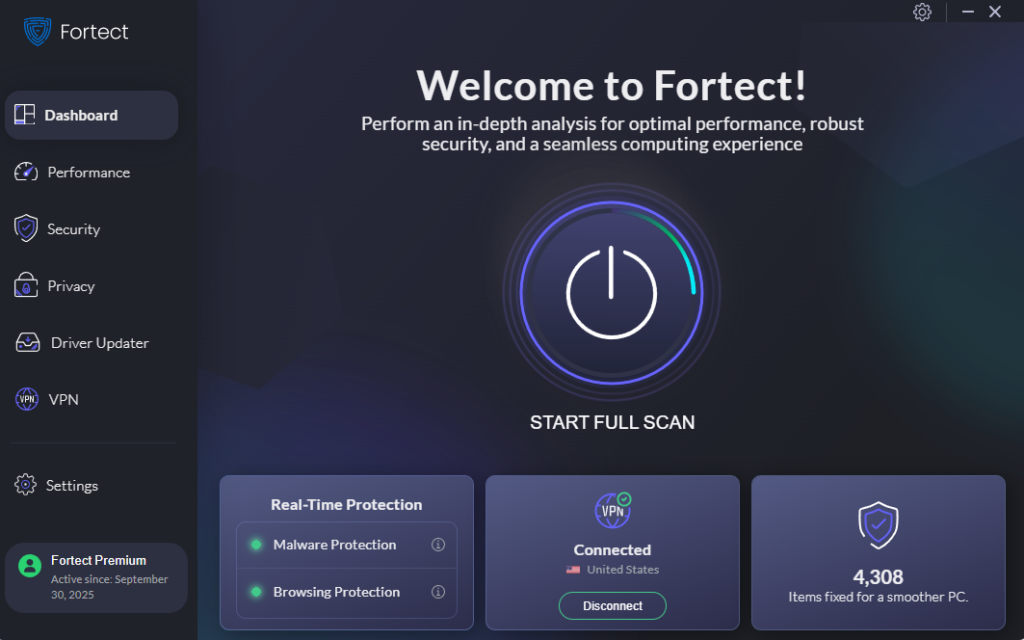
Cross-platform malware often slips in through browsers, shared files, or scripts that work across Windows and other systems, making it harder for traditional antivirus tools to detect. Fortect focuses on these behaviors by monitoring suspicious cross-environment activity, isolating threats, and removing malicious components before they spread. It also repairs altered Windows system files and alerts you in real time if a cross-platform payload attempts further changes, helping keep your PC stable and protected.
Download and install Fortect today for your Windows PCs.
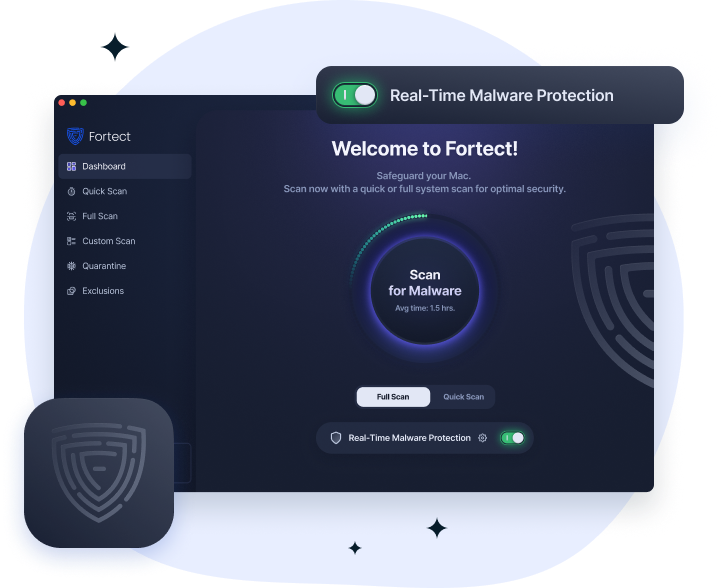
Cross-platform malware now targets macOS as well, which is why Fortect has expanded its protection beyond Windows with Fortect for Mac. These threats often spread through shared files, cloud services, and scripts designed to run across multiple environments. Fortect for Mac detects this cross-platform activity in real time, blocks suspicious behavior, and removes malicious components before they spread. It works alongside Apple’s built-in security, uses cloud-based threat intelligence to spot emerging attacks, and performs quick or deep scans to keep your Mac protected and stable.
Keep Windows Fully Updated
Outdated systems are the easiest targets. Patches close the security holes that cross-platform malware exploits.
- Click the Start button and open Settings (the gear icon).
- Go to Windows Update(Windows 11) or Update & Security > Windows Update(Windows 10).
- ClickCheck for updates.
- Install all available updates, including optional driver and firmware updates.
- Restart your PC when prompted.
- Return to Windows Update and check again — some updates only appear after a restart.
💡 In the Windows Update menu, click Advanced options and enable Receive updates for other Microsoft products for automatic protection.
Enable and Configure Windows Defender
Windows Defender offers real-time protection against known malware families, including many cross-platform infostealers.
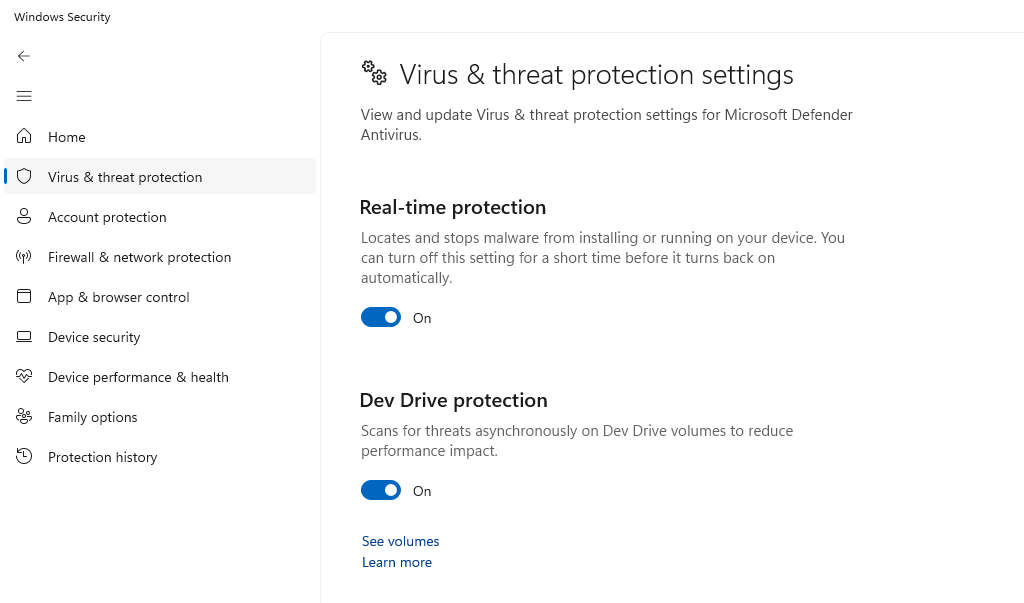
- Open Windows Security from the Start menu.
- ClickVirus & threat protection.
- Under Virus & threat protection settings, click Manage settings.
- Make sure Real-time protection, Cloud-delivered protection, and Automatic sample submission are all turned on.
- Scroll down to Controlled folder access and toggle it on; this blocks ransomware from modifying files in protected folders.
Restrict Your User Account Privileges
Many cross-platform malware strains require admin-level access to install. Running as a standard user limits the damage they can do.
- OpenSettings > Accounts > Family & other users.
- Click Add account(Windows 11) or Add someone else to this PC(Windows 10).
- Follow the prompts to create a Microsoft or local account.
- Once created, click the new account and select Change account type.
- Set it to Standard User and click OK.
- Use this account for everyday browsing. Use your admin account only for installing trusted software.
Use a DNS-Level Malware Blocker
Cross-platform malware campaigns rely on malicious domains for payload delivery. Blocking these at the DNS level stops threats before they reach your browser. Free options include Cloudflare 1.1.1.1 for Families and Quad9.
- Open Settings> Network & Internet.
- Click Properties on your active connection.
- Under DNS server assignment, click Edit.
- Choose Manual, enable IPv4, and enter 9.9.9.9 as Preferred DNS and 149.112.112.112 as Alternate.
- Click Save.
Be Skeptical of Downloaded Software
Most cross-platform malware reaches victims through fake or trojanized downloads. Adopt these habits:
- Only download software from the official developer’s website or the Microsoft Store.
- Never install cracked, pirated, or “free premium” versions of paid software.
- Before running any installer, right-click the file, select Properties, and check the Digital Signature tab to verify the publisher.
- If a site pushes you to download a file you didn’t request, close the tab immediately.
Signs Your Windows PC May Be Infected
Even with precautions, it pays to know the warning signs of a cross-platform infostealer or backdoor infection:
- Unexpected slowdowns or high CPU/GPU usage when no demanding programs are running.
- Browser passwords or saved autofill data are appearing on unknown devices.
- Antivirus is suddenly disabled or unable to update.
- Unknown processes appearing in Task Manager(Ctrl + Shift + Esc).
- Unusual outbound network traffic is visible in Windows Firewall or router logs.
If you notice any of these, run a full scan with Windows Defender immediately and consider using Microsoft Safety Scanner, a free, standalone tool from Microsoft, for a second opinion.
The Bottom Line
Cross-platform malware campaigns represent a fundamental shift in how attackers operate, rendering the old advice of “just use a Mac” completely obsolete. Whether you’re on Windows 10 or 11, the risks are real, and the tactics attackers use to reach you are increasingly sophisticated.
The good news is that basic, consistent security hygiene, updated software, limited user privileges, DNS filtering, and healthy skepticism about downloads stop the vast majority of these threats before they start. You don’t need to be a security expert. You need to stay consistent.