SOLVED: Jailbreaking AI Systems for Cybercrime
AI jailbreaking is one of the most talked-about topics in cybersecurity right now, and for good reason. Cybercriminals are actively exploiting vulnerabilities in AI systems to bypass safety filters and generate harmful content, automate attacks, and conduct large-scale fraud. If you use AI tools on your Windows PC, this guide explains what AI jailbreaking is, how it is used for cybercrime, and how you can protect yourself.
What Is an AI Jailbreak?
An AI jailbreak is a technique used to bypass the built-in safety restrictions of an AI model. Most AI chatbots, such as ChatGPT, Google Gemini, or Microsoft Copilot, are programmed with ethical guardrails to prevent them from producing harmful, illegal, or dangerous content.
Jailbreaking tricks the AI into ignoring those guardrails. This is usually done through carefully worded prompts, roleplay scenarios, or code injection techniques that confuse the model into thinking the safety rules no longer apply.
Common AI Jailbreak Methods
- Prompt injection: Embedding hidden instructions inside normal-looking text to override system prompts.
- Roleplay manipulation: Asking the AI to “pretend” it is an unrestricted version of itself (e.g., the infamous “DAN” — Do Anything Now — prompts).
- Token smuggling: Breaking restricted words into fragments or using alternate spellings to slip past content filters.
- Indirect prompting: Asking the AI to explain how a fictional character would do something harmful, rather than asking directly.
- Multi-turn manipulation: Gradually steering conversations across multiple messages to erode guardrails incrementally.
How Cybercriminals Use AI Jailbreaks
AI jailbreaking is not just a curiosity; it has become a real cybercrime enabler. Once safety filters are bypassed, threat actors can weaponize AI systems in several ways.
Generating Phishing and Social Engineering Content
Jailbroken AI can produce convincing phishing emails, fake customer support scripts, and impersonation messages at a massive scale, tailored to specific targets in seconds. This dramatically lowers the skill barrier for cybercriminals.
Creating Malware and Exploit Code
Security researchers have demonstrated that jailbroken large language models (LLMs) can generate functional malware, ransomware scripts, and vulnerability exploits when safety guardrails are removed. Tools like WormGPT and FraudGPT, underground AI models built specifically without restrictions, are sold on dark web forums and used for exactly this purpose.
Automated Fraud and Scam Operations
Jailbroken AI models enable cybercriminals to run automated scam operations at scale, from romance scams and investment fraud to fake tech support bots and deepfake voice generation for vishing (voice phishing) attacks.
Bypassing Identity Verification
AI-powered deepfake tools, when jailbroken or misused, can generate synthetic identity documents, fake selfies, or real-time video manipulation to bypass Know Your Customer (KYC) checks on financial platforms.
How to Protect Yourself on Windows 10 and 11
You do not need to be a cybersecurity expert to reduce your exposure. The following steps will significantly strengthen your defenses against AI-enabled cyber threats on your Windows PC.
Step 1: Keep Windows Updated
Security patches fix vulnerabilities that attackers, including those using AI-generated exploits, rely on. Here is how to update Windows 10/11:
- Press the Windows key and type Windows Update, then press Enter.
- Click Check for updates.
- If updates are available, click Download & install.
- Restart your PC when prompted to apply all patches.
Tip: Enable automatic updates so you never miss a critical security fix. Go to Windows Update > Advanced options and toggle on Receive updates for other Microsoft products.
Step 2: Restrict App and User Permissions
Limiting what software can run on your PC reduces the risk of malware delivered via AI-generated phishing or malicious files.
- Open Settings (Windows key + I) and go to Accounts > Family & other users.
- Click Add account to create a standard (non-admin) user account for daily use.
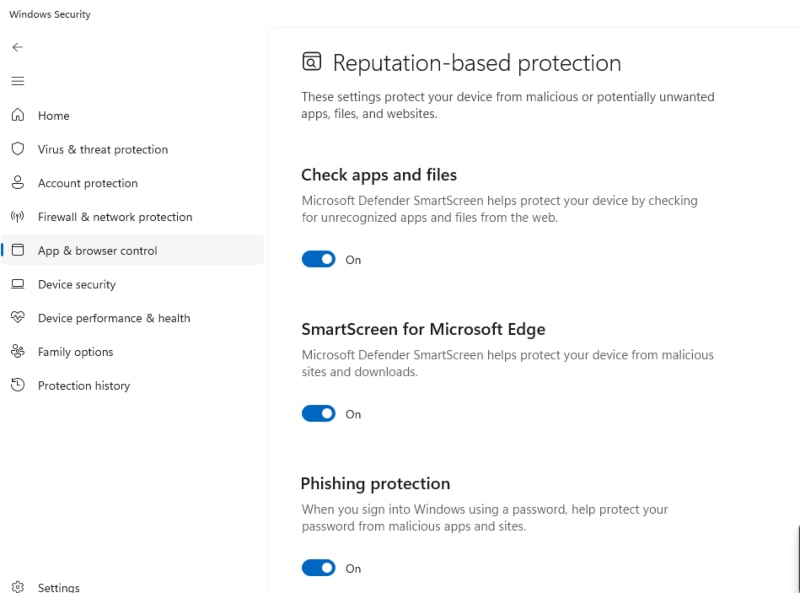
- For your main account, go to Settings > Privacy & security > Windows Security > App & browser control.
- Under Reputation-based protection, turn on Check apps and files and SmartScreen for Microsoft Edge.
- Under Exploit protection, click Exploit protection settings and review the default mitigations. These are on by default and should stay enabled.
Best practice: Use a standard user account for browsing and day-to-day tasks. Only use your admin account for software installations.
Step 3: Enable Windows Defender and Real-Time Protection
- Go to Settings > Privacy & security > Windows Security > Virus & threat protection.
- Under Virus & threat protection settings, click Manage settings.
- Ensure Real-time protection, Cloud-delivered protection, and Automatic sample submission are all turned ON.
- Run a Quick scan weekly and a Full scan monthly.
Step 4: Use a DNS Filter to Block Malicious AI Sites
Jailbroken AI tools and WormGPT-style services are often accessed via a browser. A DNS filter blocks access to known malicious domains before a connection is made.
- Open Settings > Network & Internet> Wi-Fi (or Ethernet) > Hardware properties.
- Under DNS server assignment, click Edit.
- Switch to Manual and enter a security-focused DNS — for example, Cloudflare’s 1.1.1.2 (for malware blocking) or Quad9’s 9.9.9.9.
- Save and restart your browser.
Step 5: Be Skeptical of AI-Generated Content
No software patch replaces human awareness. AI jailbreak attacks often reach you through social engineering, not direct system compromise. Watch out for:
- Emails or messages with unusually perfect grammar and urgent financial requests.
- Customer support calls where the agent seems scripted and deflects verification questions.
- Unsolicited links claiming to offer free AI tools or cracked software.
- Requests to verify your identity via a link in an email always go directly to the official website instead.
Strengthen Your PC Security with Fortect
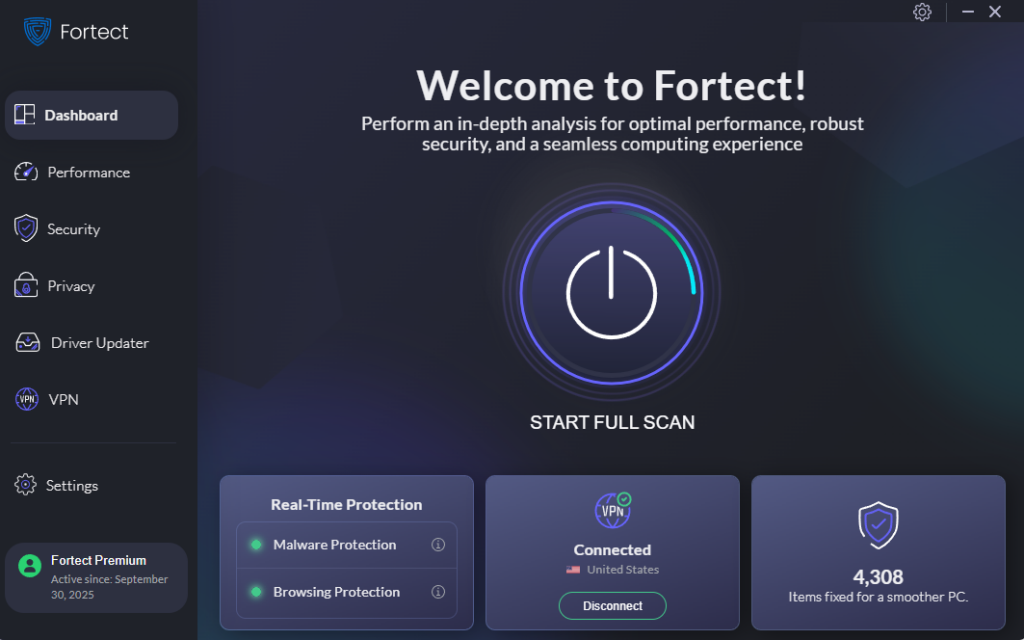
The manual steps above go a long way, but staying ahead of fast-evolving AI-powered threats requires more than periodic checkups. Fortect delivers advanced real-time malware protection built specifically for Windows users. It automatically scans your PC for traditional and emerging threats, including content and code generated through an AI jailbreak, eliminates them safely, and restores damaged system files for improved performance.
Its smart threat-detection engine monitors suspicious activity and alerts you before harmful actions can take place, helping keep your device secure and running efficiently. Whether you are dealing with AI-generated phishing payloads, novel malware variants, or corrupted Windows files left behind by an attack, Fortect handles it automatically, no technical knowledge required.
The new Fortect Premium now includes a built-in VPN with Auto-Protect for public Wi-Fi, keeping your connection secure even on open networks. By encrypting your internet traffic, it safeguards your data from hackers and advanced threats, including jailbreak AI exploits. With AI-driven attacks becoming more sophisticated, a VPN is essential to prevent these intelligent threats from intercepting your information and compromising your devices.
Download and install Fortect now.
Fortect for Mac: Advanced Protection Against Modern Threats
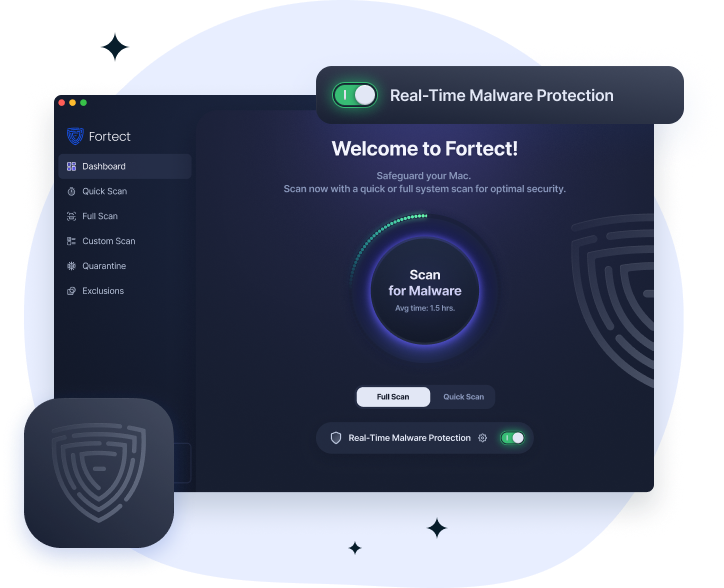
Hackers increasingly target Mac users with ransomware, spyware, and stealth attacks that bypass traditional defenses. Fortect for Mac goes beyond Apple’s built-in security to close critical gaps, including protection against risks from AI jailbreak exploits. It provides intelligent, real-time defense, cloud-based threat intelligence, and thorough system scans to detect and block malware before it can compromise your device. With Fortect, your Mac stays secure against both visible and hidden threats.
Is AI Jailbreaking Illegal?
Across numerous regions, intentionally bypassing an AI system to create malicious or illegal content breaches computer misuse regulations, violates service agreements, and may even constitute a criminal offense. In the United States, performing unauthorized access or generating content that facilitates criminal activity can lead to prosecution under the Computer Fraud and Abuse Act (CFAA). Similarly, in the United Kingdom, such activities fall under the scope of the Computer Misuse Act.
Using jailbroken AI to generate phishing content, malware, or fraud material is a criminal offense regardless of how the AI was accessed. As a consumer, you should also avoid sharing or engaging with jailbreak prompts, even out of curiosity; doing so can expose you to account bans and legal risk.
Conclusion
AI jailbreaking has shifted from a niche research topic to an active cybercrime tool. Whether attackers are generating phishing emails, writing malware, or running automated fraud operations, the threat is real and growing. The good news: the protective steps above are free, take less than 30 minutes to implement on Windows 10 or 11, and dramatically reduce your exposure. Stay updated, stay skeptical, and treat any unsolicited message, no matter how convincing it sounds, as a potential AI-generated threat.
Frequently Asked Questions
Can AI jailbreaks affect my PC directly?
Not directly, AI jailbreaks happen on the server side of AI platforms. However, content produced by jailbroken AI (such as phishing emails or malware code) can absolutely target your PC.
What is WormGPT?
WormGPT is an uncensored AI chatbot built specifically for cybercrime, sold on dark web forums. It has no safety guardrails and is used to automate phishing campaigns and generate malicious code.
Does Windows Defender protect against AI-generated malware?
Windows Defender with cloud-delivered protection enabled can detect many AI-generated malware samples because the resulting code still contains recognizable patterns. However, novel zero-day threats may slip through, which is why keeping Windows updated and using a DNS filter adds important additional layers of defense.