SOLVED: DNS Tunnelling Attacks on Windows
DNS tunnelling attacks are an emerging threat targeting Windows users by exploiting the Domain Name System (DNS) to transmit malicious data. Unlike traditional malware that directly infects files or programs, DNS tunnelling uses DNS queries and responses to secretly communicate with attackers, making it difficult to detect. Understanding this attack and taking preventive measures is crucial for Windows end users who want to protect their personal data and online activity.
What Are DNS Tunnelling Attacks?

DNS tunnelling attacks manipulate DNS traffic to bypass firewalls and security filters. Attackers encode malicious data into DNS queries, which then travel unnoticed to a command-and-control server. This technique allows cybercriminals to:
- Exfiltrate sensitive information, like passwords or personal files
- Execute remote commands on your device
- Download additional malware without triggering standard antivirus alerts
For Windows 10 and 11 users, DNS tunnelling is particularly concerning because the attack leverages the essential DNS functionality your system uses to access websites.
How DNS Tunnelling Works
- Infection Stage: Your Windows PC may get compromised through phishing emails, malicious downloads, or infected websites.
- DNS Communication: The malware encodes stolen data into DNS requests and sends them to a controlled server.
- Command & Control: The attacker receives responses and can issue instructions to your PC remotely, often without your knowledge.
This stealthy method is hard to detect because DNS traffic is typically trusted by network security tools, making your computer a silent participant in data leaks.
Signs of DNS Tunnelling on Windows
Some common indicators include:
- Unexpected spikes in network activity
- Slower internet or unusual DNS query behavior
- Frequent firewall alerts related to DNS queries
- Unknown applications or processes communicating externally
While these signs may not always confirm an attack, noticing multiple red flags should prompt further investigation.
How to Remove and Prevent DNS Tunnelling Attacks
Windows users can take proactive steps to detect and prevent DNS tunnelling attacks. Here’s a simple guide:
Restrict and Monitor DNS Traffic
- Use a secure DNS provider like Cloudflare (1.1.1.1) or Google DNS (8.8.8.8) for better security.
- Monitor DNS logs: Windows Event Viewer → Applications and Services Logs → Microsoft → Windows → DNS-Client → Operational. Check for unusual or frequent requests.
- Limit user permissions: Restrict standard users from installing software that can initiate DNS communications without administrator approval.
Keep Windows and Applications Updated
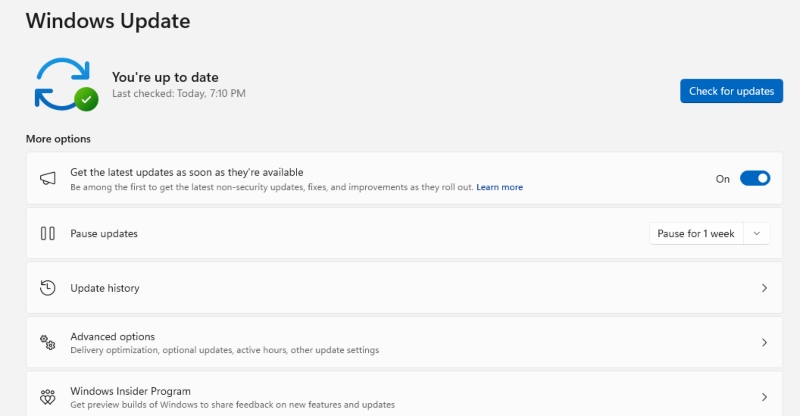
- Update Windows 10/11:
- Press Windows + I → Update & Security → Windows Update → Check for updates
- Install all critical and security updates to patch vulnerabilities.
- Press Windows + I → Update & Security → Windows Update → Check for updates
- Update Browsers and Apps:
- Open your browser → Settings → About → Check for updates.
- Update any apps that interact with the network to close potential DNS loopholes.
- Open your browser → Settings → About → Check for updates.
Use Antivirus and Security Tools
Antivirus solutions with real-time protection are critical for detecting hidden malware that uses DNS tunnelling. Regular scans help identify threats before they cause damage.
Use Fortect for Complete Protection
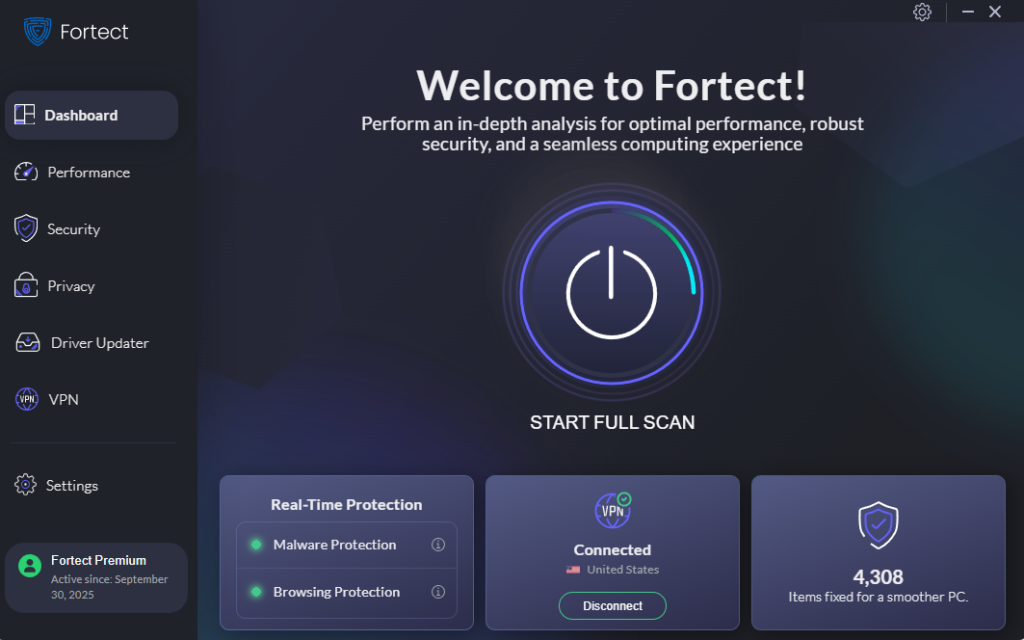
Fortect is a powerful, advanced antivirus solution with real-time malware protection. It automatically scans your Windows PC for potential threats, including DNS tunnelling attacks, removes them safely, prevents future attacks, and optimizes your system for faster, smoother performance.
Download and install Fortect today.
DNS Hijacking vs DNS Tunnelling Attacks
DNS hijacking and DNS tunnelling attacks both exploit the Domain Name System, but in completely different ways. DNS hijacking redirects your web traffic to fake or malicious websites by altering DNS settings, often leading to phishing scams or unwanted downloads. Meanwhile, DNS tunnelling uses DNS requests to secretly communicate with an attacker’s server, allowing them to exfiltrate data or send remote commands without being detected. One attack deceives users by redirecting them, while the other silently steals information in the background.
Conclusion
DNS tunnelling attacks are a stealthy and serious threat to Windows users, capable of bypassing traditional security measures to exfiltrate data or remotely control your system. Awareness and proactive measures, such as monitoring DNS traffic, updating Windows and applications, limiting user permissions, and using robust antivirus solutions like Fortect, are crucial to maintaining a secure PC. By implementing these strategies, you can significantly reduce your risk and ensure your Windows device remains protected against this invisible but dangerous attack vector.