ShadowV2 Botnet: What Home Users Should Know
The ShadowV2 botnet represents a growing cybersecurity threat targeting everyday Windows users. This malicious network of infected computers can turn your home PC into a digital puppet, controlled by cybercriminals without your knowledge. Understanding this threat and protecting your system has never been more critical.
What Is the ShadowV2 Botnet?
A botnet is a network of compromised computers controlled remotely by attackers. The ShadowV2 botnet specifically targets Windows systems, transforming innocent home computers into “zombie” devices that execute malicious commands.
How ShadowV2 Infects Your Computer
ShadowV2 typically spreads through phishing emails, malicious downloads, and vulnerable software. Once installed, it establishes a backdoor connection, allowing attackers to control your device remotely. The malware operates stealthily, often going undetected for months while harvesting data, launching attacks, or mining cryptocurrency using your system resources.
Why Home Users Are Targeted
Cybercriminals prefer home users because residential networks typically have weaker security than corporate environments. Your infected computer can be used for distributed denial-of-service (DDoS) attacks, spam distribution, credential theft, and click fraud without raising immediate suspicion.
Signs Your Computer May Be Infected
Performance Warning Signals
Watch for unexplained slowdowns, frequent crashes, or excessive hard drive activity when you’re not actively using your computer. High CPU usage without running intensive programs often indicates botnet activity.
Network Activity Red Flags
Unusual internet traffic, especially during idle periods, suggests potential infection. Your antivirus software disabling itself or firewall settings changing without authorization are critical warning signs.
Behavioral Anomalies
Unexpected pop-ups, browser redirects, new toolbars appearing automatically, or emails sent from your account that you didn’t authorize all point toward possible compromise.
How to Protect Your Windows PC from ShadowV2
Update Windows Regularly
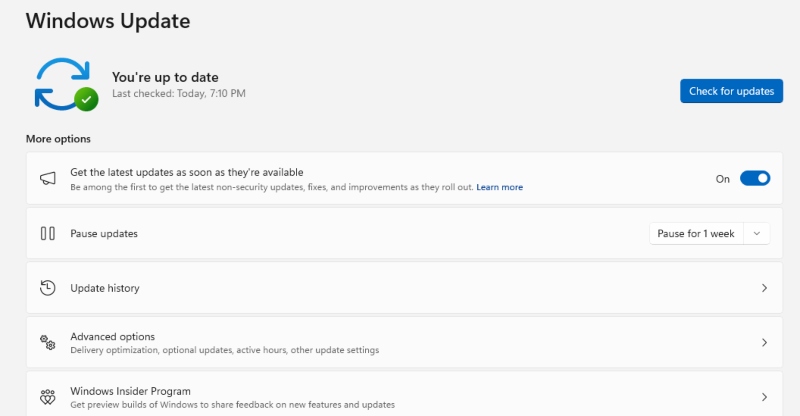
Keeping Windows updated patches security vulnerabilities that botnets exploit.
Steps to Update Windows 10/11:
- Click the Start button and select Settings (gear icon)
- Navigate to Update & Security (Windows 10) or Windows Update (Windows 11)
- Click “Check for updates”
- If updates are available, click “Download and install”
- Restart your computer when prompted
- Enable automatic updates by clicking “Advanced options” and toggling on “Receive updates for other Microsoft products”
Install Reliable Antivirus Software
Deploy comprehensive security software that offers real-time protection, botnet detection, and regular scanning capabilities. Windows Defender provides baseline protection, but consider premium solutions for enhanced security.
Enable Your Firewall
Windows Firewall creates a protective barrier against unauthorized network access.
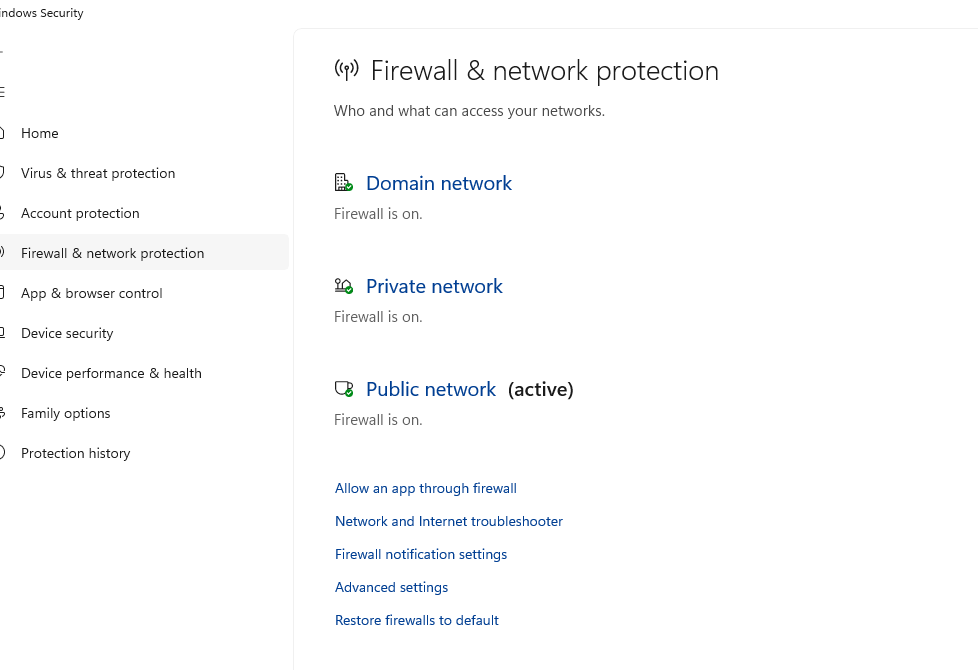
Steps to Enable Windows Firewall:
- Open Control Panel from the Start menu
- Click “System and Security”
- Select “Windows Defender Firewall”
- Click “Turn Windows Defender Firewall on or off” in the left panel
- Select “Turn on Windows Defender Firewall” for both private and public networks
- Click OK to save changes
Practice Safe Browsing Habits
Avoid clicking suspicious links in emails, downloading files from untrusted sources, or visiting questionable websites. Verify sender authenticity before opening email attachments, even from known contacts.
Strengthen Your PC Security with Fortect
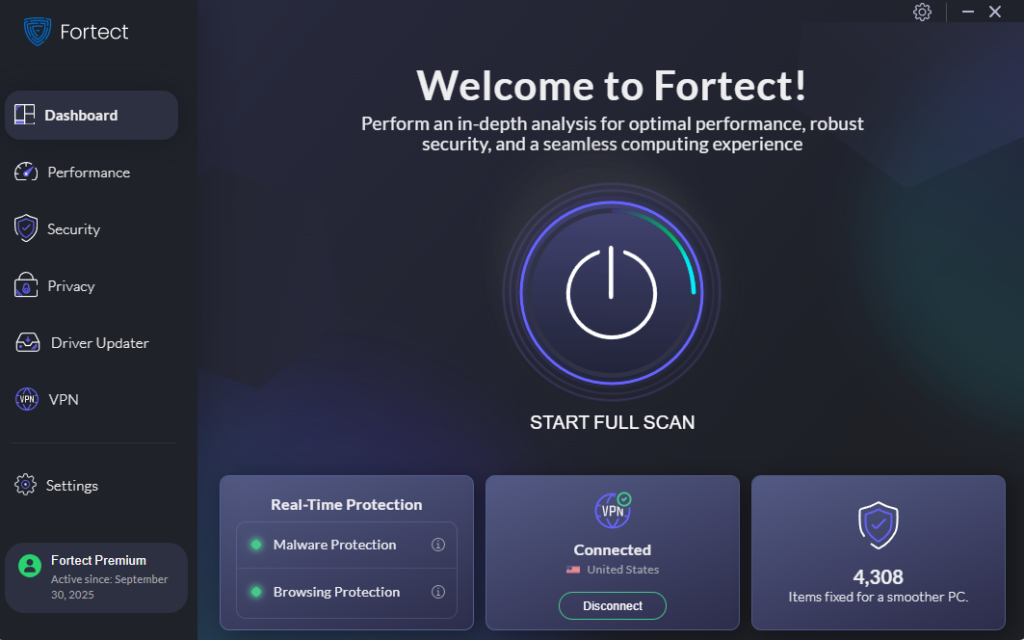
For comprehensive protection against the ShadowV2 botnet and similar threats, consider advanced security solutions like Fortect. This software delivers real-time malware protection specifically designed for Windows users, automatically scanning your PC for both traditional and emerging threats. Fortect’s smart detection system identifies ShadowV2 botnet infections, eliminates them safely, and restores damaged system files to improve overall performance.
Its advanced threat-detection engine continuously monitors suspicious activity and alerts you before harmful actions occur, providing an additional layer of defense that keeps your device secure and running efficiently.
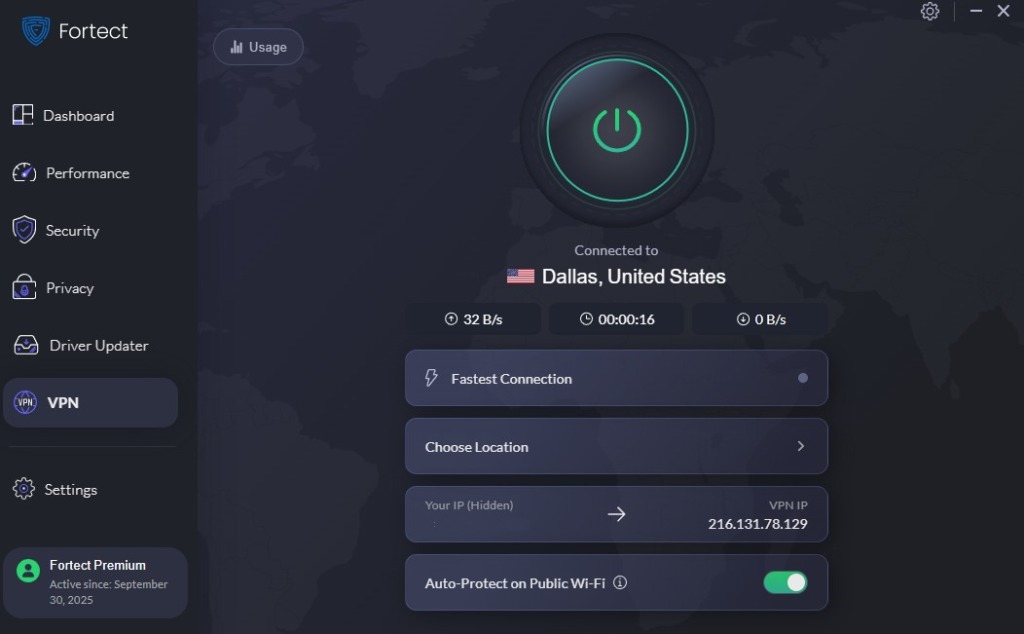
The ShadowV2 Botnet is increasingly targeting home users, exploiting unsecured networks to steal personal data, deliver malware, or launch ransomware attacks. The new Fortect Premium now includes a built-in VPN with Auto-Protect for public Wi-Fi, ensuring your connection remains secure even on open networks. Encrypting your internet traffic keeps your data private and protects you from hackers who target weak or unprotected connections, which is a common gateway for zero-day attacks, spyware, and other network threats. With Fortect Premium, you can browse, work, and stream with confidence, knowing your devices and information are fully secure.
Download and install Fortect now.
How to Remove ShadowV2 Botnet Malware
Run a Full System Scan
Disconnect from the internet and perform a comprehensive scan using updated antivirus software. Boot into Safe Mode for more effective malware removal.
Steps to Boot into Safe Mode (Windows 10/11):
- Click Start, then hold Shift while clicking the Power button
- Select “Restart” while holding Shift
- When the recovery screen appears, choose Troubleshoot
- Select Advanced options, then Startup Settings
- Click Restart
- Press F4 to enable Safe Mode or F5 for Safe Mode with Networking
Use Specialized Malware Removal Tools
Download reputable anti-malware tools like Fortect or Microsoft Safety Scanner to detect and eliminate botnet components that standard antivirus software might miss.
Reset Compromised Passwords
After cleaning your system, immediately change passwords for email accounts, banking sites, and other critical services using a different, clean device.
Additional Security Measures for Home Users
Restrict User Account Permissions
Operating with administrator privileges unnecessarily increases vulnerability. Create a standard user account for daily activities.
Steps to Create a Standard User Account:
- Open Settings from the Start menu
- Click “Accounts”
- Select “Family & other users”
- Click “Add someone else to this PC”
- Follow prompts to create the account (use “I don’t have this person’s sign-in information” if creating a local account)
- After creation, click the new account and select “Change account type”
- Set account type to “Standard User” instead of Administrator
- Click OK to confirm
Enable Two-Factor Authentication
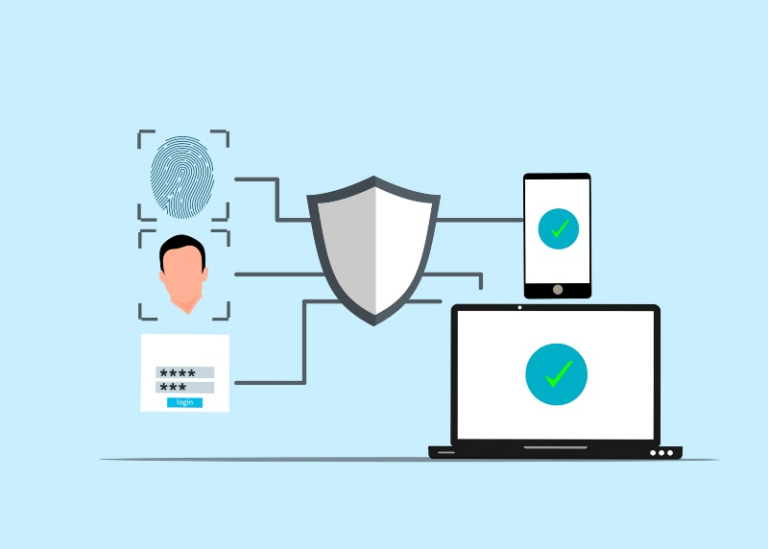
Add an extra security layer to your important accounts. Two-factor authentication requires both your password and a secondary verification method, significantly reducing unauthorized access risks.
Regularly Back Up Important Data
Maintain current backups of critical files on external drives or cloud storage. This protects your data if an infection requires a complete system reinstallation.
Staying Vigilant Against Evolving Threats
The ShadowV2 botnet and similar threats constantly evolve, developing new infection methods and evasion techniques. Stay informed about emerging cybersecurity risks through reputable technology news sources.
Implement these protective measures today to safeguard your Windows computer from botnet infections. Regular system maintenance, cautious online behavior, and proactive online security practices create a robust defense against ShadowV2 and other malicious networks targeting home users.
Remember: cybersecurity is an ongoing process, not a one-time fix. Dedicate time monthly to review your security settings, update software, and verify your protection remains effective against the latest threats.