
Malware Damage
Malware and virus attacks can be very harmful to your system, especially by tweaking, corrupting, and damaging important system files. Even an Antivirus cannot undo the damage as it only cleans and deletes infected elements.
We will help you understand how to get your Windows OS back on track after you have cleaned your PC from malware infection.

Search Engine Phishing: Definition, Identification, and Prevention
October 29th, 2025
Menzi Sumile
October 29th, 2025
Stay Safe from SMS Phishing on Android & iPhone
October 29th, 2025
Menzi Sumile
October 29th, 2025

System-Level Threats: The Type of Malware Your Antivirus Might Miss
October 28th, 2025
Menzi Sumile
October 28th, 2025
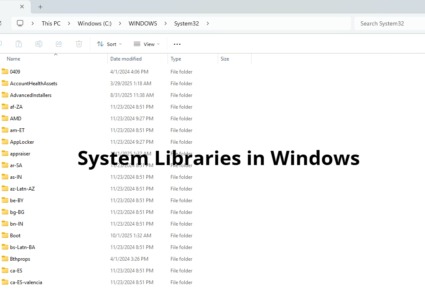
What Happens When Malware Rewrites System Libraries in Windows?
October 28th, 2025
Menzi Sumile
October 28th, 2025

Common Types of Phishing Attacks to Watch in 2025
October 22nd, 2025
Menzi Sumile
October 22nd, 2025

Get the latest security news in your inbox.

10 Top Dangerous Computer Viruses & Malware in 2025
October 22nd, 2025
Menzi Sumile
October 22nd, 2025

SparkKitty Trojan: A Growing Threat to iOS and Android Users
October 05th, 2025
Menzi Sumile
October 05th, 2025

AI-Generated Trojans: Smarter, Stealthier, and More Dangerous
September 09th, 2025
Menzi Sumile
September 09th, 2025
Self-Mutating Malware: Examples, Removal, and Prevention
September 09th, 2025
Menzi Sumile
September 09th, 2025
Signs Your PC Might Be Running Harmful Scripts
July 21st, 2025
Menzi Sumile
July 21st, 2025
July 21st, 2025

July 17th, 2025

Get the latest security news in your inbox.
These also might be interesting for you

How To Detect If All Malware Is Gone From Your PC
April 07th, 2023
Keelan Balderson
April 07th, 2023


SOLVED: AI-Assisted Password Spraying Used for Cyber Attacks
December 15th, 2025
Menzi Sumile
December 15th, 2025