Juice Jacking Attack: How It Puts Your Data at Risk
You’re rushing through the airport with 5% battery left on your phone. You spot a free USB charging station and plug in without hesitation. But what if that convenient power source is secretly stealing your personal information? This cybersecurity threat is called juice jacking, and it’s more common than you might think.
What Is a Juice Jacking Attack?
A juice jacking attack occurs when cybercriminals use public USB charging ports to install malware on your device or steal sensitive data. These compromised charging stations look identical to legitimate ones, making them nearly impossible to detect with the naked eye.
When you connect your smartphone, tablet, or laptop to an infected USB port, the data transfer pins can be exploited. Since USB cables carry both power and data simultaneously, hackers can access your files, passwords, photos, contacts, and banking information within seconds.
How Juice Jacking Works?
The attack exploits the dual functionality of USB connections. Here’s what happens behind the scenes:
Data Theft: Malicious software embedded in the charging port copies files from your device the moment you plug in. This includes passwords saved in your browser, text messages, emails, and personal documents.
Malware Installation: Some juice jacking attacks install spyware or ransomware on your device. This malicious software continues operating even after you disconnect, tracking your keystrokes, recording conversations, or locking your files until you pay a ransom.
Device Hijacking: Advanced attacks can take complete control of your device, turning on your camera or microphone without your knowledge.
Where Juice Jacking Attacks Happen?
Public USB charging stations are the primary targets for these cyberattacks. High-traffic locations provide hackers with more potential victims:

- Airports and train stations
- Hotels and conference centers
- Shopping malls and retail stores
- Coffee shops and restaurants
- Public libraries and universities
- Rental cars and ride-sharing vehicles
These locations are attractive to criminals because people frequently use charging stations when their devices are low on battery, and they’re less cautious about security.
Signs Your Device May Be Compromised
Detecting a juice jacking attack isn’t always obvious, but watch for these warning signs:
Your device behaves sluggishly or crashes unexpectedly. The battery drains faster than normal, even when not in use. Unknown apps appear on your home screen. Pop-up ads have increased dramatically. Your data usage spikes without explanation. Friends receive strange messages from your accounts.
If you notice any of these symptoms after using a public charging station, take immediate action to secure your device.
How to Protect Yourself from Juice Jacking on Windows
Strengthen Your PC Security with Fortect
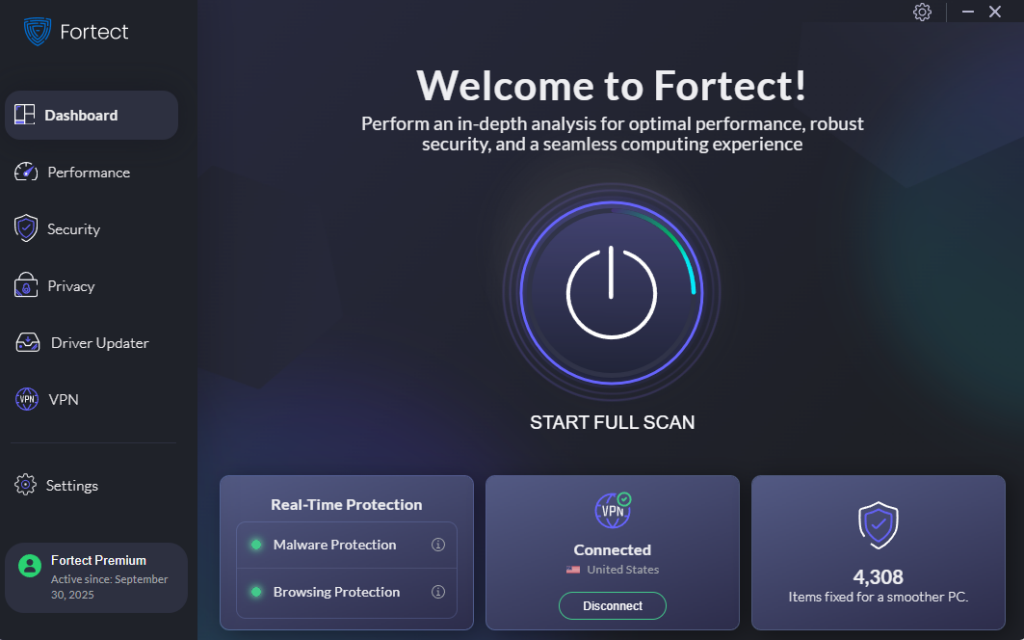
While protecting yourself from juice jacking attacks at public charging stations is crucial, comprehensive security requires robust protection against all malware threats that could compromise your Windows device. Fortect delivers advanced real-time malware protection for Windows users, offering an essential layer of defense against both traditional cyber threats and emerging attacks like juice jacking that exploit USB vulnerabilities.
Fortect automatically scans your PC for malicious software that may have infiltrated through compromised USB connections or other attack vectors. Once detected, it eliminates threats safely and restores damaged system files for improved performance. Its smart threat-detection engine continuously monitors suspicious activity and alerts you before harmful actions can take place, helping keep your device secure and running efficiently even if malware was installed during a juice jacking attack.
Fortect Premium also features a built-in Driver Updater that identifies and replaces outdated or corrupted drivers with secure, verified versions from trusted sources. This feature is essential because outdated or compromised drivers can expose your computer to cyberattacks, including those delivered through malicious USB connections. By keeping all drivers updated and stable, Fortect effectively closes these security gaps, strengthens your PC’s defenses against juice jacking and other threats, and ensures a cleaner, faster, and more reliable system overall.
Download and install Fortect now for your Windows systems.
Fortect Browsing Protection: Safeguard Your Data After a Juice Jacking Attack
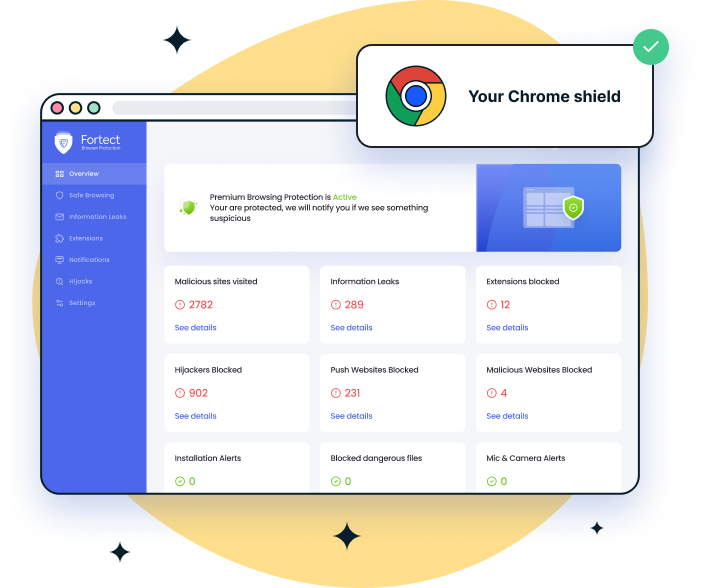
Once a juice jacking attack compromises your device through a malicious USB charging port, cybercriminals can install spyware that tracks your online activity and steals sensitive information as you browse. For Chrome users concerned about the aftermath of such attacks, Fortect Browsing Protection offers an easy-to-use Chrome extension that provides an extra layer of security against ongoing data theft.
This extension blocks dangerous websites that malware from juice jacking attacks might redirect you to, alerts you to suspicious pages designed to harvest your stolen credentials, and removes harmful extensions that could have been secretly installed during the attack to compromise your data. If your device was exposed to a juice jacking attack, Fortect Browsing Protection helps contain the damage by preventing further information leakage through your web browser and stopping malicious extensions from continuing to spy on your online activity.
Fortect for Mac: Strengthen Your Defense Beyond Windows
Juice jacking attacks aren’t exclusive to Windows users. Mac users who travel with MacBooks, iPads, and other Apple devices face identical risks when connecting to compromised USB charging ports at airports, hotels, and public spaces. While macOS includes built-in security features, these defenses weren’t specifically designed to combat the evolving threats posed by malicious charging stations and juice jacking attacks targeting travelers.
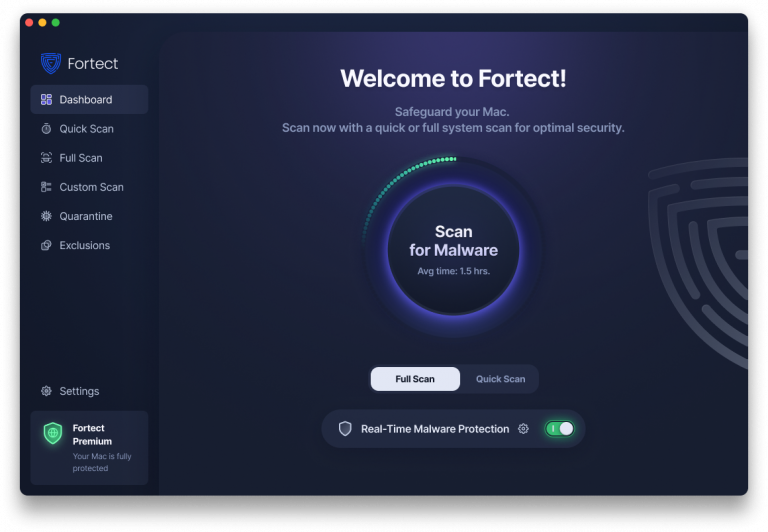
Fortect for Mac delivers specialized protection that addresses the unique vulnerabilities Mac users encounter when using public USB charging stations. It works seamlessly alongside Apple’s native security infrastructure, providing an additional layer of defense against malware, spyware, and data theft attempts that can infiltrate your system through compromised USB connections. Whether you’re charging your device at an airport terminal or conference center, Fortect for Mac actively monitors for suspicious activity indicative of juice jacking attacks and blocks unauthorized data access before your personal information can be compromised.
Enable USB Restricted Mode on Windows 11
Windows 11 includes enhanced USB security features that prevent unauthorized data access:
- Click the Start button and select Settings
- Navigate to Privacy & security from the left sidebar
- Scroll down and click on Device security
- Select Core isolation details
- Toggle on Memory integrity to protect against USB-based attacks
- Restart your computer when prompted
Disable USB Data Transfer on Windows 10
Windows 10 users can prevent data transfer while still allowing charging:
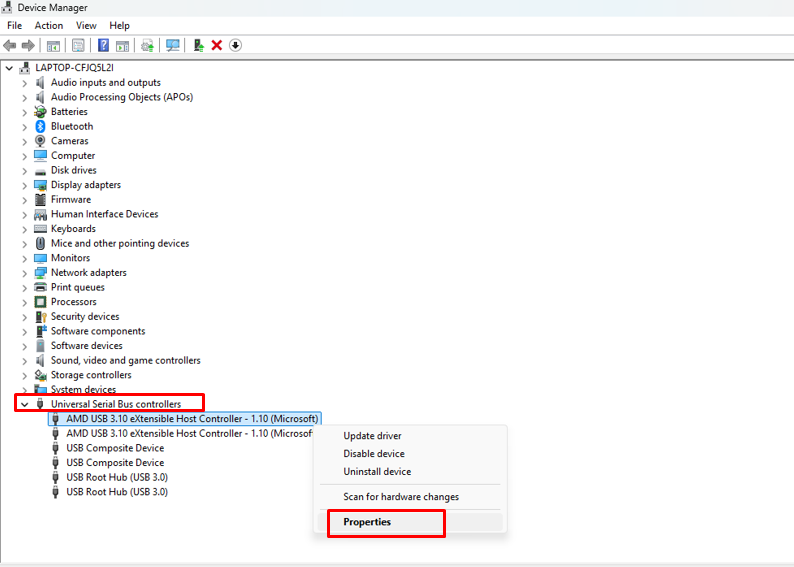
- Press Windows key + X and select Device Manager
- Expand the Universal Serial Bus controllers section
- Right-click on each USB Root Hub entry
- Select Properties from the menu
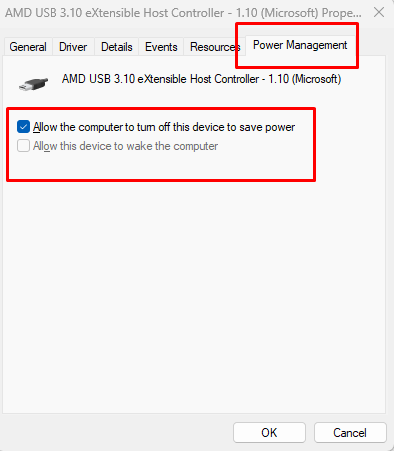
- Click the Power Management tab
- Check the box for Allow the computer to turn off this device to save power
- Uncheck Allow this device to wake the computer
- Click Apply, then OK
- Repeat for all USB Root Hub entries
Update Windows Security Regularly
Keeping your operating system current is essential for protection against juice jacking:
- Press Windows key + I to open Settings
- Click Update & Security (Windows 10) or Windows Update (Windows 11)
- Select Check for updates
- Click Download and install for any available updates
- Allow your computer to restart if required
- Enable Automatic updates to stay protected continuously
Practical Prevention Tips
Beyond Windows settings, adopt these security habits:
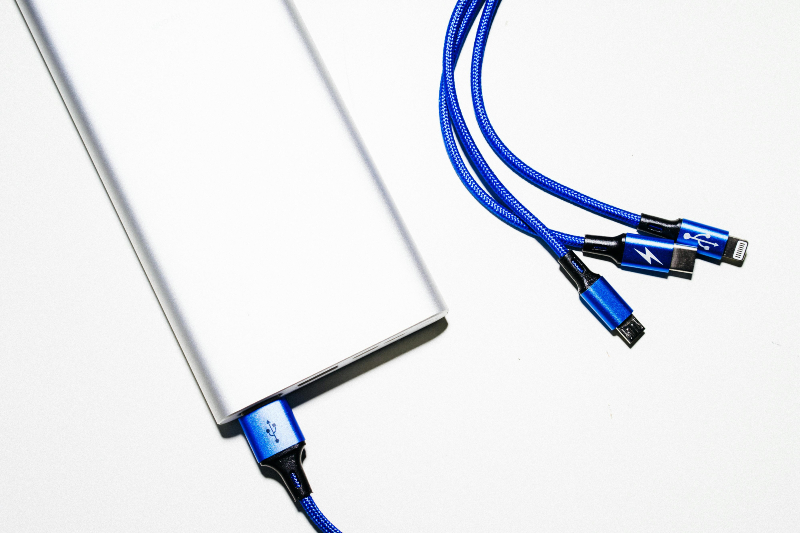
- Carry a portable power bank: This eliminates the need for public charging stations. Power banks are inexpensive and provide multiple full charges for your devices.
- Use AC wall outlets: Traditional electrical outlets only transmit power, not data. Always choose wall outlets over USB ports when available.
- Invest in a USB data blocker: These small adapters, also called “USB condoms,” allow power transfer while blocking data pins. They cost under $10 and work with any USB cable.
- Bring your own charging cable and adapter: Using your personal equipment with a wall outlet removes any risk of compromised USB ports.
- Avoid unknown charging cables: Don’t borrow cables from strangers or use cables permanently attached to public charging stations. Malicious cables can facilitate juice jacking attacks.
- Keep devices locked: Never leave your device unlocked while charging in public. Most juice jacking attacks require an unlocked device to access data.
What to Do If You’ve Been Attacked
If you suspect you’ve fallen victim to juice jacking, act quickly:
Immediately disconnect from the charging station. Run a full antivirus scan on your device. Change all passwords for important accounts, especially banking and email. Monitor your bank statements for unauthorized transactions. Enable two-factor authentication on all accounts. Back up important files to a secure cloud service. Consider performing a factory reset if malware symptoms persist.
Contact your bank and credit card companies if you notice suspicious activity. File a report with local law enforcement and the FBI’s Internet Crime Complaint Center.
Stay Charged and Stay Safe
Juice jacking attacks are a real threat, but they’re preventable with awareness and simple precautions. The convenience of public USB charging stations isn’t worth risking your personal data, financial information, and digital privacy.
By following the security measures outlined above, keeping your Windows and iOS systems updated, and using safer charging alternatives, you can protect yourself from this growing cybersecurity threat. Remember: when it comes to public charging ports, the safest approach is simply avoiding them altogether.