
How AI Is Powering Automated Cybercrime Attacks
Artificial intelligence is no longer limited to helpful tools like chatbots or photo editing. I’m seeing a growing shift where attackers now use AI to scale, automate, and improve cyberattacks. This evolution has led to a sharp rise in automated cybercrime, where malware, scams, and intrusions happen faster and with minimal human involvement. For everyday Windows users, this means threats are harder to spot, more convincing, and far more frequent. We will break down how AI is powering automated cybercrime, what risks it creates for Windows 10 and 11 users, and how you can protect your PC effectively.
What Is Automated Cybercrime?
Automated cybercrime refers to cyberattacks that rely on software and algorithms rather than manual effort to identify victims, launch attacks, and exploit systems. AI enhances this automation by enabling malware and attack tools to learn, adapt, and make decisions independently.
How AI Is Changing Traditional Cybercrime
In the past, cybercriminals manually wrote phishing emails, tested malware, and selected targets. Today, AI tools generate thousands of realistic scam messages, scan the internet for vulnerable PCs, and automatically modify malware behavior to evade detection. This makes automated cybercrime faster, cheaper, and far more scalable than traditional attack methods.
How AI Powers Automated Cybercrime Attacks
AI plays a central role in making cyberattacks smarter and more effective, especially against home users.
AI-Generated Phishing and Scam Campaigns
AI language models are now used to create highly convincing phishing emails, fake security alerts, and tech support scams. These messages often mimic trusted brands, use natural language, and adapt their wording based on user responses, making automated cybercrime harder to recognize.
Self-Learning Malware and Adaptive Attacks
Modern malware can analyze your system, detect installed security tools, and adjust its behavior to remain hidden. AI-powered malware may delay execution, change file signatures, or disable protections automatically, allowing it to persist undetected.
Automated Credential and Data Theft
AI-driven tools can rapidly test stolen usernames and passwords across multiple platforms. If one login attempt fails, the system moves on instantly, allowing attackers to compromise accounts at scale without human intervention.
Why Automated Cybercrime Is a Serious Risk for Windows Users
Windows PCs remain a primary target due to their large global user base. Automated cybercrime tools are frequently designed to exploit Windows vulnerabilities and common user behaviors.
Common Threats Faced by Windows 10/11 Users
Automated cybercrime often delivers ransomware, spyware, keyloggers, browser hijackers, and crypto miners. These threats can steal personal data, lock files, slow down system performance, or quietly monitor activity without obvious warning signs.
Warning Signs to Watch For
Common signs include frequent pop-ups, unusual network activity, unexplained CPU usage, browser redirects, disabled security settings, or login alerts for accounts you didn’t access. These symptoms often indicate AI-driven malware operating silently in the background.
How to Guide: Protect Your Windows 10/11 PC From Automated Cybercrime
Strengthen Your PC Security with Fortect
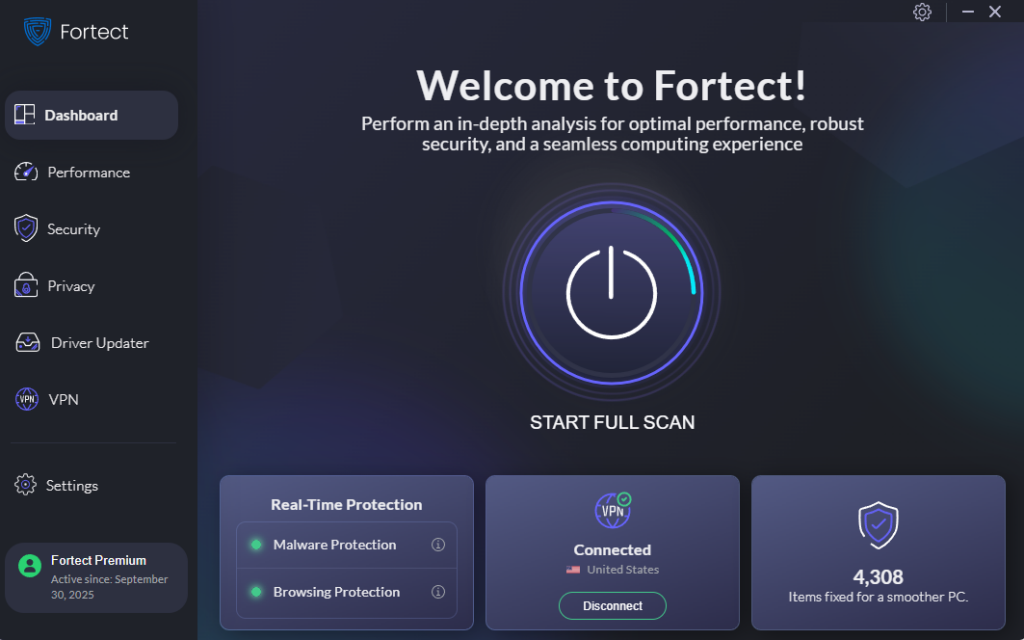
Fortect delivers advanced real-time malware protection for Windows users. It automatically scans your PC for traditional and emerging threats, including threats caused by automated cybercrime, eliminates them safely, and restores damaged system files for improved performance. Its smart threat-detection engine monitors suspicious activity and alerts you before harmful actions can take place, helping keep your device secure and running efficiently.
Download and install today on your Windows system to be protected from automated cybercrime.
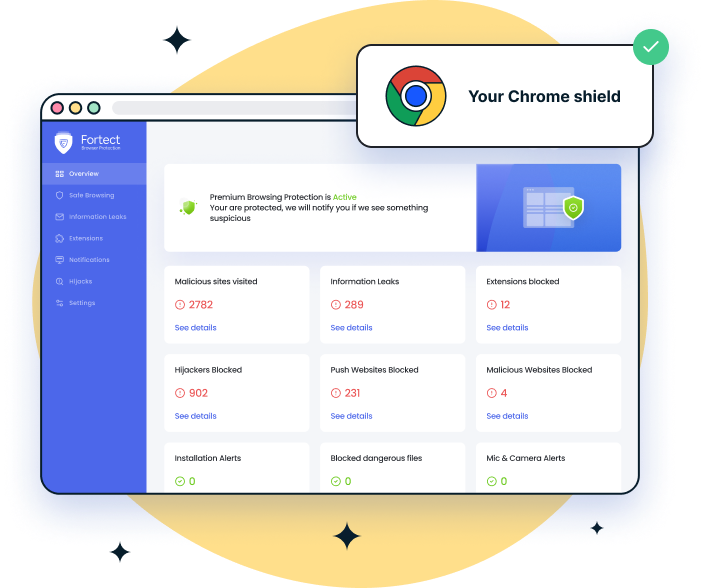
For Chrome users, the Fortect Browsing Protection extension adds an extra layer of defense against AI-powered attacks by blocking malicious websites before they load, alerting you to scam-related pages, and removing harmful extensions that could put your data at risk.
Restrict App Installation on Windows 10/11
Limiting where apps can be installed reduces exposure to malicious software. Open Settings, go to Apps, select Advanced app settings, then under “Choose where to get apps,” select Microsoft Store only or Warn me before installing apps from outside the Store.
Keep Windows Fully Updated
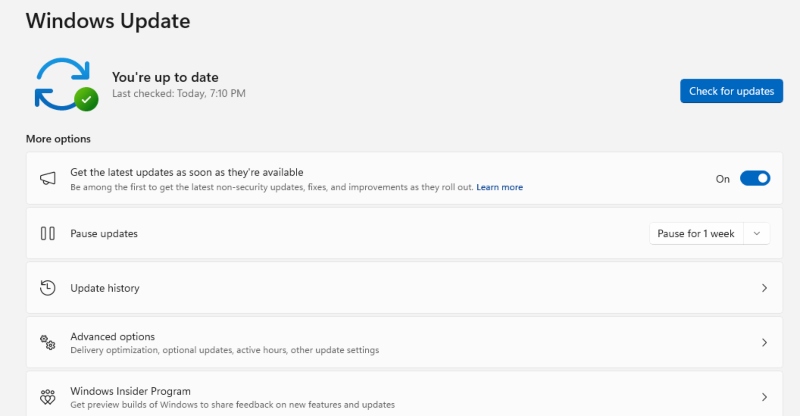
Automated cybercrime frequently exploits unpatched vulnerabilities. Open Settings, go to Windows Update, click Check for updates, install all available updates, and restart your PC if required. Enabling automatic updates helps maintain long-term protection.
Use Strong Account and Browser Controls
Enable Windows security features such as SmartScreen and controlled folder access. Regularly review browser extensions and remove anything unfamiliar, as AI-powered malware often hides inside fake add-ons.
Why Automated Cybercrime Will Continue to Grow
AI lowers the technical skill barrier for attackers. With automation, even inexperienced criminals can launch large-scale attacks. As AI technology becomes more accessible, automated cybercrime will continue targeting users who rely on default settings or outdated security practices.
Conclusion
AI is reshaping the threat online, and automated cybercrime is one of the most dangerous outcomes for everyday Windows users. Attacks are faster, smarter, and harder to detect than ever before. By understanding how these threats operate, keeping Windows updated, restricting risky behaviors, and using reliable real-time protection, you can stay ahead of AI-driven attacks. I believe awareness, combined with proactive security, remains the most effective defense against modern automated cybercrime.
Related Attacks Articles on your Windows PC:
Hybrid Distributed Attacks
DNS Tunnelling Attacks
Living off Trusted Services (LOTS) Attacks
Homograph Attack
Clickjacking Attacks




