How AI Detects Malware Faster Than Traditional Antivirus
Cyber threats aren’t slowing down; they’re getting smarter. Traditional antivirus tools still rely heavily on known virus signatures, which means they often react after malware spreads. I’ve seen how frustrating that delay can be, especially for everyday Windows users who just want their systems to be safe. This is where AI-powered malware detection changes the game, offering faster and more adaptive protection.
What Is AI-Based Malware Detection?
AI-based malware detection uses machine learning and behavioral analysis to identify threats in real time. Instead of depending on a database of known malware, it studies patterns, anomalies, and suspicious behavior across your system.
How It Differs from Traditional Antivirus
Traditional antivirus matches files against known malware signatures, requires frequent updates, and struggles with new or evolving threats. AI-powered detection learns from massive datasets, identifies unknown (zero-day) threats, and adapts continuously without waiting for updates.
Why AI Detects Malware Faster

- Real-Time Behavior Analysis: AI monitors how programs behave rather than just what they are. If an app suddenly starts modifying system files or accessing sensitive data, it gets flagged immediately.
- Detection of Zero-Day Threats: AI recognizes unusual patterns and blocks threats before they’re officially identified, giving it a clear advantage over signature-based tools.
- Continuous Learning: Every new threat improves detection models, making future responses faster and more accurate.
- Reduced False Positives: AI can better distinguish between normal and harmful activity, reducing unnecessary alerts.
Key Technologies Behind AI Malware Detection
- Machine Learning Algorithms: These analyze massive datasets to identify patterns linked to malicious activity.
- Behavioral Analysis: AI observes how programs interact with your system rather than scanning static files alone.
- Cloud-Based Intelligence: Threat data is shared instantly across systems, improving detection speed globally.
Benefits for Windows 10/11 Users
- Faster Threat Response: Threats are detected in seconds, minimizing potential damage.
- Protection Against Unknown Threats: AI doesn’t rely on known signatures, so new malware is caught early.
- Less System Slowdown: AI tools typically run efficiently without heavy background scans.
- Smarter Security Decisions: Threats can be isolated or removed automatically with minimal user input.
Limitations You Should Know
AI requires high-quality data to remain effective, and advanced malware may still attempt to evade detection. Some users may also rely too much on automation, but overall, AI remains far more proactive than traditional antivirus alone.
How to Strengthen Malware Protection on Windows 10/11
Strengthen Your PC Security with Fortect
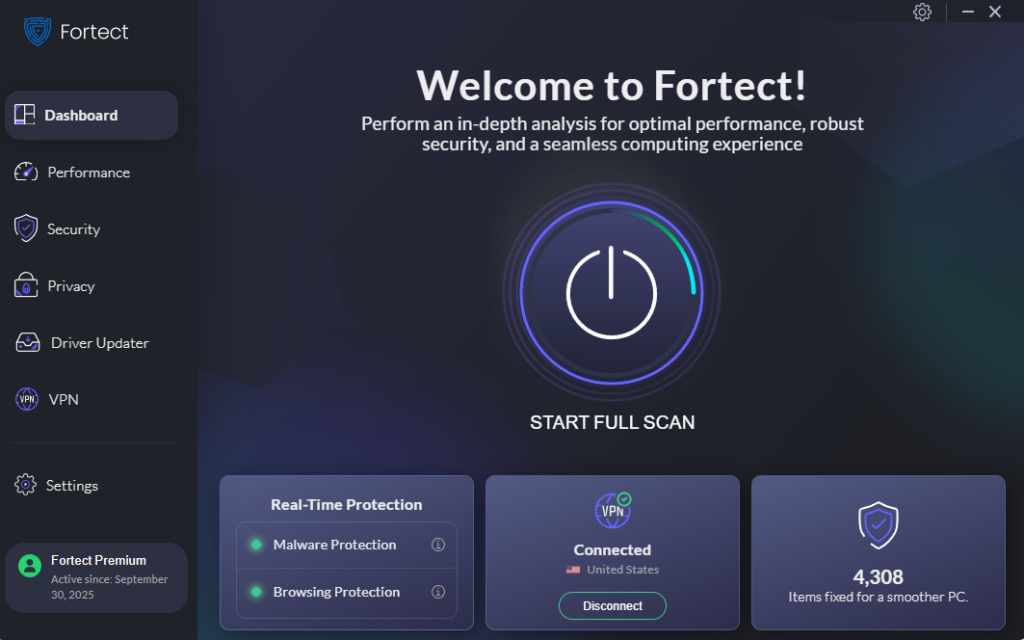
Fortect delivers advanced real-time malware protection for Windows users. It automatically scans your PC for traditional and emerging threats, including AI-driven malware, eliminates them safely, and restores damaged system files for improved performance. Its smart threat-detection engine monitors suspicious activity and alerts you before harmful actions can take place, helping keep your device secure and running efficiently.
Download and install Fortect now.
Keep Windows Updated
Outdated systems are easy targets. Steps: Press Windows + I, click Update & Security, select Windows Update, click Check for updates, then install updates and restart your PC.
Restrict App Permissions
Steps: Open Settings, go to Privacy & Security, choose a category like Camera or Microphone, and disable access for untrusted apps.
Enable Windows Security
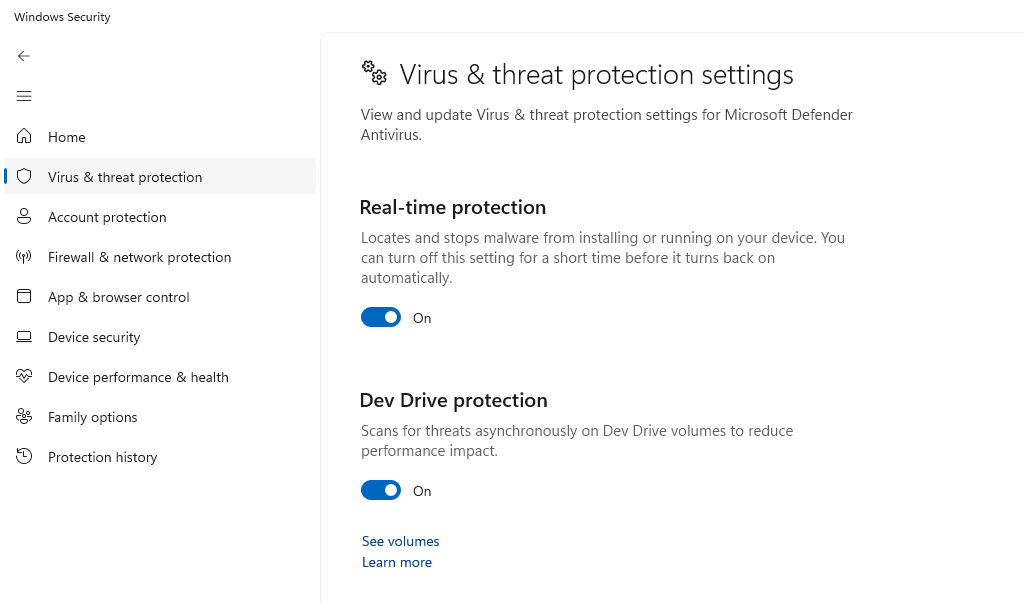
Steps: Open Start Menu and search Windows Security, click Virus & Threat Protection, turn on Real-time protection, then run a scan.
Use SmartScreen Filter
Steps: Open Windows Security, go to App & Browser Control, and enable SmartScreen.
Avoid Suspicious Downloads
Stick to trusted sources and avoid clicking on unknown links or attachments.
AI vs Traditional Antivirus: Which One Should You Use?
The best approach is to combine both. Traditional antivirus handles known threats, while AI detects new and evolving ones. Most modern tools already integrate both layers for stronger protection.
Conclusion
AI is redefining how malware is detected. Instead of reacting late, it identifies threats as they emerge. From my perspective, the real value lies in its ability to predict and stop attacks before they escalate. Pair AI-powered tools with smart security habits, and you significantly reduce your risk. For Windows users, this combination offers faster, smarter, and more reliable protection than ever before.