Hidden Malware Risks in AI Image Generators
Artificial intelligence image generators have revolutionized digital creativity, allowing anyone to create stunning visuals with simple text prompts. However, beneath their impressive capabilities lurks a dangerous reality: these AI-powered tools can serve as gateways for malicious software. Understanding these hidden threats is crucial for protecting your Windows computer and personal data.
What Makes AI Image Generators Vulnerable to Malware

AI image generator platforms attract millions of users seeking free creative tools, making them prime targets for cybercriminals. Unlike traditional software, many AI art generators operate through web browsers or require downloading third-party applications, creating multiple attack vectors.
Common Infection Methods
Malware often disguises itself within seemingly legitimate AI image generator downloads. Fake versions of popular tools like DALL-E, Midjourney, or Stable Diffusion appear on unofficial websites, bundled with trojans, spyware, or ransomware. Once installed, these malicious programs can steal passwords, monitor your activities, or encrypt your files for ransom.
Browser-based AI generators pose different risks. Malicious advertisements and phishing links frequently appear on free AI art websites, redirecting users to compromised pages that download malware automatically. Some infected sites exploit browser vulnerabilities to install keyloggers without your knowledge.
The Deepfake and Credential Theft Connection
Cybercriminals leverage AI image generators for social engineering attacks. They create convincing fake profiles and images to build trust before distributing malware-laden files called deepfakes. Additionally, compromised AI tools can capture your login credentials when you register for services and sell this information on dark web marketplaces.
How to Identify Suspicious AI Image Generator Platforms
Recognizing dangerous AI image generators before installation protects your Windows system from infection. Legitimate platforms typically have verifiable company information, transparent privacy policies, and positive reviews from trusted technology publications.
Red Flags to Watch For
Be suspicious of AI generators promising unrealistic features like “unlimited free premium access” or requiring excessive permissions during installation. Legitimate tools don’t request access to your contacts, microphone, or camera for basic image generation. Pop-up-heavy websites with aggressive download prompts often harbor malware.
Check the website URL carefully. Cybercriminals create convincing clones with slight misspellings of popular AI generator names. Always verify you’re on the official domain before downloading anything.
How to Protect Your Windows Computer from AI Generator Malware
Implementing security measures significantly reduces your risk when using AI image generators on Windows 10 or Windows 11.
Strengthen Your PC Security with Fortect
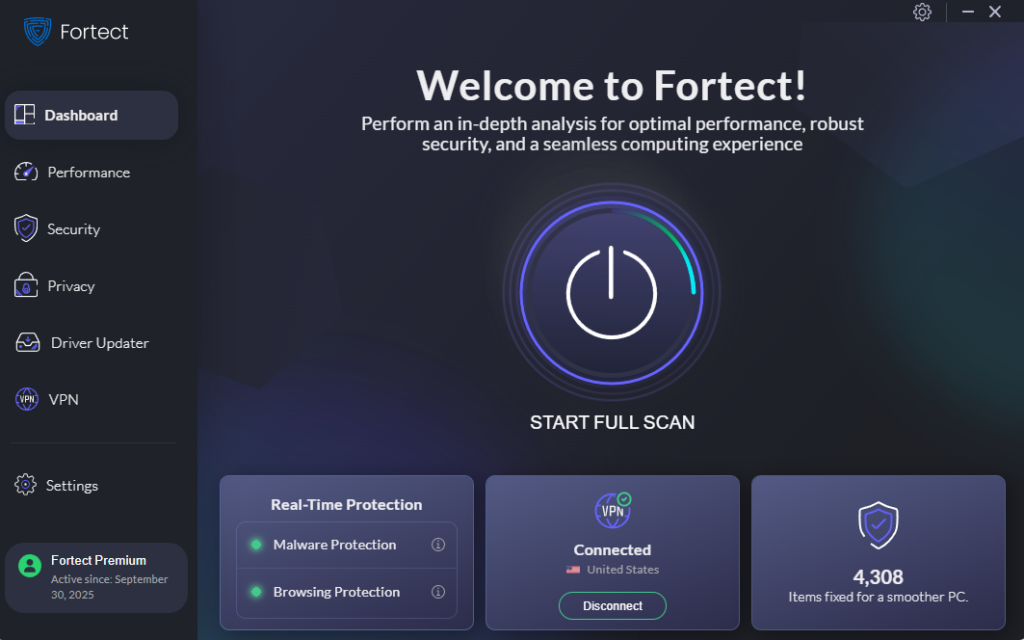
Fortect delivers advanced real-time malware protection specifically designed for Windows users exploring AI image generators and other creative tools. It automatically scans your PC for traditional and emerging threats, including malicious AI image generator software hidden in fake downloads, eliminates them safely, and restores damaged system files for improved performance. Its smart threat-detection engine monitors suspicious activity from dubious AI art platforms and alerts you before harmful actions can take place, helping keep your device secure and running efficiently while you create.
Download and install Fortect today.
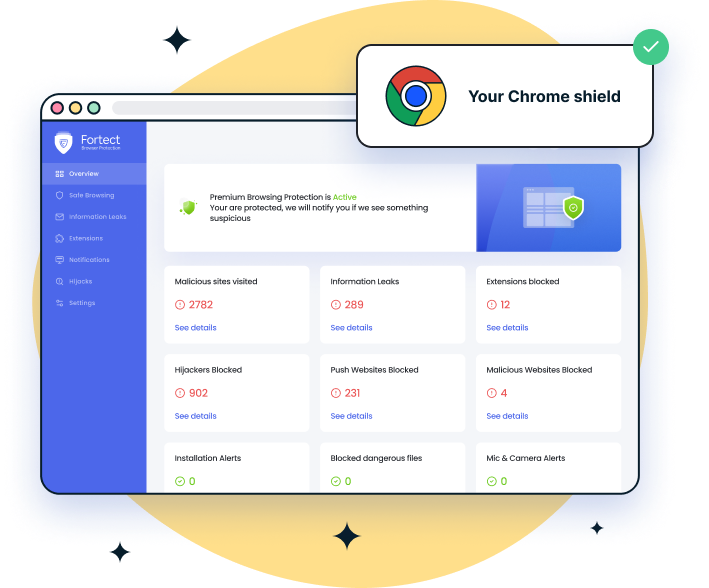
For Chrome users, Fortect Browsing Protection adds a critical layer of security. It blocks dangerous AI image generator sites before they load, alerts you to suspicious downloads, prevents scams, and removes harmful extensions that could compromise your data.
Protect Your Mac from AI Image Generator Threats
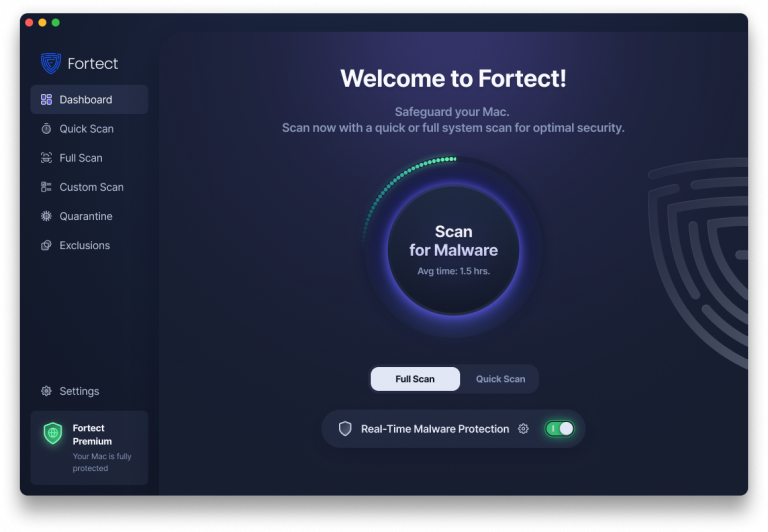
Fortect for Mac offers real-time malware defense designed to cover the gaps macOS can’t see. While Gatekeeper and the App Store provide basic protection, AI image generator apps can hide malware, ransomware, or malicious scripts that bypass macOS’s built-in safeguards. Fortect keeps your Mac safe with four powerful features:
- Real-Time Malware Protection: Continuously monitors your system to instantly detect and block malware hidden in AI or productivity apps.
- Full System Scan: Scans your entire Mac to uncover threats lurking in downloads or app files.
- Quick Smart Scan: Performs fast scans to catch suspicious files before they can harm your system.
- Cloud-Based Security: Uses cloud technology to deliver real-time updates and detect emerging threats targeting AI apps.
With Fortect for Mac, you can safely explore AI tools and other apps without worrying about hidden malware compromising your data or system.
Enable Windows Defender Real-Time Protection
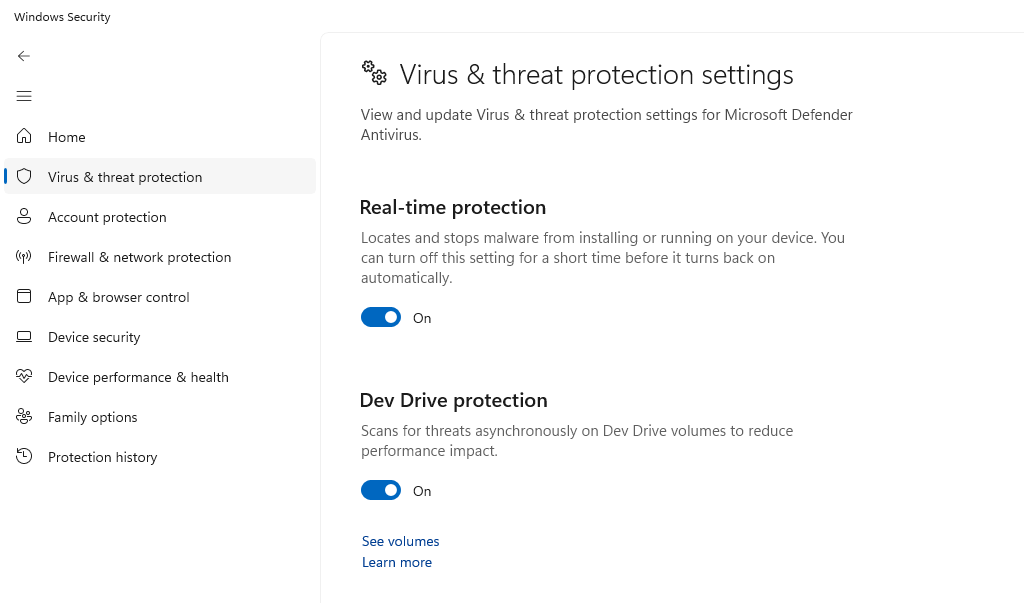
- Click the Start button and select Settings (gear icon)
- Navigate to Privacy & Security (Windows 11) or Update & Security, then Windows Security (Windows 10)
- Click Virus & threat protection
- Under “Virus & threat protection settings,” click Manage settings
- Toggle Real-time protection to On
- Enable Cloud-delivered protection and Automatic sample submission
Keep Windows Updated
- Press Windows + I to open Settings
- Select Windows Update from the left sidebar
- Click Check for updates
- Install all available updates, including optional updates
- Enable Automatic updates by clicking Advanced options and toggling on Receive updates for other Microsoft products
Configure SmartScreen Filter
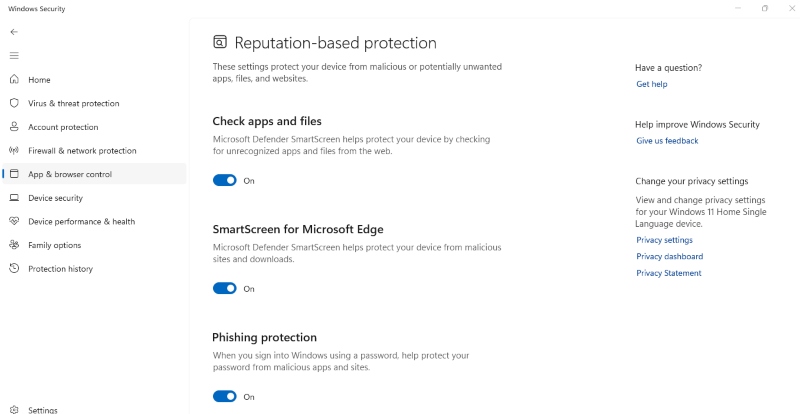
- Open Settings and go to Privacy & Security
- Click Windows Security, then App & browser control
- Under “Reputation-based protection settings,” click Reputation-based protection settings
- Set Check apps and files to Warn or Block
- Enable SmartScreen for Microsoft Edge
- Turn on Phishing protection
Download Only from Verified Sources
Only download AI image generator software from official websites or the Microsoft Store. Verify the publisher’s digital signature before installation. For web-based generators, bookmark legitimate sites to avoid phishing clones.
Safe AI Image Generator Practices for Home Users
Beyond technical protections, adopting cautious behavior prevents most malware infections. Create a separate Windows user account with restricted permissions for testing new AI tools. This limits potential damage if malware infiltrates your system.
Never provide payment information to unfamiliar AI generator websites. Use disposable email addresses when registering for free trials. Regularly scan your Downloads folder with Windows Defender, and immediately delete suspicious executable files.
Regular Security Maintenance
Schedule weekly full system scans through Windows Defender. Review installed programs monthly, removing unfamiliar applications. Back up important files to external drives or cloud storage to protect against ransomware targeting AI enthusiasts.
Conclusion
AI image generators offer incredible creative possibilities, but their popularity makes them attractive vehicles for malware distribution. By staying vigilant, downloading only from official sources, maintaining updated Windows security features, and following safe browsing practices, you can enjoy AI-generated art without compromising your computer’s safety. Remember: if an AI generator offer seems too good to be true, it probably contains hidden threats.