New Mac Malware Exploits Trusted AI Search Results
Mac users are facing a sophisticated new cybersecurity threat that weaponizes their trust in artificial intelligence. Cybercriminals have begun poisoning search results to ensure their malicious content appears as the first answer victims find when searching for technical help. This alarming campaign demonstrates how attackers are evolving beyond traditional malware distribution methods by exploiting legitimate platforms like ChatGPT and Google Search.
How Attackers Exploit AI Conversations
The attack begins when Mac users search for common troubleshooting queries like clearing disk space, then encounter sponsored search results or highly-ranked pages leading to AI chatbot conversations. These conversations appear completely legitimate because they’re hosted on trusted platforms like ChatGPT and Grok.
What makes this attack particularly dangerous is the social engineering involved. The AI conversations provide step-by-step instructions that appear helpful but ultimately trick users into executing terminal commands that download malware. The commands are presented as safe system cleanup instructions, making it easy for unsuspecting users to fall victim.
Researchers found that searching variations like “how to clear data on iMac” or “free up storage on Mac” consistently returned these poisoned results, confirming this is a deliberate and widespread campaign.
Understanding Mac Malware Threats in 2025

The landscape of Mac security has shifted dramatically. Twenty-two new macOS malware families emerged in 2024, including stealers, backdoors, downloaders, and ransomware. This represents a significant increase compared to previous years, with Mac computers no longer enjoying their former reputation as malware-resistant devices.
Information stealers have become the dominant threat. These malicious programs can harvest stored credentials, browser data, cryptocurrency wallets, keychain entries, and critical system information from infected devices. Unlike ransomware that targets large businesses, infostealers deliver value to criminals regardless of whether the victim uses their Mac at home or in an office.
Breakdown of AMOS Infostealer Tactics
Initial Access Methods
AMOS ( often called Atomic macOS Stealer) malware employs multiple distribution strategies to reach victims. Common infection vectors include phishing with targeted links, fake application installers, malicious Google Ads, and tricking users into executing terminal commands. The terminal command method has proven especially effective at bypassing Apple’s built-in security features.
Password Collection Techniques
Once executed, the malware immediately begins gathering sensitive information. AMOS displays fake pop-up windows requesting access to System Preferences and prompting users to enter their passwords, using social engineering to capture this critical first piece of information.
After obtaining the system password, the malware expands its data collection operations. It requests permission to access Desktop and Documents folders, extracts credentials from the macOS Keychain password management system, and targets browser data from Chrome, Firefox, Edge, and other applications.
Data Exfiltration Process
AMOS compresses stolen data into ZIP archives and transmits them to attacker-controlled servers using HTTP POST requests. The malware establishes persistence mechanisms to ensure it continues running even after system restarts, allowing ongoing data theft from compromised machines.
Evasion Capabilities
Recent AMOS variants include XOR encoding to prevent detection of known malicious strings, with obfuscation tactics constantly evolving. Some versions employ techniques to identify sandbox or emulator environments, further complicating detection efforts. The malware’s developers frequently update their code to stay ahead of security software.
Protecting Your Mac from Malware
Fortect for Mac: Strengthen Your Defense Against Modern Malware
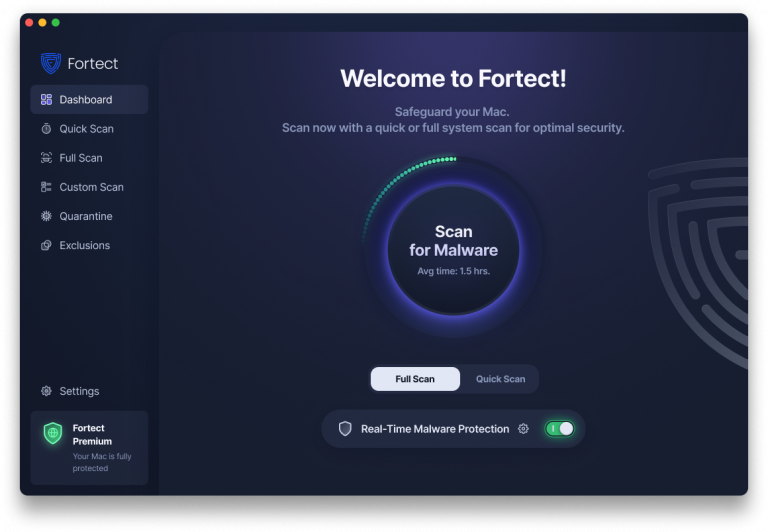
Cybercriminals are evolving fast, and Mac malware like AMOS proves they’re no longer targeting only Windows users. Fortect recognizes that modern infostealers, ransomware, and stealth attacks are increasingly designed to bypass traditional macOS defenses. With threats becoming more complex and frequent, relying solely on built-in security is no longer enough.
Fortect for Mac delivers intelligent, real-time protection that works alongside Apple’s native security rather than replacing it. It fills the critical gaps that attackers often exploit when distributing Mac malware through poisoned search results and shields your system from threats you may not even be aware of.
Key Features
- Real-Time Malware Defense: Always-on threat monitoring that instantly detects and blocks malicious activity without disrupting your workflow, stopping infostealers before they compromise your credentials.
- Cloud-Based Threat Intelligence: Leverages cloud security analysis for rapid detection of new and emerging attack patterns, including the latest AMOS variants and similar Mac malware families.
- Quick Smart Scan: Fast and efficient scans to identify and resolve issues quickly, perfect for checking your system after encountering suspicious search results.
- Full System Scan: Deep scanning across your entire machine for comprehensive protection and repair, ensuring no hidden malware remains on your Mac.
Cross-Platform Protection with Fortect Mobile Security
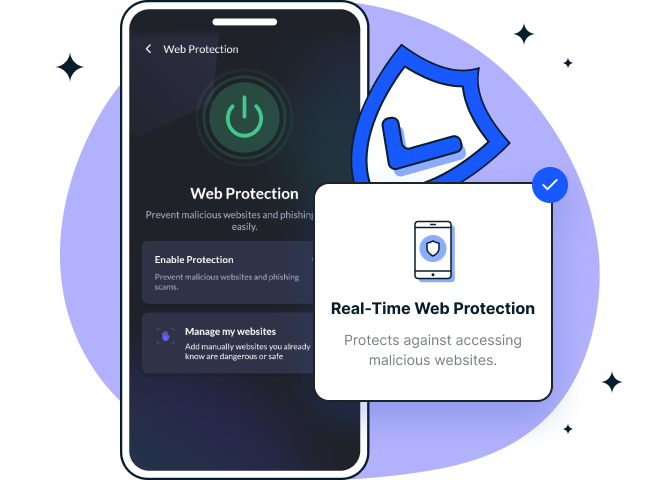
Since Mac malware campaigns often target multiple devices through synchronized accounts and cloud services, comprehensive protection shouldn’t stop at your desktop. Fortect offers cross-platform security with Fortect Mobile Security for Android and iOS, extending your defense against credential theft and data breaches across all your devices.
When AMOS or similar infostealers compromise your Mac, they can access passwords and authentication tokens that unlock your mobile accounts as well. Fortect Mobile Security provides real-time web protection to block phishing attempts on your phone, network safety alerts to warn you of suspicious connections, and data breach notifications that immediately inform you if your stolen credentials appear in compromised databases.
The mobile solution includes advanced antivirus capabilities and comprehensive system checks, working seamlessly with cloud-based scanning for rapid threat detection. Its automated issue resolution addresses security problems before they escalate, while the user-friendly dashboard gives you visibility across all protected devices. The lightweight engine ensures fast, smooth performance without draining your battery or slowing down your phone.
Recognize Suspicious Search Results
Never click on sponsored search results when looking for technical help. These paid advertisements can be customized to appear identical to legitimate results. Before clicking any ad, check the advertiser information by selecting the three-dot menu and choosing “About this ad” or “About this advertiser.”
If a sponsored result leads to an AI conversation, download prompts, or instructions to run commands, close it immediately. Search results promising quick fixes, disk cleanup, or performance boosts are common malware entry points.
Never Execute Unknown Terminal Commands
The most critical security rule for Mac users is avoiding copy-pasted terminal commands from random pages, forums, or search results. Even when these commands appear on seemingly legitimate domains or AI platforms, they could trigger malware installation. If a guide isn’t hosted by Apple or a well-known developer, assume it could be risky.
Keep Your System Updated

AMOS and similar malware often exploit known weaknesses after initial infection, and updates patch these security holes. Enable automatic updates to ensure continuous protection even if you forget to manually check for new versions. Delaying updates gives attackers more opportunities to escalate privileges or maintain persistence on your system.
Install Security Software
Utilize reputable antivirus software that offers real-time protection and web filtering capabilities. Modern security tools can identify suspicious behavior patterns, block malicious domains, and alert you to potential threats before they compromise your system. Choose solutions specifically designed for macOS that include protection against stealer malware.
Practice Safe Downloading Habits
Only download software from official sources like the Mac App Store or verified developer websites. Avoid cracked applications, pirated software, and unofficial download sites, as these are prime distribution channels for malware disguised as legitimate programs.
Recovery Steps for Infected Systems
If you suspect your Mac has been compromised by AMOS or similar malware, take immediate action. Remove suspicious login items and LaunchAgents from Library folders to prevent persistence after reboot. Consider performing a full clean reinstall of macOS if unusual activity persists.
Change all passwords stored on the affected system and enable multi-factor authentication for important accounts. Only restore files from backups you know are clean, avoiding any Time Machine images that might contain the infostealer.
After cleaning your system, check for rogue browser extensions, cryptocurrency wallet apps, and unexpected system modifications. If the recovery process seems too complex, seek help from trusted IT professionals or security support teams.
Looking Ahead
The Mac malware threat landscape continues evolving as cybercriminals develop increasingly sophisticated social engineering tactics. By exploiting trusted platforms and leveraging AI-driven conversations, attackers have discovered new methods to bypass technical security measures and target human psychology instead. Mac users must remain vigilant, question unexpected instructions, and verify information through multiple sources before taking action on their systems.