Mac Malware Hidden in Fake AI & Productivity Apps: Remote Work Security Risks & Protection
The rise of remote work has created new security challenges for Mac users. Cybercriminals are targeting remote workers through malware disguised as AI tools and productivity applications, making it essential to understand these threats and implement proper protection strategies.
Understanding the New Mac Malware Threat
New Mac malware campaigns are targeting remote workers through fake AI applications and productivity tools. Cybercriminals disguise malicious software as legitimate programs like ChatGPT assistants, writing tools, and workflow managers. Once installed, this malware can steal passwords, financial data, and personal information from unsuspecting users.
These sophisticated attacks exploit the growing demand for AI-powered tools, tricking users into downloading infected applications that appear authentic. The new Mac malware often bypasses traditional security measures by mimicking trusted developer signatures and avoiding detection through advanced evasion techniques.
Why Mac Users Are Increasingly Targeted

The misconception that Macs are immune to malware has created a false sense of security among users. Cybercriminals now actively develop new Mac malware specifically designed to exploit this complacency. Remote workers searching for productivity solutions often download applications from unofficial sources, significantly increasing their exposure to malicious programs.
Common Attack Vectors for Mac Users
Mac users typically encounter new Mac malware through phishing emails, fake download sites, compromised software installers, and malicious browser extensions. Attackers exploit psychological tactics, offering free premium features or exclusive AI capabilities, to trick users into installing infected applications.
Essential Mac Security Measures for Remote Work
Protecting your Mac system requires multiple layers of defense. These practical steps help secure your home office environment against new Mac malware threats.
How to Update macOS
Keeping macOS updated patches critical vulnerabilities that new Mac malware exploits.
Steps to Update macOS:
- Click the Apple menu in the top-left corner
- Select System Settings (macOS Ventura or later) or System Preferences (earlier versions)
- Click General, then Software Update
- Click Update Now or Upgrade Now if updates are available
- Enter your password when prompted
- Allow your Mac to restart to complete the installation
Enable automatic updates to ensure continuous protection against emerging threats.
How to Enable Gatekeeper and XProtect
macOS includes built-in security features that protect against new Mac malware.
Steps to Configure Gatekeeper:
- Open System Settings and click Privacy & Security
- Scroll down to the Security section
- Under “Allow applications downloaded from,” select “App Store and identified developers”
- Enable FileVault for disk encryption
- Keep XProtect updated through system updates
How to Create Standard User Accounts
Limiting user privileges prevents new Mac malware installation by unauthorized users sharing your computer.
Steps to Restrict User Accounts:
- Open System Settings and select Users & Groups
- Click the lock icon and enter your administrator password
- Click Add Account (+ button)
- Choose Account type: Standard
- Fill in the user information
- Click Create User
- Avoid granting Administrator privileges unless necessary
Strengthen Your Mac Security with Fortect
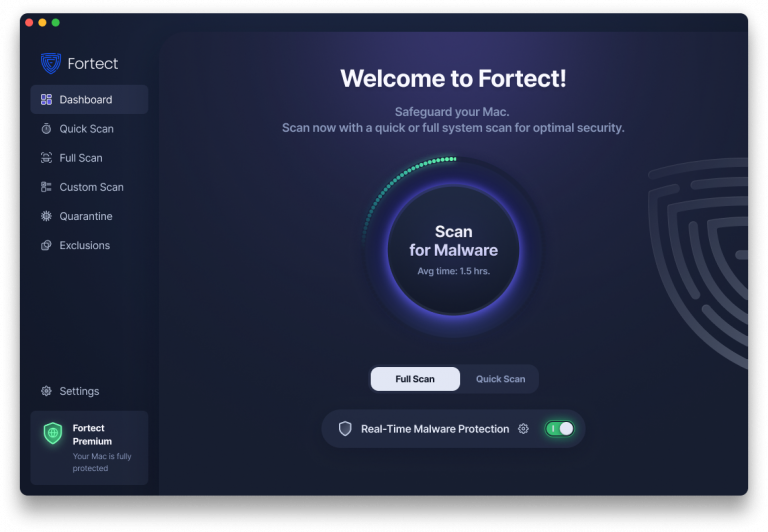
As new Mac malware campaigns demonstrate, cybercriminals are creating increasingly sophisticated threats specifically targeting macOS users. While implementing the security measures above helps, additional protection layers can detect threats that slip through traditional defenses.
Fortect for Mac delivers intelligent, real-time protection that works alongside Apple’s native security rather than replacing it. It fills the critical gaps that attackers often exploit and shields your system from new Mac malware threats you may not even be aware of.
Key Features:
- Real-Time Malware Defense: Always-on threat monitoring that instantly detects and blocks malicious activity from fake AI apps and productivity tools without disrupting your workflow
- Cloud-Based Threat Intelligence: Leverages cloud security analysis for rapid detection of new Mac malware and emerging attack patterns
- Quick Smart Scan: Fast and efficient scans to identify and resolve security issues quickly
- Full System Scan: Deep scanning across your entire machine for comprehensive protection against hidden threats and system repair
With threats becoming more complex and frequent, relying solely on built-in security is no longer enough. Fortect complements macOS security by providing advanced detection against evolving new Mac malware tactics targeting remote workers.
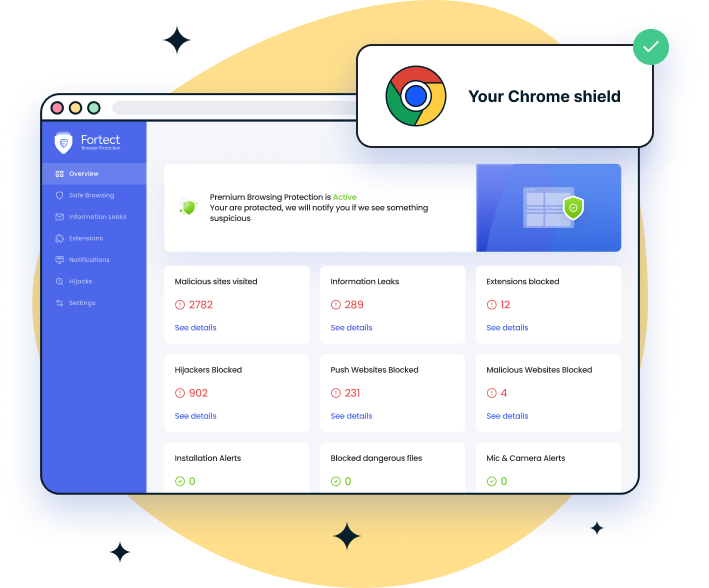
If you use Chrome alongside Safari to access productivity and AI tools, it’s important to add an extra layer of browser-level protection. Many fake apps and malicious websites are designed specifically to target Chrome users through harmful extensions and deceptive downloads.
For Chrome users, Fortect Browsing Protection provides an easy-to-use extension that helps block dangerous websites before they load, warns you about suspicious pages to prevent scams, and removes harmful extensions that could put your data and privacy at risk.
Safe Downloading Practices for Remote Workers
Download applications exclusively from official sources. Use the Mac App Store, verified developer websites, or trusted platforms. Avoid third-party download sites advertising “free” premium software, as these are common distribution points for new Mac malware.
Recognizing Fake AI and Productivity Apps
Malicious apps often mimic legitimate tools with slight name variations. Check developer credentials, read user reviews, and verify official websites before installation. Be skeptical of apps promising unrealistic features or requiring excessive permissions, common indicators of new Mac malware.
Additional Protection Strategies
Enable the macOS Firewall to block unauthorized network connections. Use strong, unique passwords for all accounts and enable two-factor authentication where available. Regularly back up important files to external drives or secure cloud storage using Time Machine.
Browser Security for Remote Work
Install reputable ad blockers and anti-tracking extensions from trusted sources. Avoid clicking suspicious links in emails or messages. Clear your browser cache and cookies regularly to remove potential tracking scripts that may facilitate new Mac malware infections.
Creating a Security-Conscious Remote Work Environment
Stay informed about current Mac malware trends. Join online security communities, follow cybersecurity news, and educate family members about safe computing practices specific to macOS.
Regular security audits of your Mac system help identify vulnerabilities. Review installed applications monthly, removing unused or suspicious programs. Monitor system performance for signs of new Mac malware infection, like unexpected slowdowns, unusual network activity, or unauthorized background processes.
Conclusion
The rise of new Mac malware targeting remote workers through fake AI apps and productivity tools highlights a growing and sophisticated cyber threat. As AI is now being used to power cybercrime, attackers are creating more convincing and harder-to-detect malicious software designed to exploit trust and daily workflows.
To stay protected, it’s essential to implement strong security measures, keep macOS and applications updated, practice safe downloading habits, and use reliable, comprehensive protection tools. Securing your home office requires consistent attention, proactive defense strategies, and ongoing awareness of emerging Mac malware campaigns that continue to evolve alongside AI-driven threats.