
How to Choose a Secure VPN Service for Home Use
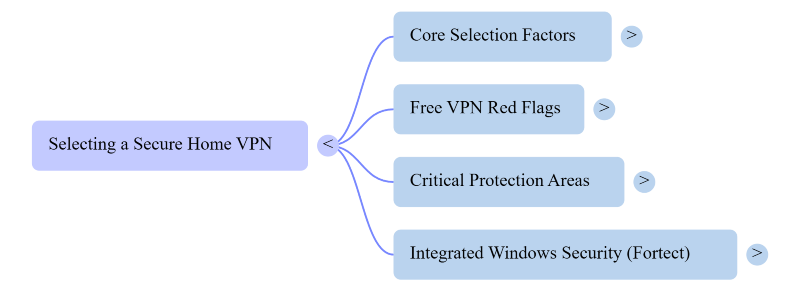
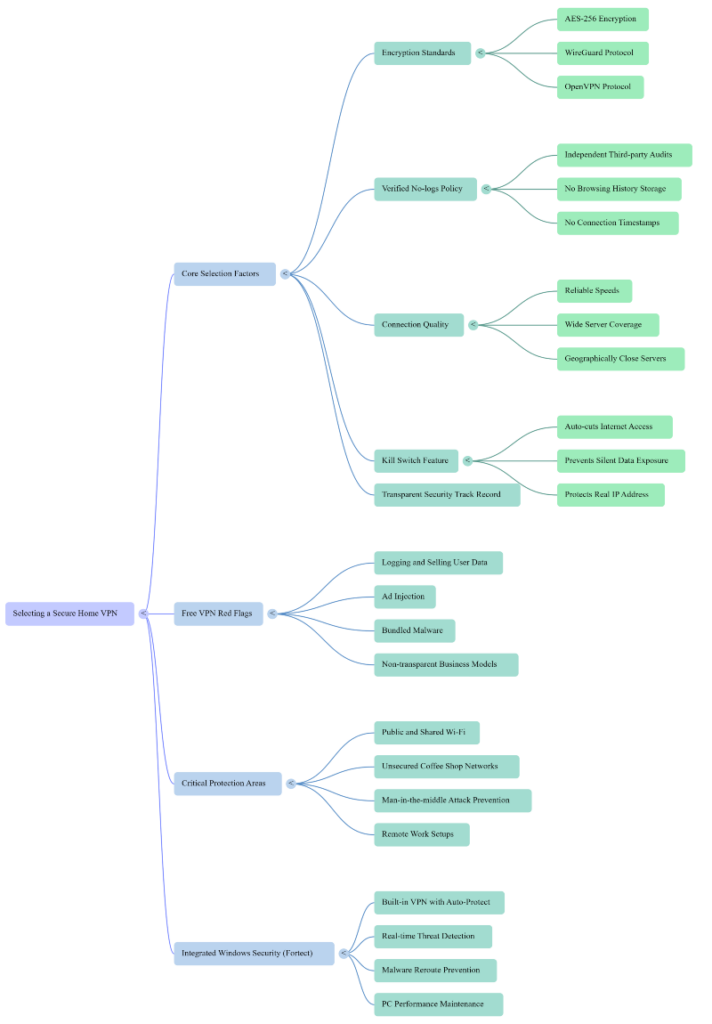
A secure VPN service for home use should be chosen based on five core factors: strong encryption standards, a verified no-logs policy, reliable connection speeds, a kill switch feature, and a provider with a transparent security track record.
Picking the right one protects your browsing activity, personal data, and connected devices from prying eyes, whether that’s your internet provider, advertisers, or hackers monitoring unsecured networks.
With more households relying on multiple connected devices and remote work setups, a VPN has shifted from a nice-to-have to a practical necessity. Not all VPNs are created equal, and choosing the wrong one can give users a false sense of security while leaving real gaps open. Here’s what actually matters when evaluating options for home use.
Key Takeaways
- A secure VPN service should use AES-256 encryption with modern protocols like WireGuard or OpenVPN, backed by independently audited no-logs policies
- A kill switch is essential, since it prevents devices from silently reverting to an unprotected connection if the VPN drops
- Free VPNs often come with hidden costs, including data logging, ad injection, or bundled malware
- VPN protection matters most on public or shared Wi-Fi, where attackers commonly intercept unencrypted traffic
- Pairing a trustworthy VPN with broader PC security and maintenance habits offers stronger, more consistent protection overall
Why Encryption Standards Come First
The foundation of any secure VPN service is its encryption protocol. Look for providers using AES-256 encryption. The same standard used by banks and government agencies, paired with modern VPN protocols like WireGuard or OpenVPN. These combinations scramble your internet traffic so that even if someone intercepts it, the data is unreadable.
Older or proprietary protocols may sound convenient. They often haven’t undergone the same level of independent security auditing, which matters more than marketing claims.
No-Logs Policies Need Independent Verification
Almost every VPN provider claims a “no-logs” policy, but the claim alone isn’t enough. A trustworthy provider backs this up with independent third-party audits. They can confirm they aren’t storing browsing history, connection timestamps, or IP addresses.
Without that verification, a ‘no-logs’ claim is just a promise, and promises don’t hold up if a provider is legally compelled to hand over data it actually possesses. Checking for recent, published audit reports is one of the fastest ways to separate serious providers from marketing-driven ones.
Speed and Server Coverage Matter for Daily Use
Security means little if a VPN makes everyday browsing frustratingly slow. Home users who stream video, join video calls, or game need a provider with a wide server network and consistently strong speeds.
Geographically closer servers generally offer better performance, so checking whether a provider has servers in or near your region is worth the extra minute during setup.
A Kill Switch Is Non-Negotiable
One of the most overlooked features is the kill switch. A kill switch automatically cuts internet access if the VPN connection drops unexpectedly. Without a kill switch, your device can silently revert to an unprotected connection. Exposing your real IP address and unencrypted traffic without any warning.
Watch Out for Free VPN Red Flags
Free VPN services are tempting, but many fund themselves by logging and selling user data, which defeats the entire purpose of using a VPN in the first place. Some have also been found injecting ads or, in worst cases, bundling malware into their apps.
If a home VPN doesn’t have a transparent, sustainable business model behind it, that’s a sign to keep looking rather than risk a network-based vulnerability for the sake of saving a few dollars a month.
Why VPNs Matter More on Public and Shared Networks
A secure VPN service becomes especially important the moment a Windows device connects to a network outside the home, such as public Wi-Fi at a coffee shop or airport. These open networks are a favorite entry point for attackers running man-in-the-middle attacks, where traffic is intercepted before it ever reaches its destination.
A Practical Next Step for Windows Security
Choosing a VPN is one piece of a broader security routine, and many Windows users find it easier to manage when protection tools work together rather than as separate, disconnected apps.
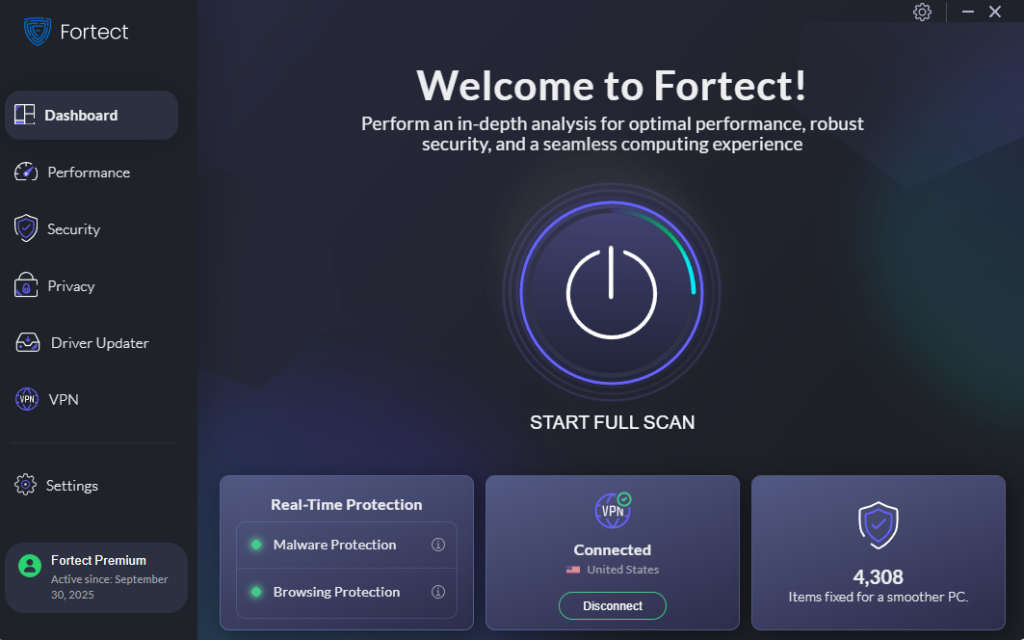
Fortect offers real-time protection that can detect threats related to using a secure VPN service, such as malware that tries to intercept or reroute network traffic, removing malicious files and restoring system files that may already be compromised.
It also handles routine performance maintenance, clearing out junk files and shutting down crashed or unresponsive programs to keep a Windows PC running smoothly.
The new Fortect Premium now includes a built-in VPN with Auto-Protect on public Wi-Fi. The connection stays secured automatically the moment a device joins an open network. Fortect VPN encrypts internet traffic to keep data private and shields users from hackers who exploit unsecured connections. This is a common entry point for zero-day attacks and other network-based threats.
For Windows users who’d rather not juggle a separate VPN subscription on top of antivirus and maintenance tools, giving Fortect a try is a reasonable way to bring that protection under one roof.
Bringing It All Together
A secure home VPN doesn’t need to be complicated to set up or understand. Focus on strong encryption, a verified no-logs policy, and dependable speeds. A working kill switch, and steer clear of free options that monetize user data instead of protecting it.
Combined with good overall PC hygiene, a properly chosen VPN closes one of the more common gaps attackers rely on.





