
Why SaaS Matters for Everyday Windows and Mac Users
If you’ve ever used Netflix, Spotify, or Google Docs, you’ve already used SaaS, and you probably didn’t even think twice about it. Software as a Service has quietly transformed how everyday people use their computers, and understanding it can help you make smarter decisions about the apps you rely on daily.
What Is SaaS? A Simple Explanation
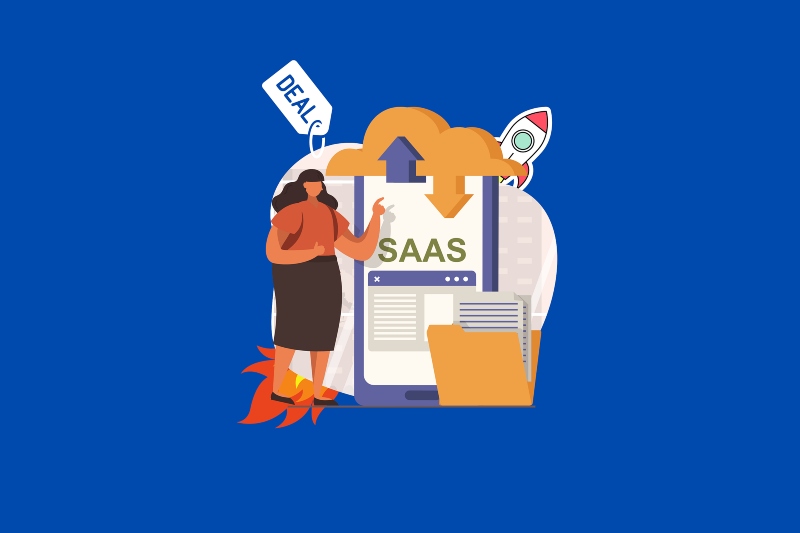
SaaS, short for Software as a Service, is a way of delivering software over the internet instead of installing it on your computer. Rather than buying a DVD or downloading a full program, you access the software through a browser or a lightweight app, and the provider handles everything behind the scenes.
How SaaS Differs from Traditional Software
Traditional software (think old-school Microsoft Office or Adobe Photoshop on a disc) required you to install the full program on your machine, manage updates manually, and buy a new version every few years. SaaS flips that model entirely.
With SaaS, you pay a subscription, often monthly or yearly, and get continuous access to the latest version of the software without ever worrying about updates, compatibility, or disk space for a massive installation.
Common SaaS Examples You Already Use
You’re likely using SaaS every day without realizing it. Popular examples include Microsoft 365 (Word, Excel, Outlook), Google Workspace (Docs, Gmail, Drive), Zoom, Dropbox, Canva, and Adobe Creative Cloud. These are all cloud-based software services you access through a login, not a disk.
Why SaaS Is a Game-Changer for Windows and Mac Users
1. Automatic Updates: No More Manual Patching
One of the biggest headaches for everyday users is keeping software current. With traditional programs, you’d often see annoying prompts to download and install updates, sometimes requiring restarts at the worst moments.
SaaS eliminates this. The provider pushes updates automatically on their end, so the next time you open the app or log into the web version, you’re already on the latest release. No pop-ups, no waiting, and no version confusion.
2. Access Your Files and Apps from Any Device
Because SaaS runs in the cloud, your work isn’t tied to one machine. Open a document on your Windows 11 desktop, pick it up later on your MacBook, and finish reviewing it on your phone, all without emailing files to yourself or carrying a USB drive.
This cross-device flexibility is especially useful for people who switch between a home PC and a work laptop, or who need to access files while traveling.
3. Lower Upfront Cost
Buying a traditional software license used to cost hundreds of dollars upfront. SaaS spreads that cost into smaller, manageable monthly payments. Microsoft 365 Personal, for example, gives you the full Office suite, 1 TB of cloud storage, and continuous updates for a fraction of what a one-time license used to cost.
This pay-as-you-go model also means you can cancel anytime if you no longer need the service, no money wasted on software sitting unused on your hard drive.
4. No Storage or Performance Drain on Your Computer
Traditional software can bloat your system, slow down boot times, and eat up gigabytes of storage. SaaS apps are often lightweight by comparison; much of the processing happens on the provider’s servers, not on your machine. This is great news if you’re running an older Windows 10 PC or a Mac with limited SSD space.
5. Built-In Collaboration Features
SaaS platforms are built with sharing in mind. Tools like Google Docs or Microsoft 365 let multiple people work on the same file simultaneously, leave comments, and track changes in real time. For families working on shared budgets, students collaborating on projects, or anyone co-writing a document, this is a massive convenience that traditional software simply can’t match.
How to Get the Most Out of SaaS on Windows 10/11
How to Check if a SaaS App Is Draining Performance on Windows 11

1: Press Ctrl + Shift + Esc to open Task Manager.
2: Click the Processes tab. Look for any SaaS-related background processes (like OneDrive, Teams, or Dropbox).
3: Right-click any process using excessive CPU or memory and select End Task to close it temporarily.
4: To stop an app from running at startup, click the Startup Apps tab in Task Manager, find the app, right-click it, and select Disable.
How to Sign In and Manage a SaaS App (Microsoft 365 Example)
If you’re using Microsoft 365 on Windows 10 or 11, here’s how to set it up and keep it running smoothly:
1: Go to microsoft.com/microsoft-365 and sign in with your Microsoft account or create one.
2: Choose your plan (Personal or Family) and complete the purchase or start a free trial.
3: Click Install Office from your Microsoft account dashboard. The installer is small — the apps download in the background after launching.
4: Once installed, open any Office app (Word, Excel, etc.) and sign in with your Microsoft account when prompted. Your license activates automatically.
5: To verify your subscription is active, open any Office app → go to File → Account → you’ll see your subscription status and the option to manage it.
Keep Your PC Secure While Using SaaS with Fortect

Using SaaS means your PC is constantly connected, which is convenient, but also means staying on top of security matters more than ever. Fortect delivers advanced real-time malware protection for Windows users. It automatically scans your PC for traditional and emerging threats, including malicious SaaS impersonators and browser-based attacks that target cloud login credentials, eliminates them safely, and restores damaged system files for improved performance. Its smart threat-detection engine monitors suspicious activity and alerts you before harmful actions can take place, helping keep your device secure and running efficiently, so you can enjoy your SaaS apps with confidence.
Download and install Fortect now.
Is SaaS Right for You?
SaaS makes the most sense if you value convenience, automatic updates, and cross-device access over one-time ownership. For most everyday Windows and Mac users, especially those who rely on productivity tools, cloud storage, or creative software, SaaS offers a smarter, lower-maintenance experience than traditional installed software.
The shift is already happening. More and more software is moving to this model, which means understanding SaaS isn’t just helpful, it’s becoming essential for navigating the digital tools you use every day.
Whether you’re working from home, studying, or just staying organized, SaaS platforms are designed to make your digital life easier, no IT department required.


